
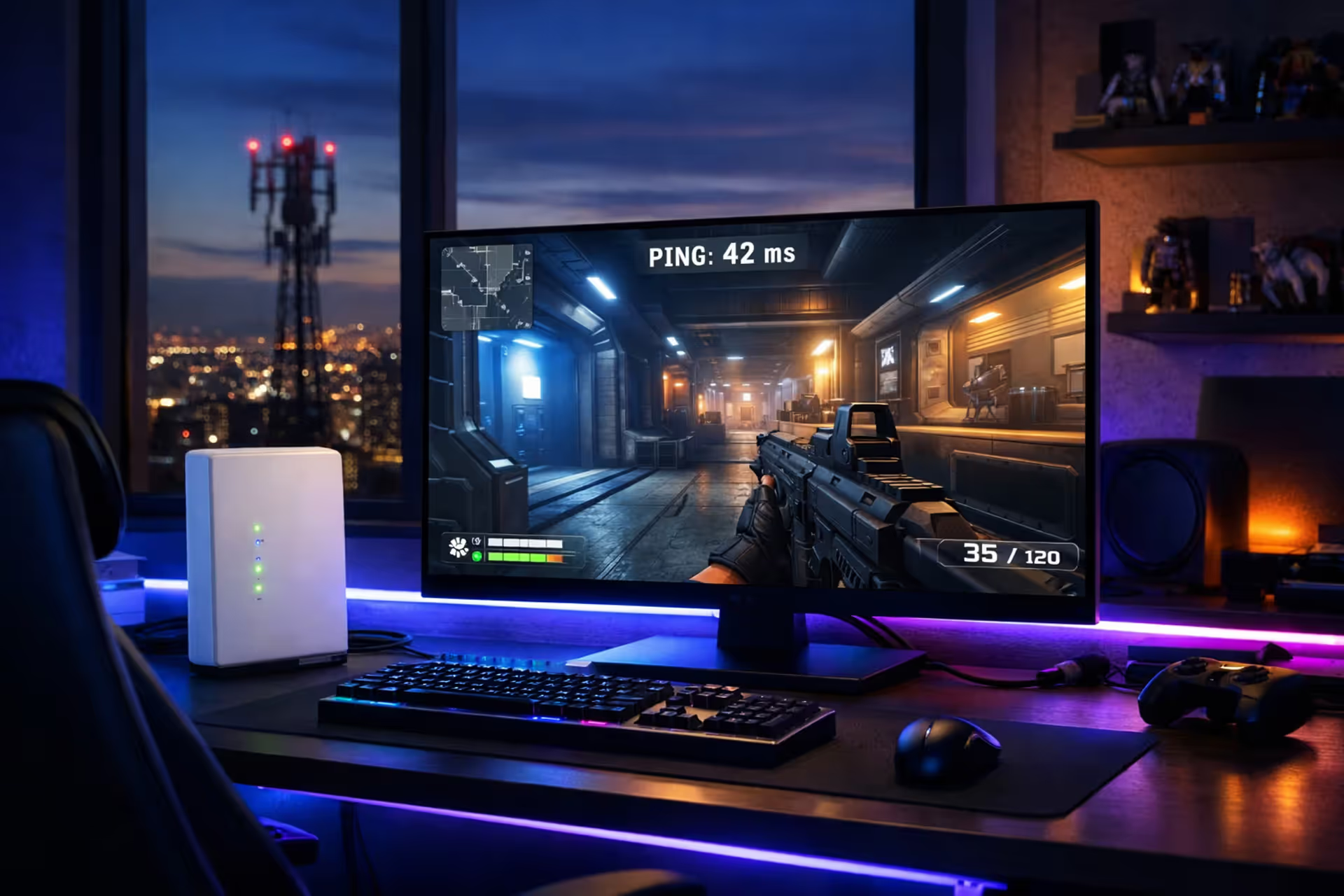
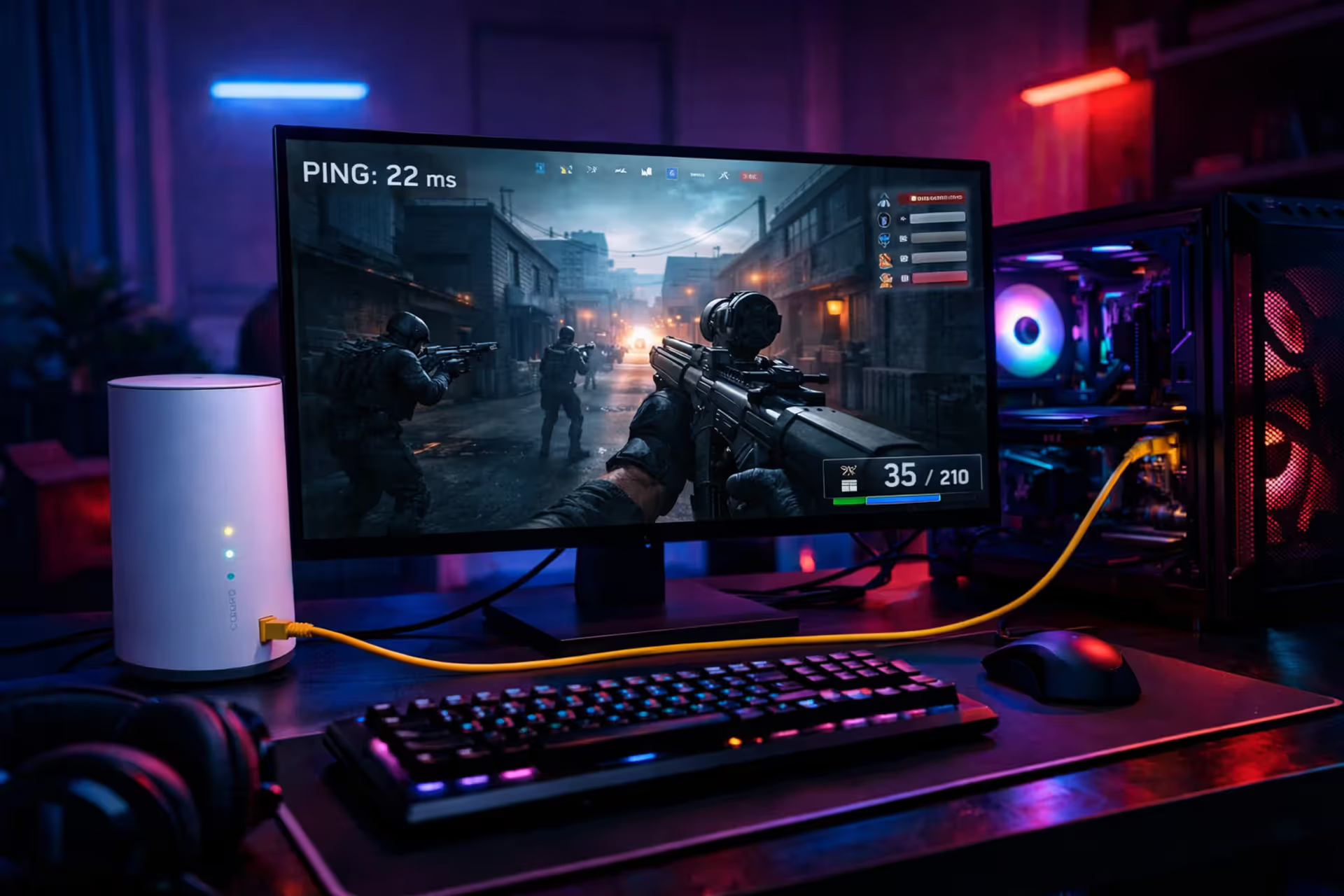
Gaming setup with 5G home internet gateway next to a monitor showing an online multiplayer game with ping overlay, cell tower visible through window
Is 5G Home Internet Good for Gaming? What to Know Before Switching

5G home internet promises fast speeds and easy setup without the hassle of cable installation. But raw download numbers don't tell the whole story when you're trying to land headshots in Valorant or coordinate team fights in League of Legends. Gaming demands consistent, low-latency connections that respond in milliseconds, not just high throughput for downloading files.
The short answer: 5G home internet can work for gaming, but with significant caveats. Your experience depends heavily on tower proximity, network congestion in your area, and what types of games you play. Some gamers report perfectly playable sessions, while others struggle with connection issues that make competitive play impossible.
How 5G Home Internet Performs in Real Gaming Scenarios
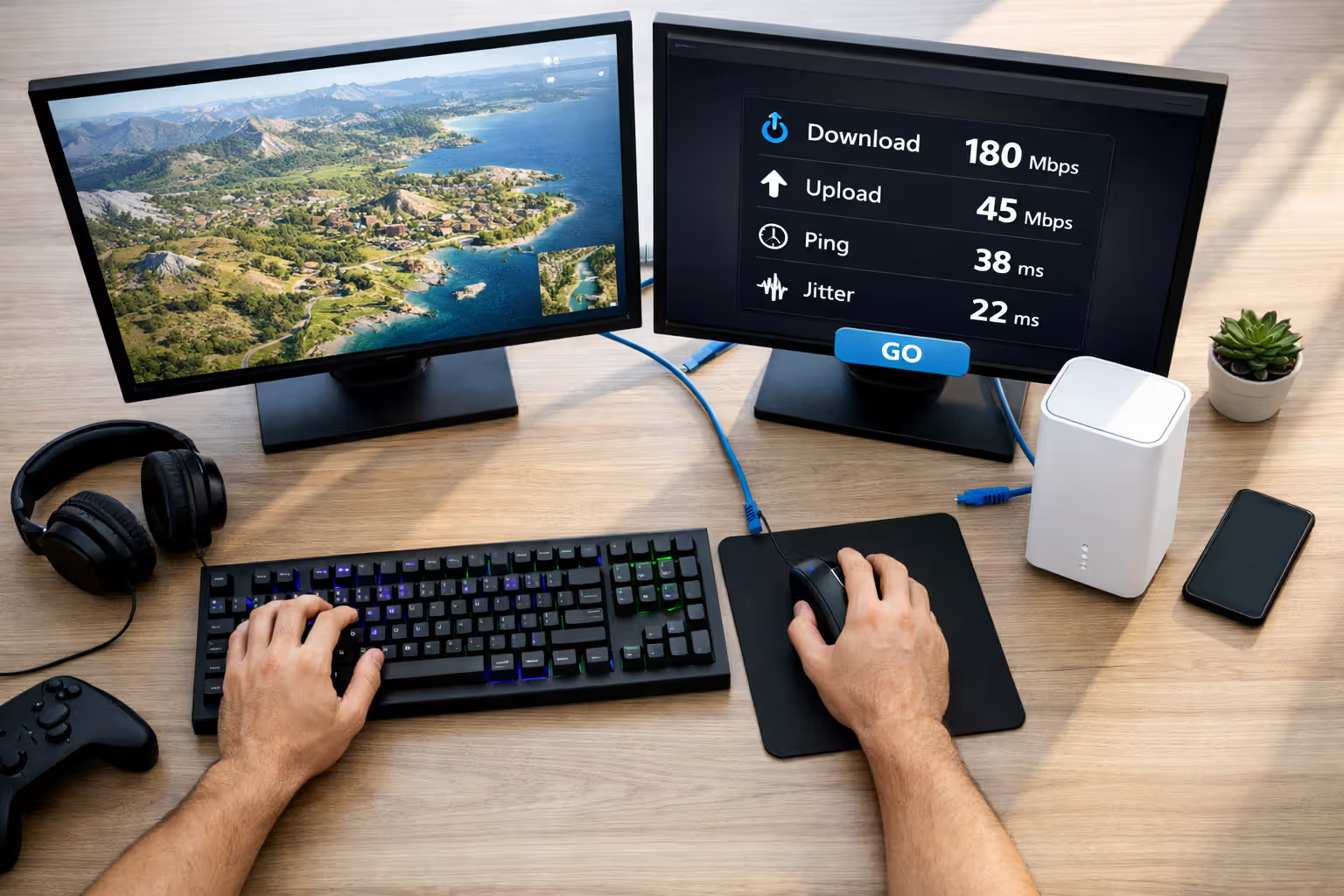
Real-world testing shows 5G home internet latency typically ranges between 30-50ms under ideal conditions. That's competitive with many cable connections, which usually sit around 20-35ms. However, 5G home internet jitter—the variation in latency from one moment to the next—tends to be higher and less predictable than wired connections.
A cable connection might maintain steady 25ms ping throughout your gaming session. 5G can fluctuate between 35ms and 80ms within minutes, even when your signal bars look strong. This inconsistency matters more than the average number. A sudden spike from 40ms to 120ms mid-teamfight can mean the difference between blocking an attack and watching your character die to something you never saw coming.
For turn-based games like Civilization VI or slower-paced titles like Stardew Valley, these fluctuations barely register. Strategy games and RPGs handle latency variations gracefully because split-second timing isn't critical.
First-person shooters present a different challenge. Games like Call of Duty, Apex Legends, and Counter-Strike demand consistent sub-50ms latency. You can technically play these on 5G home internet, but expect occasional frustrating moments where enemies seem to shoot you before appearing on your screen. Casual players might not mind, but anyone climbing ranked ladders will feel the difference.
MOBAs like Dota 2 and League of Legends fall somewhere in between. The games are playable on 5G, and many users report satisfactory experiences. Still, high-level play requires precise ability timing where even 20ms of extra delay affects combo execution.
Fighting games represent the worst-case scenario. Titles like Street Fighter 6 and Tekken 8 need rock-solid connections under 30ms with minimal jitter. The frame-perfect inputs these games require make 5G home internet a poor choice for serious competitive play.
5G home internet introduces an inherent variability that wired connections simply don't have. You're adding a wireless link to your connection path that's subject to interference, weather conditions, and tower load. For latency-sensitive applications like gaming, that additional variable often becomes the weakest link in your connection chain
— Marcus Chen
Packet loss on 5G home internet typically stays below 1% under good conditions, which is acceptable for gaming. Problems emerge during network congestion or poor weather when packet loss can spike to 2-5%, causing noticeable stuttering and rubber-banding effects.
The CGNAT Problem: Why Some Games Won't Work Properly on 5G
Carrier-Grade Network Address Translation (CGNAT) represents the single biggest technical limitation for gamers on 5G home internet. Most 5G providers use CGNAT because they don't have enough IPv4 addresses for every customer. Instead of giving you a unique public IP address, they share one IP among dozens or hundreds of users.
This creates tangible problems. You can't host game servers from home. Peer-to-peer connections often fail or require extra negotiation time. Voice chat quality suffers in some games. Friend invites might not work properly.
What NAT Type You'll Get and How It Affects Multiplayer
NAT type on 5G home internet almost always comes back as "Moderate" or "Strict" rather than the ideal "Open" type. On Xbox, you'll likely see NAT Type: Moderate. PlayStation typically shows NAT Type 2 or 3. PC games display various warnings about restricted connectivity.
Moderate NAT means you can connect to most players but might experience longer matchmaking times and occasional connection failures. Strict NAT severely limits your matchmaking pool—you can only connect to players with Open NAT, which excludes a large portion of the gaming community.
Certain games handle this better than others. Dedicated server games like Fortnite, Valorant, and most modern AAA titles work fine because you're connecting to the game company's servers, not directly to other players. CGNAT gaming issues primarily affect peer-to-peer titles.
Games that rely on peer-to-peer connections suffer noticeably. Call of Duty's lobby system sometimes fails to connect. FIFA and NBA 2K players report frequent disconnections. Destiny 2's peer-to-peer hybrid model causes problems joining fireteams.
Workarounds for CGNAT Limitations
Some 5G providers offer static IP addresses as a paid add-on, typically $5-15 monthly. T-Mobile Home Internet charges $5 for a public IP that eliminates CGNAT restrictions. Verizon 5G Home Internet includes it in their premium tier. This solves NAT type issues but doesn't address the underlying latency variability.
VPN services claim to bypass CGNAT, but results vary wildly. Some users report improved NAT types, while others see no change or even worse performance. VPNs add their own latency overhead, typically 5-20ms, which defeats the purpose for latency-sensitive gaming.
Port forwarding doesn't work on CGNAT connections because you don't control the public-facing router. The ports you forward on your gateway only affect your internal network, not the carrier's shared IP address.
UPnP (Universal Plug and Play) sometimes helps establish connections automatically, but it's inconsistent on CGNAT networks. Enable it in your gateway settings as a first step, but don't expect miracles.
5G Home Internet vs. Cable: Side-by-Side Gaming Comparison
The performance gap between 5G and cable internet for gaming comes down to consistency rather than raw capability. Both technologies can deliver speeds far exceeding what games require—even bandwidth-intensive titles rarely need more than 25 Mbps.
| Metric | 5G Home Internet | Cable Internet | Winner |
| Average latency | 30-50ms | 20-35ms | Cable |
| Jitter range | 10-40ms | 2-8ms | Cable |
| Packet loss % | 0.5-2% | 0.1-0.5% | Cable |
| Consistency rating | Variable | Stable | Cable |
| NAT type availability | Moderate/Strict (Open with paid add-on) | Open (standard) | Cable |
| Monthly cost range | $50-70 | $60-90 | 5G |
| Setup difficulty | Plug and play | Professional installation | 5G |
Cable internet wins on every performance metric that matters for gaming. The latency stays lower and more consistent. Jitter remains minimal. Packet loss rarely becomes noticeable. NAT types default to Open without extra fees.
5G home internet's advantages lie elsewhere: no installation appointments, no drilling holes in walls, no annual contracts in many cases, and slightly lower monthly costs. You can set up service in minutes rather than waiting days or weeks for a technician.
Weather affects both technologies differently. Heavy rain or snow can degrade 5G signal quality, increasing latency and packet loss. Cable connections remain stable during storms unless physical infrastructure gets damaged. On the flip side, cable internet suffers from neighborhood congestion during peak hours, though this varies by provider and area.
Upload speeds favor 5G in many markets. While cable internet often provides 10-35 Mbps upload on typical plans, 5G home internet frequently delivers 20-50 Mbps or more. This matters if you stream your gameplay on Twitch or YouTube while gaming.
Author: Caroline Prescott;
Source: flexstarsolutions.com
Network Congestion and Peak Hour Performance
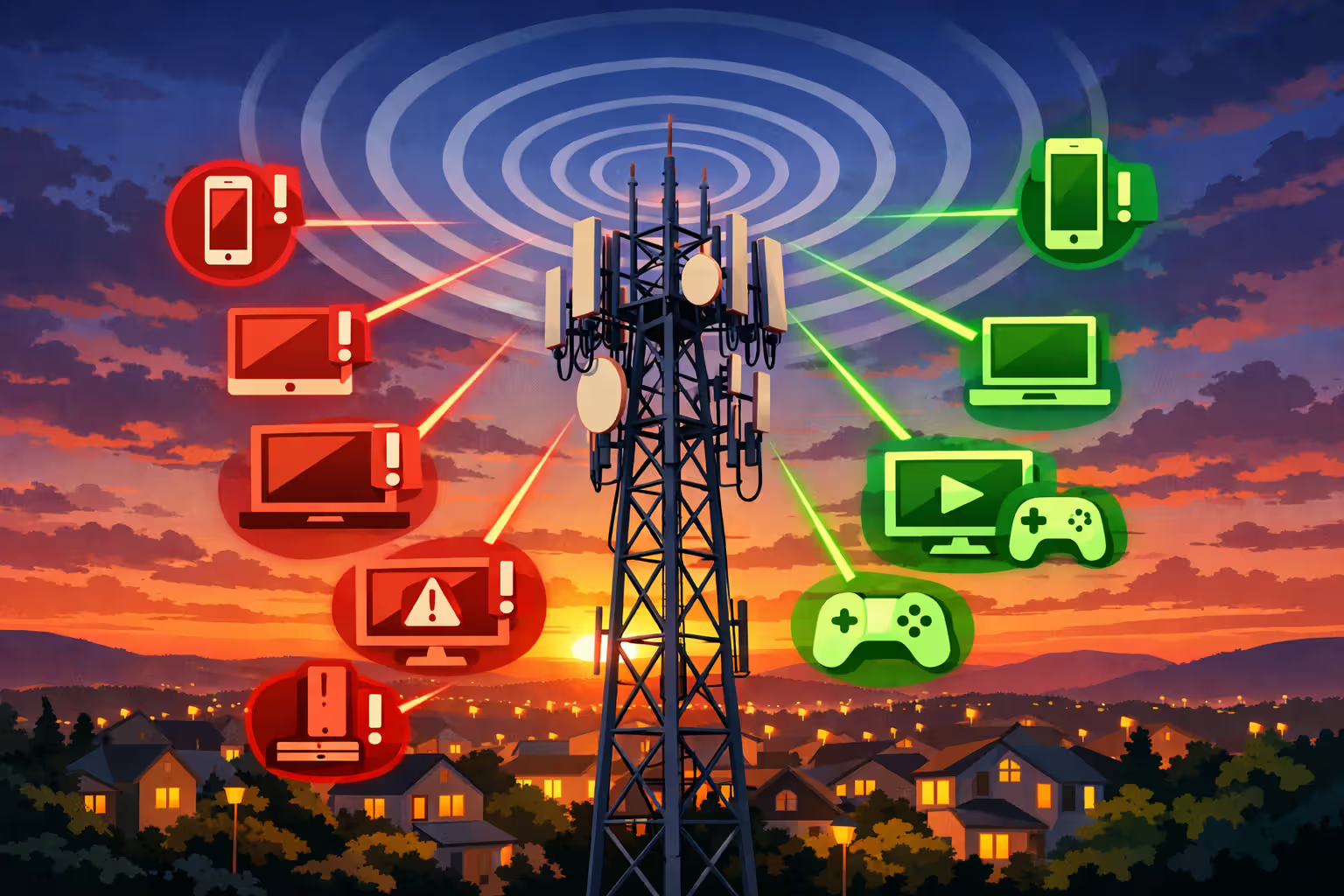
Tower congestion represents the biggest wildcard with 5G home internet. Your connection shares bandwidth with every smartphone, tablet, and other 5G home internet user connected to the same cell tower. When everyone gets home from work and starts streaming Netflix, your gaming performance tanks.
Congestion effects on 5G become most noticeable between 6 PM and 11 PM on weeknights and throughout weekend afternoons. Latency that measured 35ms at 2 PM might jump to 70-90ms at 8 PM. Jitter increases. Packet loss creeps up. Games that felt responsive during your lunch break become sluggish during prime gaming hours.
Deprioritization policies make this worse for some users. Many 5G home internet plans receive lower priority than smartphone traffic on the same tower. When the network gets congested, your home internet connection gets throttled first to preserve mobile user experience. T-Mobile openly states their home internet service may be deprioritized during congestion. Verizon's policies are similar.
This creates an unfortunate situation where your connection quality depends on factors completely outside your control. A new apartment building in your area can suddenly degrade your gaming experience as dozens of new users connect to your tower. There's no fix except hoping your provider adds capacity or switching to a different service.
Some users report acceptable gaming performance even during peak hours, particularly in suburban or rural areas where tower congestion stays manageable. Urban gamers face more significant challenges. A tower serving dense apartment complexes or busy commercial districts will struggle more than one covering spread-out single-family homes.
Testing your specific connection during the hours you actually plan to game is essential before committing to 5G home internet. Most providers offer trial periods or flexible cancellation policies. Run speed tests with latency measurements at 8 PM on a Friday, not 10 AM on a Tuesday.
Author: Caroline Prescott;
Source: flexstarsolutions.com
Setup Strategies to Minimize Lag on 5G Home Internet
Optimizing your 5G home internet connection for gaming requires different strategies than cable internet. Signal quality matters more than any router setting.
Gateway Placement for Optimal Signal Strength
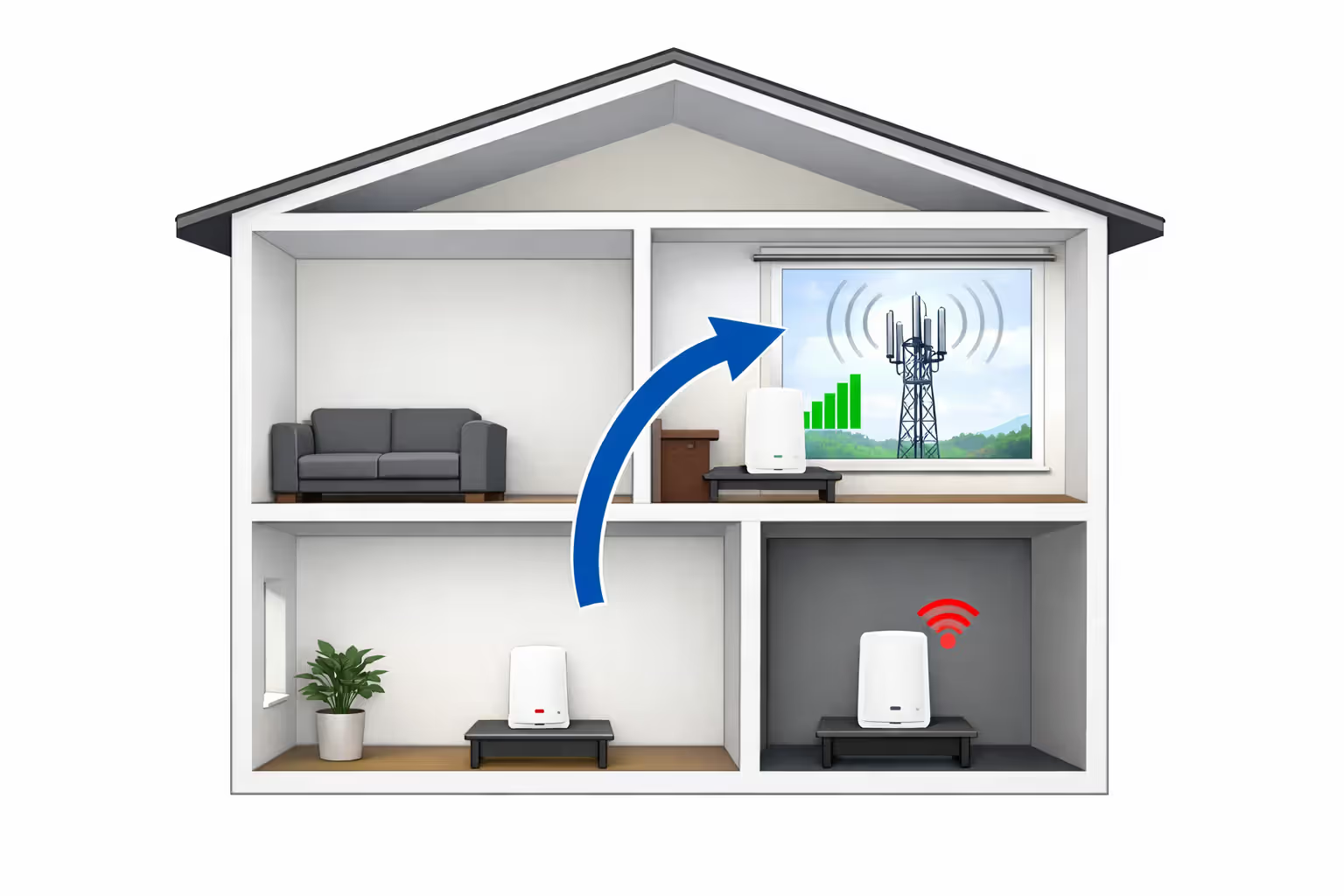
Best 5G gateway placement makes or breaks your gaming experience. The gateway needs clear line-of-sight to the nearest cell tower whenever possible. Windows beat walls every time. Higher floors outperform ground level.
Start by identifying your nearest tower. T-Mobile's Home Internet app shows signal strength and can help locate the tower direction. Verizon users can check CellMapper.net. Once you know the direction, place your gateway on that side of your home, preferably near a window.
Avoid these common placement mistakes: tucking the gateway in a closet or entertainment center, placing it in basements or interior rooms with no exterior walls, positioning it near large metal objects or appliances that cause interference, and leaving it on the floor instead of elevating it on a shelf or desk.
A five-bar signal at your window might drop to two bars just ten feet into your home. That difference translates directly to higher latency and more jitter. Move the gateway around while monitoring your signal strength. Even a few feet can make a measurable difference.
External antennas help in marginal signal areas. Some 5G gateways have antenna ports that accept external directional antennas. These range from $50-200 and can improve signal quality by 10-20 dB, which often means the difference between playable and frustrating gaming.
Author: Caroline Prescott;
Source: flexstarsolutions.com
QoS Settings and Wired vs. Wireless Connections
Always use a wired Ethernet connection from your gateway to your gaming device. Wi-Fi adds 5-15ms of additional latency and introduces more jitter and packet loss. Even Wi-Fi 6 can't match a direct wired connection for gaming consistency.
Quality of Service (QoS) settings on 5G gateways vary by provider. T-Mobile's gateway offers limited QoS options. Verizon's equipment provides more granular controls. If available, prioritize your gaming device's MAC address or assign it to the highest priority tier.
Some gamers connect their own router to the 5G gateway for better control over QoS, port forwarding attempts, and network monitoring. This adds another device to manage but provides more flexibility. Put the gateway in bridge mode if supported, or accept the double-NAT situation if not.
Reduce lag on 5G home internet by closing bandwidth-heavy applications during gaming sessions. Pause cloud backups, stop automatic updates, and ask family members to avoid 4K streaming while you're playing competitive matches. Unlike cable internet with consistent bandwidth, 5G's variable performance means every bit of traffic competes for limited, fluctuating resources.
Monitor your connection quality with tools like PingPlotter or WinMTR. These show latency trends over time and help identify whether problems stem from your 5G connection, your home network, or the game servers themselves. Consistent patterns of increased latency during specific hours point to tower congestion.
Which Games Work Well (and Which Don't) on 5G Home Internet
Genre and game design determine whether 5G home internet provides acceptable performance. The latency tolerance built into different game types creates a clear hierarchy.
Excellent compatibility: Turn-based strategy games (Civilization, XCOM), card games (Hearthstone, Marvel Snap), puzzle games, most single-player games with online features, and casual multiplayer games (Among Us, Fall Guys) all work perfectly fine. These games either don't require real-time responsiveness or build in enough tolerance that occasional latency spikes don't affect gameplay.
Good compatibility: MMORPGs like World of Warcraft, Final Fantasy XIV, and Elder Scrolls Online handle 5G home internet reasonably well. The server tick rates and ability queuing systems in these games accommodate moderate latency. You might notice slight delays in high-end raid content, but casual and mid-tier play feels responsive enough.
Acceptable with caveats: Battle royale games (Fortnite, Apex Legends, PUBG), team-based shooters on dedicated servers (Overwatch 2, Valorant), and sports games on dedicated servers (Madden, MLB The Show) remain playable but not ideal. Expect occasional frustrating moments where the connection hiccups at the worst possible time. Competitive ranking might suffer compared to a cable connection.
Poor compatibility: Fast-paced FPS games (Call of Duty multiplayer, Counter-Strike), fighting games (Street Fighter, Tekken), rhythm games (Beat Saber multiplayer), and racing simulators (iRacing) struggle on 5G home internet. These games demand consistent sub-30ms latency with minimal jitter. The variable nature of 5G connections creates too many moments where the game feels unresponsive.
Problematic: Peer-to-peer multiplayer games hit CGNAT limitations hard. Older Call of Duty titles using P2P connections, sports games with P2P modes, and any game requiring you to host sessions for friends will cause headaches. Even when connections work, they take longer to establish and fail more frequently.
Streaming your gameplay while gaming adds another variable. Upload bandwidth usually isn't the limiting factor—5G provides plenty. However, the encoding process on your PC or console combined with the variable latency can create a less smooth viewing experience for your audience, even when the game feels fine to you.
Frequently Asked Questions About 5G Home Internet for Gaming
Making the Switch: What to Consider
Choosing 5G home internet for gaming makes sense in specific situations but not as a universal recommendation. The technology works best for casual gamers who prioritize convenience and cost savings over absolute performance, those living in areas with strong 5G signals and low tower congestion, players who focus on less latency-sensitive game genres, and people who need internet immediately without waiting for cable installation.
Stick with cable or fiber if you play competitive shooters or fighting games seriously, host game servers or frequently invite friends to peer-to-peer sessions, live in dense urban areas with heavy tower congestion, or need absolutely consistent performance for ranked competitive play.
The trial-and-error nature of 5G home internet means your neighbor's experience might differ completely from yours despite living on the same street. Signal propagation, building materials, and even which specific tower you connect to create variables that make blanket recommendations impossible.
Test during your actual gaming hours, not during off-peak times when the network is idle. A connection that feels flawless at 2 PM might become unplayable at 8 PM. Understand that performance can degrade over time as more users join the network in your area. What works well today might become problematic in six months if your provider doesn't add capacity to match subscriber growth.
For many gamers, 5G home internet represents a workable compromise rather than an ideal solution. You trade some performance consistency for easier setup, lower costs, and no contracts. Whether that trade-off makes sense depends entirely on your gaming priorities and local network conditions.
Related Stories
Read more
Read more

The content on this website is provided for general informational and educational purposes only. It is intended to offer guidance on internet technology topics, including internet providers, connection types (fiber, cable, and 5G home internet), WiFi setup, router configuration, internet speed requirements, and online security practices. The information presented should not be considered technical, legal, or professional networking advice.
All information, articles, comparisons, and technical explanations on this website are for general informational purposes only. Internet service availability, performance, speeds, equipment requirements, and security features may vary by provider, location, infrastructure, and individual network configuration. Actual internet performance and reliability depend on many factors, including hardware, service plans, local network conditions, and user behavior.
This website is not responsible for any errors or omissions in the content or for actions taken based on the information provided. Reading this website does not create a professional or service relationship. Users are encouraged to consult with their internet service provider, network specialist, or qualified technical professional for advice specific to their internet setup, equipment, or connectivity needs.