
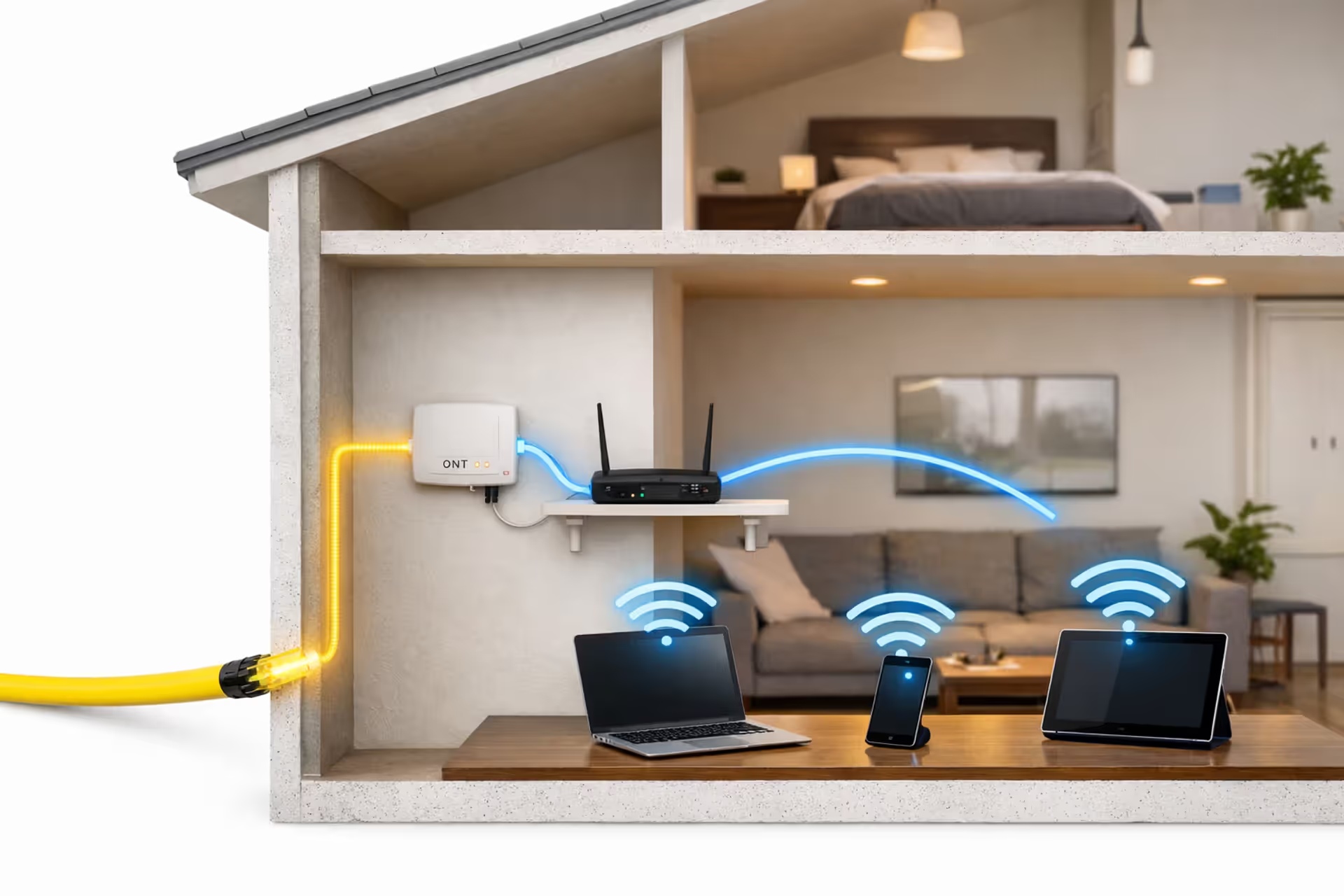
Cutaway view of a modern home showing fiber optic cable entering the wall, connecting to an ONT device, then to a WiFi router broadcasting wireless signal to laptops and smartphones
Is Fiber Internet Wireless? The Truth About Fiber & WiFi Connections

Last month, my neighbor Maria called me over to see her new fiber internet. She kept insisting the technician had installed "wireless fiber" because she could stream Netflix in her bedroom without any cables. When I pointed to the white cable running into her wall and the blinking box in her closet, she seemed genuinely surprised. "But I thought fiber meant no more wires!"
She's not alone in this confusion. The short answer: fiber internet depends entirely on physical cables running from your ISP's infrastructure straight into your home. What Maria experienced as "wireless" was actually WiFi—which is simply the final hop in an otherwise completely wired journey. Getting this straight isn't just about winning trivia games. It directly impacts how you'll troubleshoot problems, choose equipment, and actually get the speeds you're paying for.
How Fiber Internet Actually Reaches Your Home
Think of fiber-optic cables as hair-thin glass threads that carry your data as rapid light pulses. Your ISP buries these cables underground or strings them along existing utility poles, building out a web that links entire neighborhoods back to their main data centers. When you sign up for service, someone has to physically run that cable to your specific address.
Installation looks different depending on where you live and which company you're using. Sometimes the tech drills through an exterior wall and feeds the cable directly inside. Other times, they'll tap into a junction box somewhere on your block, then bridge that last stretch with either more fiber or even a short copper line. Regardless of the path, an actual cable—one you can touch and unplug—ends up entering your house through a wall, crawl space, or wherever makes the most sense.
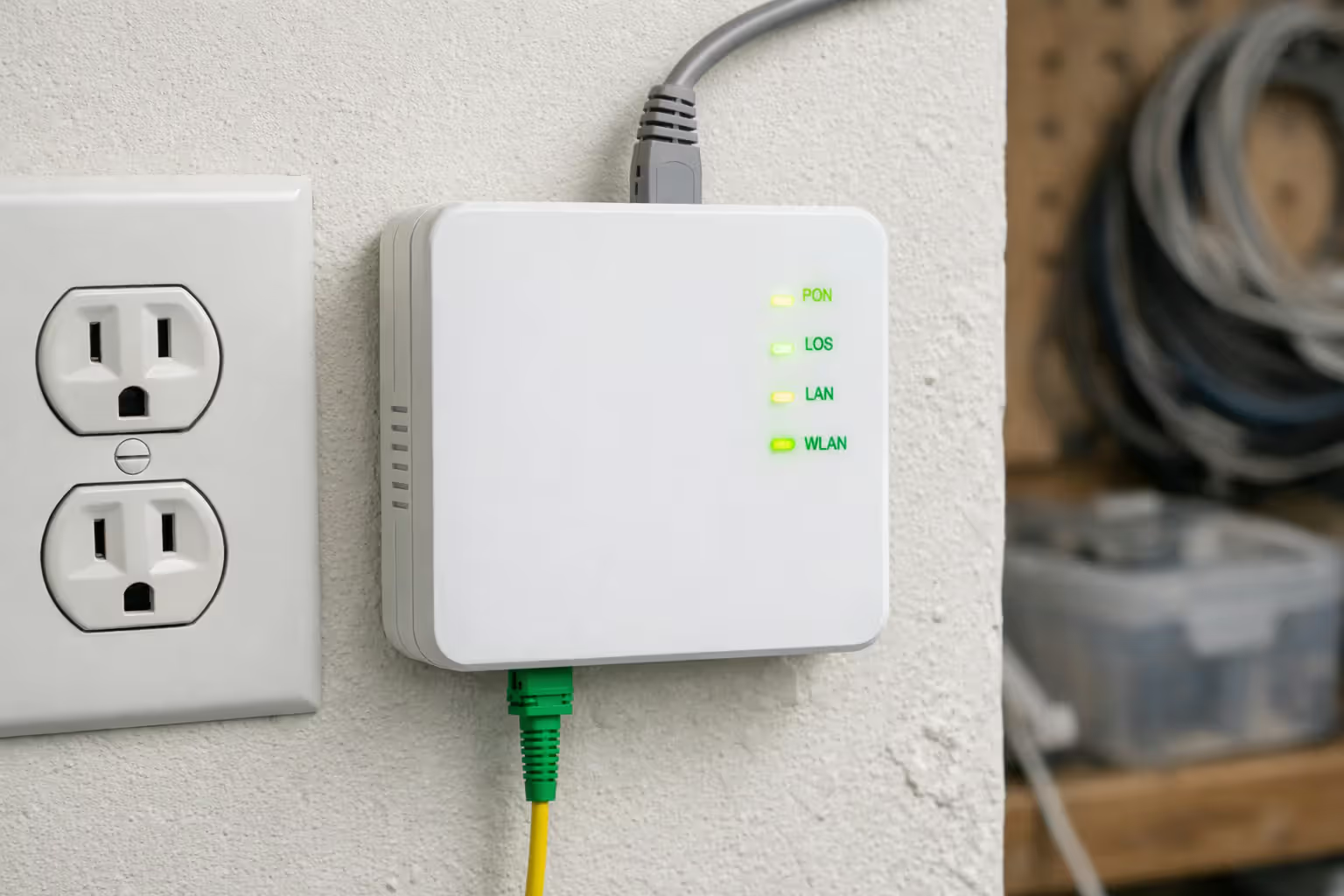
That incoming cable plugs into something called an Optical Network Terminal, or ONT for short. This box translates those light signals into the electrical data format your equipment understands. You'll usually find it mounted on a wall near the entry point, plugged into a regular power outlet. It stays connected 24/7 to your provider's system through that fiber line.
Author: Tyler Beaumont;
Source: flexstarsolutions.com
From your ISP's server farm to the ONT mounted in your garage, every single inch relies on physical infrastructure. Nobody's beaming anything wirelessly. The "last mile" challenge that telecom companies always complain about? That's exactly this: the logistical headache of physically connecting every single home to the network with actual cables.
Why People Think Fiber Is Wireless (And Why They're Wrong)
The wireless fiber misconception happens because modern home networks work so transparently. An installer shows up, drills some holes, mounts some equipment, taps on an iPad for ten minutes—and suddenly you're video calling your sister in Phoenix from your back deck. You never see an ethernet cable snaking to your phone. The wired parts become completely invisible to your daily experience.
Marketing departments love playing with this ambiguity. They'll promote "cutting the cord" packages or emphasize "wireless freedom throughout your home" when pushing fiber plans. Sure, they mean you won't need cable TV or that WiFi will reach your whole house—but the phrasing makes it sound like the fiber itself arrives over the air. That's intentional murkiness, and it works.
Here's another twist: upgrading to fiber often coincides with getting a much better router. If you'd been limping along on some ancient WiFi setup from 2014, the new equipment feels revolutionary. People mentally link that dramatic wireless improvement to fiber being some kind of "wireless technology" instead of recognizing they've upgraded two separate things—the pipe bringing internet in AND the system broadcasting it around their house.
Throw in the fact that 5G home internet (which genuinely is wireless from tower to home) launched around the same time fiber became widely available, and you've got a recipe for confusion. These are completely different technologies with totally different hardware requirements, but they're competing for the same customers in overlapping markets.
I get calls weekly from people asking if we can 'do the wireless fiber installation.The technology fundamentally requires physical cables connecting your residence to our network. What they're really asking about is whether they'll have good WiFi coverage, which is actually a separate question from how the internet signal gets delivered to their home in the first place
— Michael Torres
Fiber Internet Still Requires a Router—Here's What That Means
That ONT handles the conversation between your provider's fiber network and your home equipment, but it doesn't generate WiFi or direct traffic between your various gadgets. That's what your router does. Some ONTs include basic routing features built in, but most fiber setups involve a separate router box.
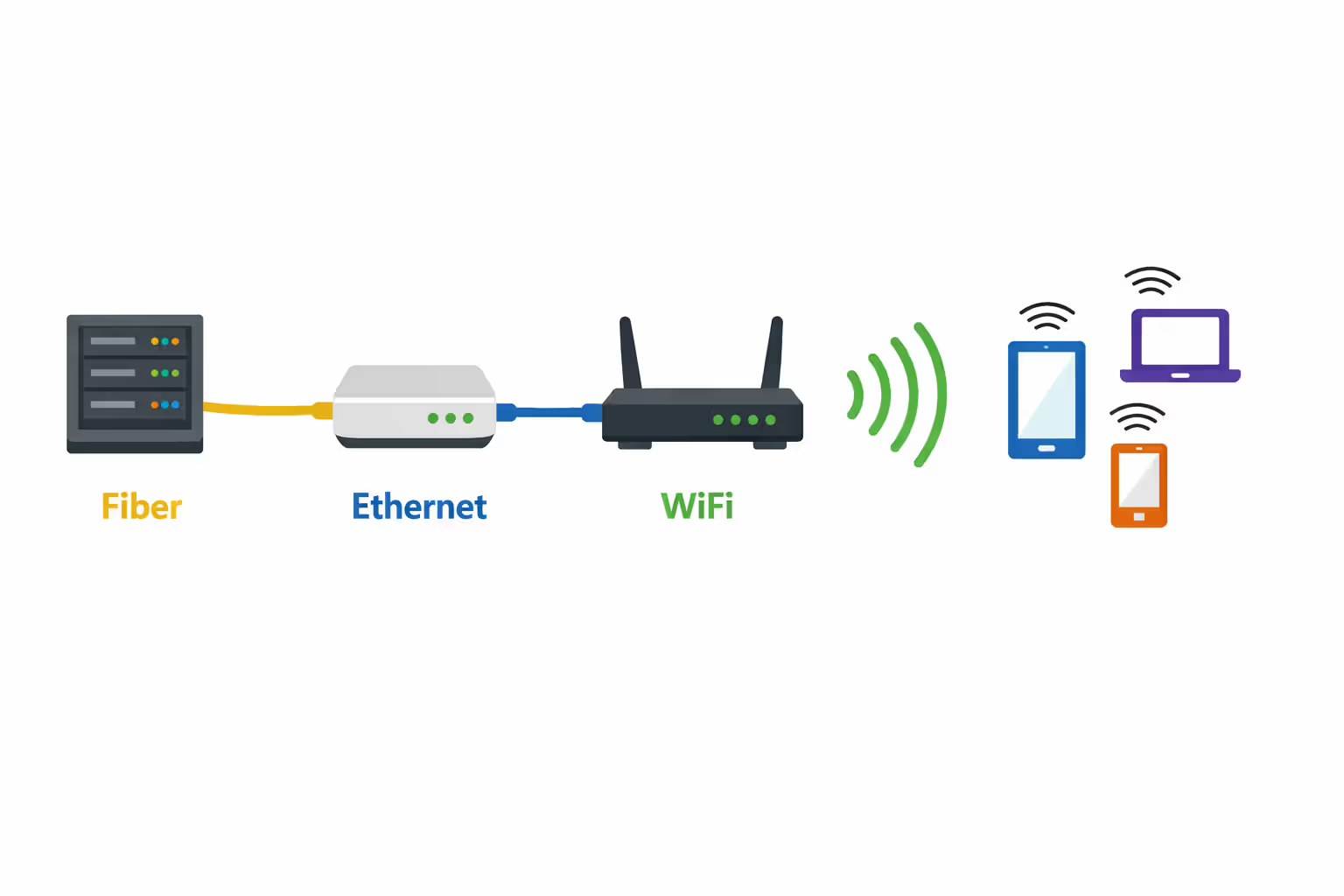
Your router connects to the ONT through—wait for it—another ethernet cable. There's the wired connection again. From there, the router handles several critical jobs: giving each of your devices its own local address, protecting your network with firewall security, and broadcasting the WiFi signal that your phone and laptop actually connect to.
When your tablet joins your WiFi network, it's not reaching all the way back to the fiber network. It's talking to your router, which talks through ethernet to the ONT, which talks through fiber to your ISP. WiFi just eliminates that final cable between the router and your device.
This layered architecture explains why your router quality matters so absurdly much with fiber service. Let's say you've got gigabit fiber pumping 1,000 Mbps to your ONT. But you're using an old router that tops out at WiFi 5 with a theoretical ceiling of maybe 866 Mbps—and real-world performance closer to 450 Mbps on a good day. You're never seeing those full fiber speeds on any wireless device. Your router just became a traffic jam.
Some ISPs provide combination ONT/router units, which simplifies the setup but doesn't change the underlying architecture. The box still has a fiber jack where the cable plugs in and WiFi antennas broadcasting to your devices. You're just getting two functions crammed into one piece of hardware.
Many providers let you use your own router instead of theirs, though some lock you into their equipment. If you're bringing your own, verify it has a gigabit-speed ethernet WAN port capable of handling your full fiber speed. Plenty of cheaper routers still ship with 100 Mbps WAN ports that instantly choke your connection before it even reaches your WiFi system.
Author: Tyler Beaumont;
Source: flexstarsolutions.com
Setting Up WiFi with Fiber: Router Placement and Equipment Choices
Getting fiber installed is honestly the easy part. Whether you actually experience those headline speeds throughout your entire house comes down to how you configure your WiFi network.
Where to Position Your Router for Maximum Coverage
WiFi radio waves lose strength passing through walls, floors, furniture—basically any solid object. The ONT gets installed wherever fiber physically enters your property, which might be terrible for WiFi coverage. If your entry point happens to be a basement corner or detached garage, that's where your router ends up too—unless you run ethernet cable somewhere more strategic.
Perfect router placement follows basic principles: middle of your home, elevated if possible, clear line of sight to where you actually use devices. If your ONT sits in a room where you spend time anyway, great. If it's tucked behind the water heater in a utility closet, you've got a problem to solve.
Running ethernet from the ONT to a better router location pays for itself immediately. A 50-foot Cat6 cable runs fifteen bucks and can be tacked along baseboards or fished through walls if you're handy. This wired link maintains full fiber speed all the way to wherever you decide to put the router, giving you total flexibility for optimizing WiFi coverage.
Never stuff routers inside cabinets, behind entertainment centers, or anywhere near major metal objects. Each obstacle chips away at signal strength. A router sitting openly on a hallway shelf will absolutely destroy one hidden behind your TV, even though hiding it looks cleaner.
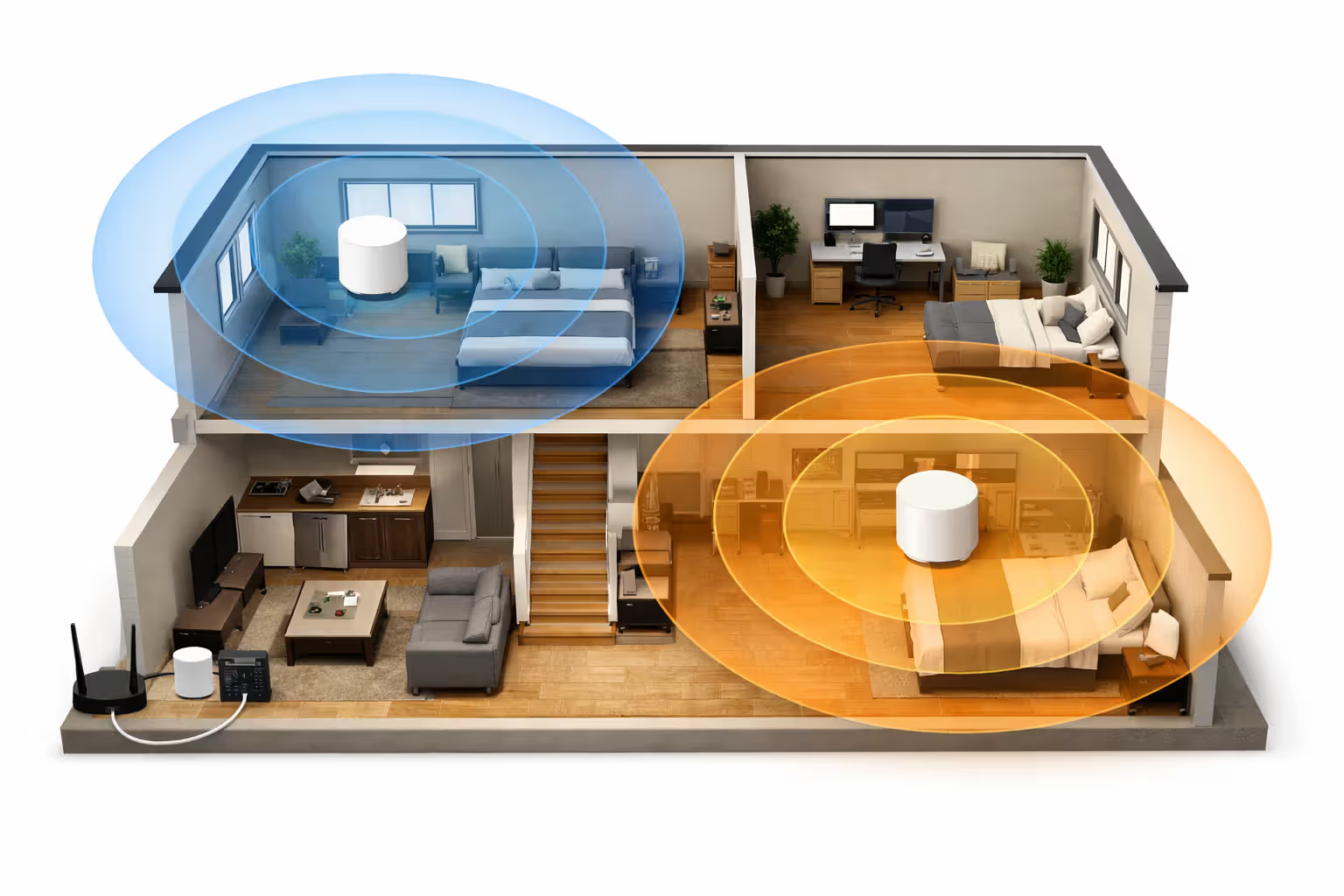
Two-story houses create extra headaches. A router on your main floor might leave the basement and upstairs bedrooms in weak signal territory. This is where mesh systems or wired access points start making sense.
Should You Upgrade to Mesh WiFi for Fiber Speeds?
Mesh WiFi spreads multiple units around your house to blanket everything with strong signal. They're particularly valuable with fiber because they can push those high speeds into areas a single router can't reach effectively.
Typical mesh setups include a primary router (plugged into your ONT) plus satellite nodes scattered in other rooms. Your devices seamlessly hand off to whichever node offers the best signal. Good mesh systems keep speeds high across the entire network, though satellite nodes usually see some speed drop because of wireless backhaul overhead.
For homes under 2,000 square feet with a centrally-located ONT, a single quality WiFi 6 router often handles everything fine. Mesh systems shine in larger homes, multiple floors, or when your ONT landed in an awful spot. They're also clutch for covering outdoor spaces like porches or that detached garage you converted into a home gym.
The downside is price. A solid single router costs $150-250. A three-unit mesh system that can actually handle gigabit fiber runs $300-500. Some people buy mesh expecting it to magically fix everything, then realize their actual problem was outdated devices or interference, not coverage gaps.
Before spending on mesh, confirm coverage is actually your bottleneck. Run speed tests via WiFi in different rooms. If you're seeing great speeds near the router but garbage in distant rooms, mesh probably helps. If speeds are mediocre everywhere, your router itself is likely the problem.
Wired backhaul—connecting mesh nodes through ethernet instead of wirelessly—transforms performance completely. If you've got ethernet jacks in multiple rooms or you're willing to run cables, this approach gives you mesh's coverage benefits with wired connection reliability.
Author: Tyler Beaumont;
Source: flexstarsolutions.com
Avoiding WiFi Bottlenecks That Waste Your Fiber Speed
Fiber pumps ridiculous bandwidth into your house, but multiple factors can prevent you from actually using it wirelessly.
Outdated routers cause most problems. WiFi 5 routers from five or six years ago can't keep pace with gigabit fiber. Even the ones marketed as "AC1900" or "AC2600" rarely push more than 500-600 Mbps in actual home conditions, and that's assuming ideal circumstances with zero interference.
WiFi 6 (also called 802.11ax) delivered major improvements in both raw speed and network efficiency. WiFi 6E added the 6 GHz frequency band, which is way less crowded than the traditional 2.4 GHz and 5 GHz bands. If you're getting gigabit fiber, WiFi 6 should be your minimum standard, with WiFi 6E being the smart long-term choice.
| WiFi Generation | Maximum Speed (Manufacturer Claims) | Real-World Speed You'll Actually See | Works Best With These Fiber Plans | Best For |
| WiFi 5 (802.11ac) | 866-3,500 Mbps | 300-600 Mbps | Up to 500 Mbps plans | Basic setups, slower fiber tiers |
| WiFi 6 (802.11ax) | 1,200-9,600 Mbps | 600-1,200 Mbps | Up to 1 Gbps plans | Most residential fiber installations |
| WiFi 6E (802.11ax) | 1,200-9,600 Mbps | 800-1,500+ Mbps | 1 Gbps and multi-gig plans | Multi-gigabit fiber, apartment buildings |
Your actual devices create speed limits too. My laptop from 2017 has a WiFi 5 adapter that'll never hit gigabit speeds regardless of how good my router is. Smartphones from 2018-2019 typically max around 400-500 Mbps. Newer devices with WiFi 6 chips can hit 800-1,000+ Mbps under good conditions.
Interference from your neighbors' WiFi networks wreaks havoc, especially in apartments and dense suburbs. The 2.4 GHz band resembles a traffic jam at this point—everyone's fighting over the same limited space. The 5 GHz band helps considerably, and 6 GHz on WiFi 6E basically solves the problem since hardly anyone uses it yet.
Channel width settings in your router affect both speed potential and stability. Wider channels (80 MHz or 160 MHz) enable faster speeds but pick up interference more easily. In congested environments, narrower channels sometimes deliver better actual performance despite their lower theoretical limits.
Physical barriers between your router and devices slash speeds dramatically. A tablet in the same room as your router might pull 900 Mbps. That same tablet two rooms away through multiple walls might struggle to break 200 Mbps. This isn't a fiber issue or even a router issue—it's just physics being annoying.
Testing speeds on different devices in various locations helps pinpoint bottlenecks. If devices plugged directly into your router via ethernet hit full fiber speeds but wireless devices don't, your WiFi setup needs work. If even wired devices fall short, the problem lives somewhere in your router, ONT, or the fiber connection itself.
Fiber vs WiFi: Clearing Up the Terminology
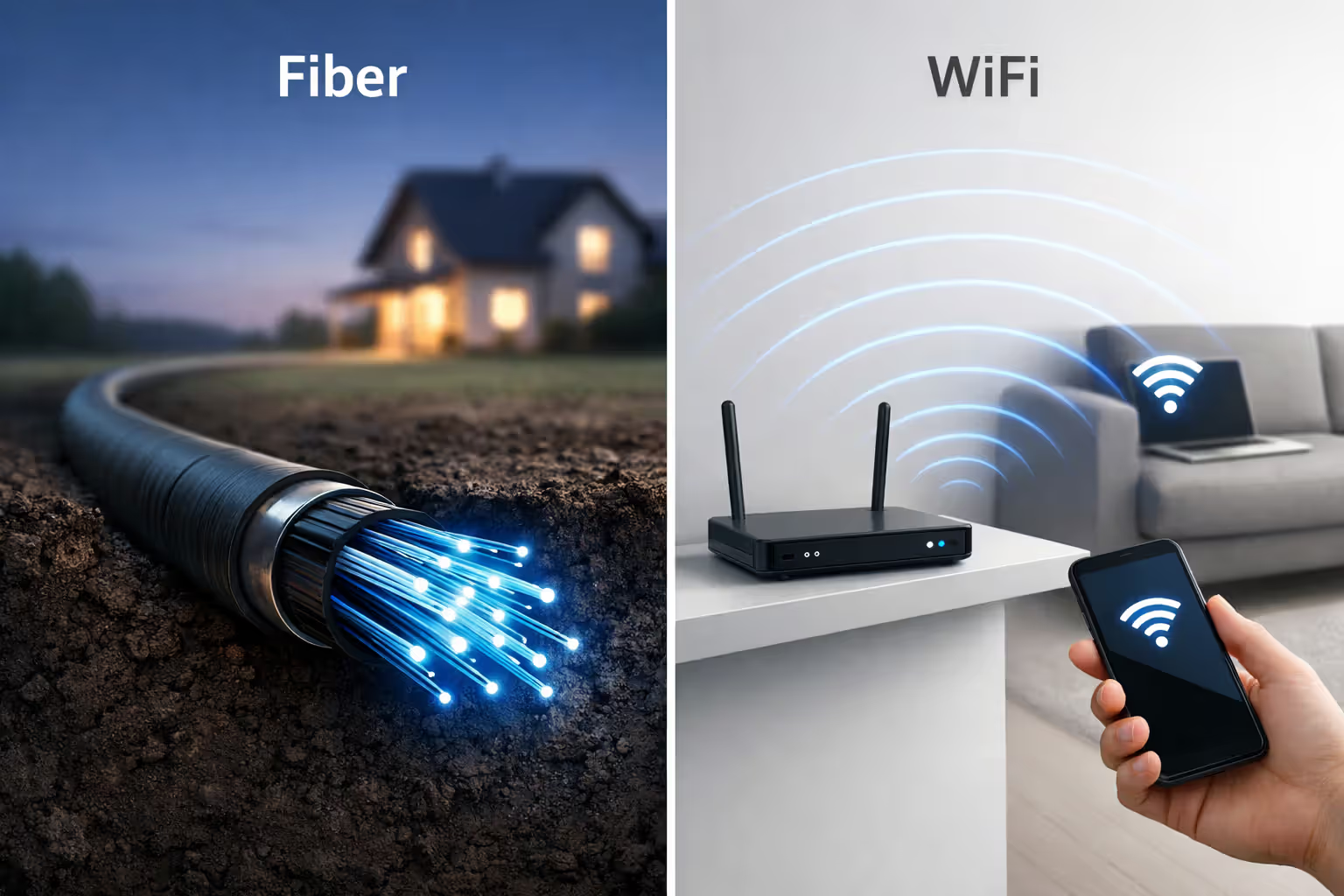
Fiber and WiFi aren't rivals—they're partners in your home network. Understanding how they differ matters when you're troubleshooting or talking to tech support.
Fiber describes the infrastructure delivering internet to your property. It's a connection type, like cable or DSL, except using light through glass strands rather than electricity through copper wire. Fiber is the "delivery method" part of the equation.
WiFi is a wireless standard that spreads internet around inside your home. It's a local connection type, like ethernet, except using radio waves rather than cables. WiFi is the "distribution method" part.
You could theoretically have fiber without WiFi if you plugged every device in via ethernet. You could have WiFi without fiber if you used cable, DSL, or 5G internet with a wireless router. Most modern setups combine fiber delivery with WiFi distribution because it delivers the ideal outcome: fast, stable internet to your home, plus the convenience of wireless access inside.
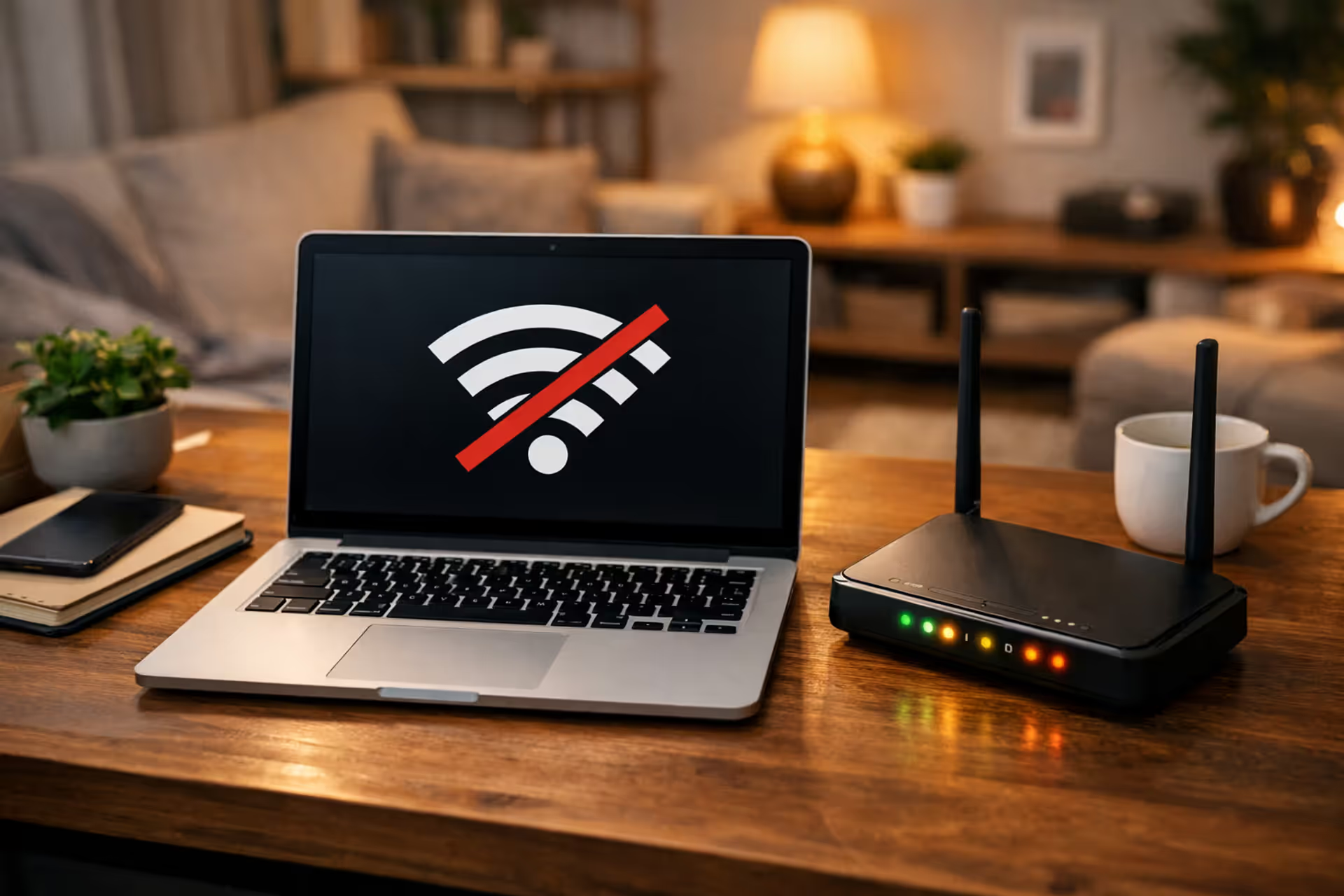
When someone complains "my fiber is slow," they almost always mean "my WiFi speeds are disappointing." The fiber connection itself is usually fine—it's typically pumping full speed to the ONT. The problem exists somewhere in the home network: inadequate router, WiFi configuration issues, device limitations, or interference problems.
This distinction becomes crucial during troubleshooting. If you call your ISP about slow speeds, they'll first verify that fiber is delivering the correct speed to your ONT. If it is, solving the problem falls on you through better equipment or configuration. If it isn't, they'll investigate their fiber infrastructure.
The same logic applies to outages. If your fiber connection dies, nothing works—wired or wireless. If your WiFi stops but wired devices still have internet, that's a router problem, not a fiber issue.
Author: Tyler Beaumont;
Source: flexstarsolutions.com
Frequently Asked Questions About Fiber and Wireless Connectivity
Making Fiber Work for Your Home
Fiber internet isn't wireless—but that doesn't make it any less valuable. The physical fiber connection brings unmatched speed and reliability right to your doorstep. What you do with that connection—how you spread it via WiFi, where you position your router, what equipment you invest in—determines whether you actually experience those benefits.
The confusion between fiber delivery and wireless distribution makes sense given how seamlessly everything works these days. Understanding the difference helps you choose better equipment, diagnose problems faster, and set realistic expectations about what fiber can and can't deliver.
If you're about to get fiber installed, think past installation day. Consider where they'll mount the ONT and whether that location works for router placement. Budget for a quality WiFi 6 router if your provider's included equipment is garbage. Plan for mesh or additional access points if your floor plan demands it.
The wired infrastructure—from your provider's network through fiber cables to your ONT to your router—creates the foundation. Your WiFi network builds on that foundation to deliver connectivity throughout your house. Both pieces matter equally. Fiber hauls the speed to your property line; your WiFi setup determines whether that speed actually reaches your devices when and where you need it.
Related Stories
Read more
Read more

The content on this website is provided for general informational and educational purposes only. It is intended to offer guidance on internet technology topics, including internet providers, connection types (fiber, cable, and 5G home internet), WiFi setup, router configuration, internet speed requirements, and online security practices. The information presented should not be considered technical, legal, or professional networking advice.
All information, articles, comparisons, and technical explanations on this website are for general informational purposes only. Internet service availability, performance, speeds, equipment requirements, and security features may vary by provider, location, infrastructure, and individual network configuration. Actual internet performance and reliability depend on many factors, including hardware, service plans, local network conditions, and user behavior.
This website is not responsible for any errors or omissions in the content or for actions taken based on the information provided. Reading this website does not create a professional or service relationship. Users are encouraged to consult with their internet service provider, network specialist, or qualified technical professional for advice specific to their internet setup, equipment, or connectivity needs.