
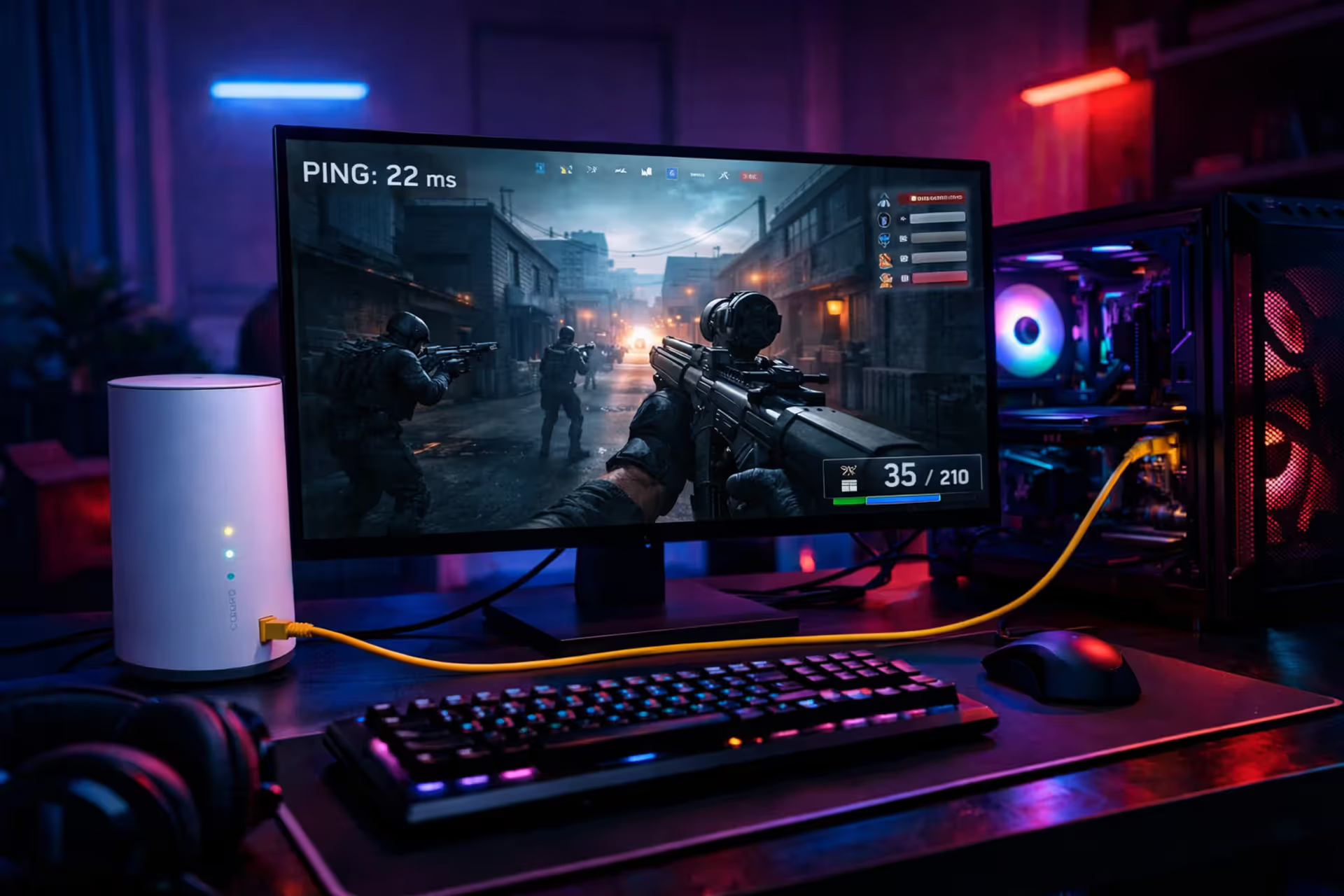
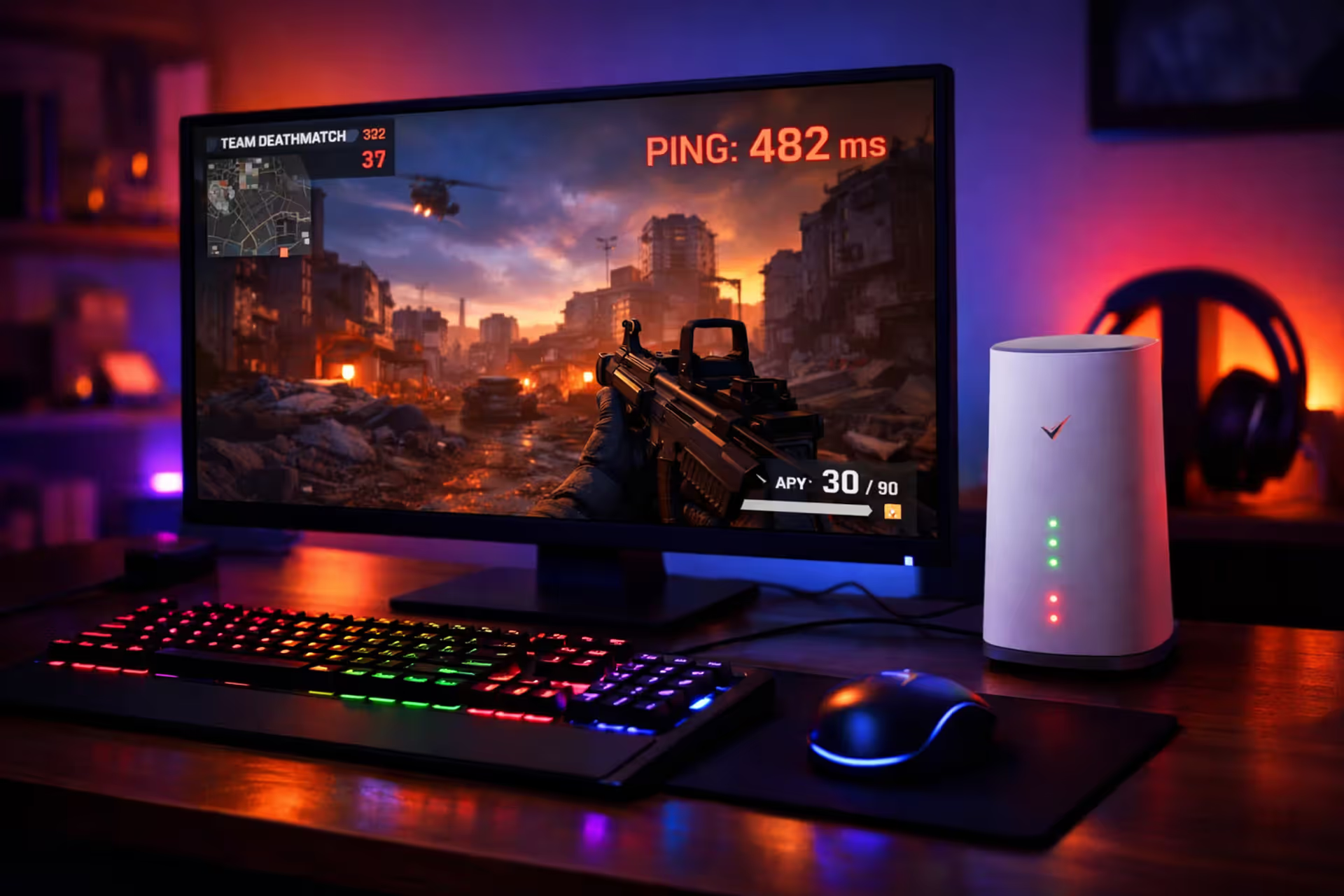
A modern gaming setup with a glowing monitor displaying a multiplayer game ping indicator next to a white 5G home internet gateway device in a dimly lit room with neon ambient lighting
Is T-Mobile Home Internet Good for Gaming? Real Performance Data

Gaming on T-Mobile's 5G home internet sounds appealing on paper—unlimited data, no contracts, and speeds that rival traditional broadband. But online gaming requirements go far beyond the download speeds ISPs love to advertise. You need rock-solid latency, zero packet loss, and network configurations that don't sabotage multiplayer connections.
Here's what real-world testing reveals: T-Mobile handles casual gaming sessions reasonably well, but serious competitive players will hit frustrating walls. Understanding exactly where this service delivers and where it falls short requires looking beyond the marketing materials at actual network performance.
Gaming Internet Requirements: Beyond the Marketing Hype
ISPs obsess over download speeds in their advertising, yet that metric barely matters for gaming. Most multiplayer titles consume shockingly little bandwidth—Fortnite matches eat roughly 100MB per hour, while Call of Duty Warzone uses around 150MB. Even modest 25 Mbps connections handle these loads without breaking a sweat.
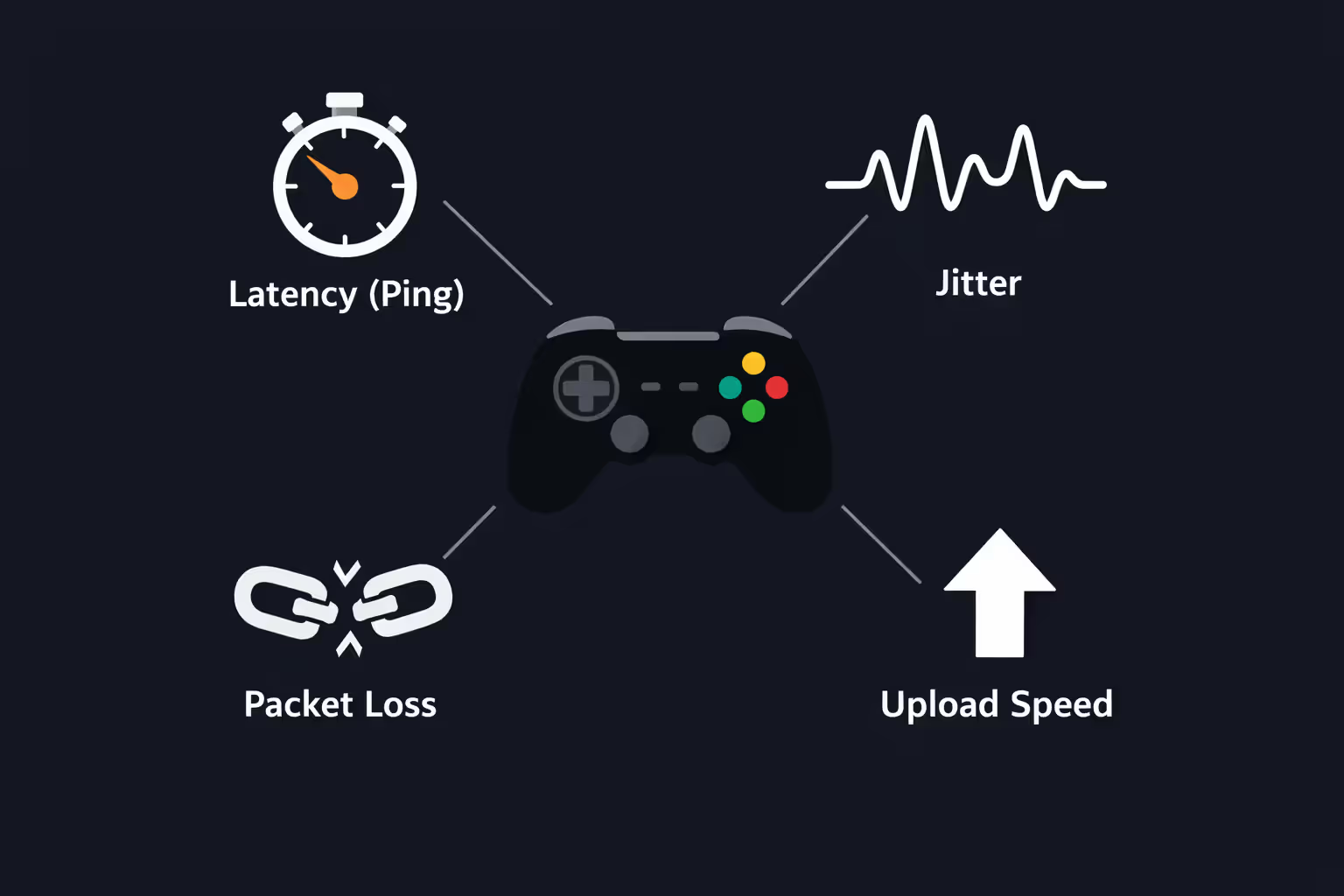
The metrics that actually determine whether you'll dominate or rage-quit are ones most advertisements ignore completely:
Latency (measured as ping) tracks how long your inputs take to reach game servers and return to your screen. Anything under 20ms feels instant. The 20-50ms range plays smoothly for nearly all game genres. Cross the 75ms threshold and you'll notice distinct delays between clicking and seeing results. Players competing at higher ranks consider anything above 50ms a tangible handicap.
Jitter reveals consistency in your connection. When ping fluctuates wildly between 30ms and 80ms mid-match, you'll suffer rubber-banding and unpredictable hit detection despite seemingly acceptable average latency. Quality connections maintain jitter under 10ms.
Packet loss happens when data vanishes in transit and requires retransmission. Even 1-2% loss creates visible stuttering, enemies teleporting across your screen, and commands that simply don't register. Gaming requires essentially zero packet loss.
Upload bandwidth often matters more than download because you're continuously transmitting your position, actions, and voice communications to servers. While 3 Mbps upload suffices for basic gaming, 10+ Mbps provides breathing room for simultaneous streaming or household bandwidth sharing.
Author: Marcus Leland;
Source: flexstarsolutions.com
Real-World T-Mobile Gaming Performance Data
Latency and Ping: What Users Actually Experience
T-Mobile's 5G home internet delivers 30-60ms ping to most game servers under optimal conditions. That's playable but measurably slower than wired alternatives. Cable connections typically achieve 15-30ms, while fiber frequently hits single-digit latency to regional servers.
The consistency issue creates bigger problems. T-Mobile routes all traffic through centralized gateways before connecting to the wider internet, adding routing hops that cable and fiber bypass entirely. During congested evening windows (7-11 PM), many users document ping spikes reaching 80-120ms as neighborhood towers max out capacity. Weekend afternoons frequently show similar performance degradation.
Your physical location dramatically impacts results. Users within one mile of 5G ultra-capacity towers with excellent signal report stable 25-40ms ping. Those depending on mid-band 5G from 2-3 miles frequently experience 50-70ms baseline latency with intermittent spikes exceeding 100ms. LTE fallback situations push minimum latency to 60-100ms.
Jitter Fluctuations and Lost Packets
Jitter represents T-Mobile's most problematic gaming weakness. Wireless connections naturally fluctuate more than physical cables due to radio interference, atmospheric conditions, and tower load distribution. Most T-Mobile subscribers experience 15-30ms jitter during typical usage, with congestion periods pushing that to 40-60ms.
This creates what gamers describe as "playable until suddenly it's not" situations. Several minutes of smooth gameplay suddenly transform into chaos—players teleporting, shots failing to register, and deaths before you comprehend what happened.
Packet loss generally stays below 1% with strong signal but can spike to 2-5% when your gateway switches frequency bands or cell towers. Some game engines compensate well through client-side prediction, while others essentially stop functioning.
| Connection Type | Avg. Ping (ms) | Jitter Range | Packet Loss % | NAT Type | Best For |
| T-Mobile 5G | 30-60 | 15-30ms | 0.5-2% | Moderate/Strict (CGNAT) | Relaxed gaming, story modes |
| Cable (Xfinity/Spectrum) | 15-30 | 5-10ms | <0.5% | Moderate/Open (adjustable) | Every gaming scenario |
| Fiber (AT&T/Verizon) | 5-20 | 2-5ms | <0.1% | Open (adjustable) | Pro gaming, simultaneous streaming |
| Fixed Wireless (Verizon 5G) | 35-65 | 20-35ms | 1-3% | Moderate/Strict (CGNAT) | Non-competitive play |
CGNAT Restrictions: The NAT Type Barrier You Can't Bypass
Carrier-Grade Network Address Translation represents T-Mobile's most significant gaming obstacle, and no amount of equipment upgrades or gateway repositioning will solve it.
Standard home internet assigns you a unique public IP address that gaming consoles and PCs use for direct player-to-player communication. T-Mobile instead clusters hundreds of customers behind shared IP addresses, inserting an additional translation layer that blocks inbound connections.
NAT Type Impact on Multiplayer Gaming
Your NAT type controls which players you can connect with and whether hosting game lobbies is even possible. Three categories exist:
Open NAT permits unrestricted bidirectional connections. You can join every lobby type and host your own sessions.
Moderate NAT establishes connections with Open and Moderate NAT users but blocks Strict. You can join most lobbies but may encounter extended matchmaking queues.
Strict NAT connects exclusively with Open NAT users. You cannot host lobbies, voice chat regularly malfunctions, and finding matches becomes tediously slow.
T-Mobile's CGNAT architecture forces Moderate or Strict NAT depending on individual game implementations. Port forwarding is impossible because you lack a dedicated public IP address. The gateway's settings provide zero workarounds—this limitation is embedded in T-Mobile's fundamental network design.
5G home internet providers using CGNAT fundamentally break peer-to-peer gaming architecture. You're operating behind two consecutive routers you cannot configure, which destroys the direct connectivity model that multiplayer gaming was originally engineered around
— Marcus Chen
This impacts certain scenarios more severely than others. Call of Duty matchmaking functions adequately because Activision deploys dedicated servers, but joining friends' private lobbies becomes problematic. Destiny 2 frequently throws connection errors when forming fireteams. Peer-to-peer titles like fighting games or legacy multiplayer become essentially unplayable. Voice chat in games using peer-to-peer protocols (rather than server-routed) frequently cuts out or fails to establish.
Console gamers face particular frustration. PlayStation and Xbox both prominently display NAT type in network diagnostics, and numerous games present connection warnings before allowing multiplayer access. PC gamers might not immediately notice the limitation but will encounter it when attempting to host dedicated servers or access specific multiplayer features.
Five Actionable Methods to Optimize T-Mobile Gaming Performance
T-Mobile's fundamental limitations can't be eliminated, but these targeted adjustments minimize their impact.
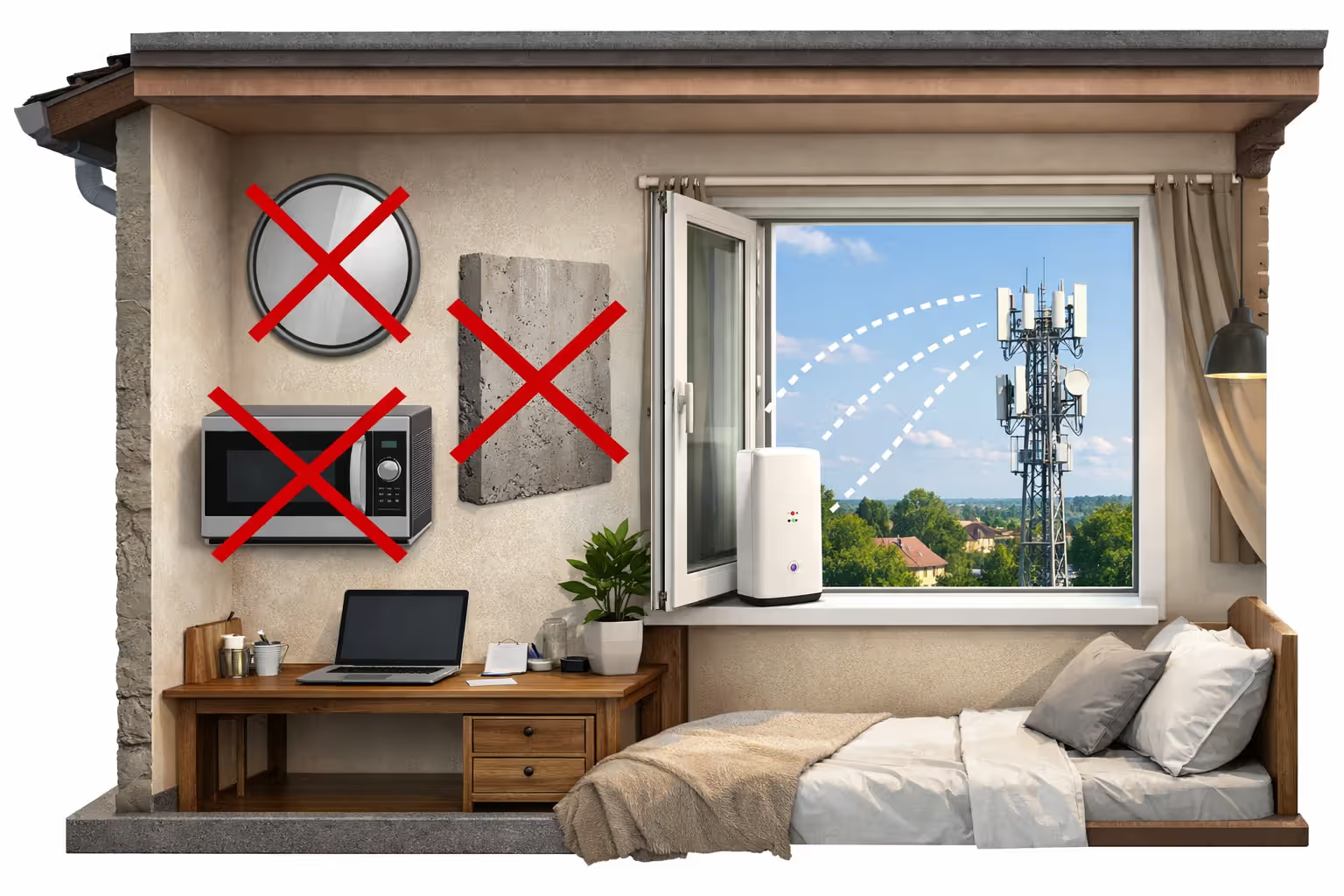
Gateway positioning creates 20-30ms performance swings. Position your gateway adjacent to windows facing your nearest cell tower—T-Mobile's mobile app or cellmapper.net helps identify tower locations. Elevation provides advantages, so second-floor window placement outperforms ground-floor interior positioning. Keep the gateway away from metal objects, mirrors, and thick concrete walls. Sometimes relocating the gateway just three feet improves signal strength by one or two bars, directly translating to reduced latency and enhanced stability.
Author: Marcus Leland;
Source: flexstarsolutions.com
Locking to specific frequency bands reduces ping inconsistency on compatible gateways (the Arcadyan KVD21 and Sagemcom units allow this through administrator access). T-Mobile's gateway automatically shifts between n41 (mid-band 5G), n71 (low-band 5G), and LTE based on signal fluctuations. This constant band-switching triggers brief disconnections and ping volatility. With strong n41 coverage, locking that band delivers more predictable performance than allowing continuous automatic optimization. This requires accessing advanced administrator settings unavailable through the standard mobile application.
Ethernet connections from gateway to gaming hardware are absolutely essential. Wi-Fi introduces 5-15ms additional latency plus extra jitter. Run physical ethernet cables even if that means routing cables across multiple rooms. The gateway includes two ethernet ports—actually use them.
Schedule gaming sessions during network off-peak periods whenever your schedule permits. Tower congestion directly determines your experience quality. Early mornings (6-10 AM) and early afternoons (1-5 PM) consistently deliver optimal performance. Serious competitive gamers should schedule practice sessions strategically rather than battling peak-hour network saturation.
External MIMO antenna installations can transform signal quality for users on coverage boundaries. These $50-150 antennas attach to gateway external antenna ports (model-dependent availability) and can boost signal strength by 10-20 dB. This won't benefit users with already-excellent signal, but it transforms marginal connections into stable ones.
What fails to help: VPNs typically add 10-30ms latency and don't resolve NAT restrictions. Quality of Service (QoS) configuration doesn't exist in T-Mobile's gateway software. Third-party routers connected downstream from the gateway cannot solve CGNAT problems.
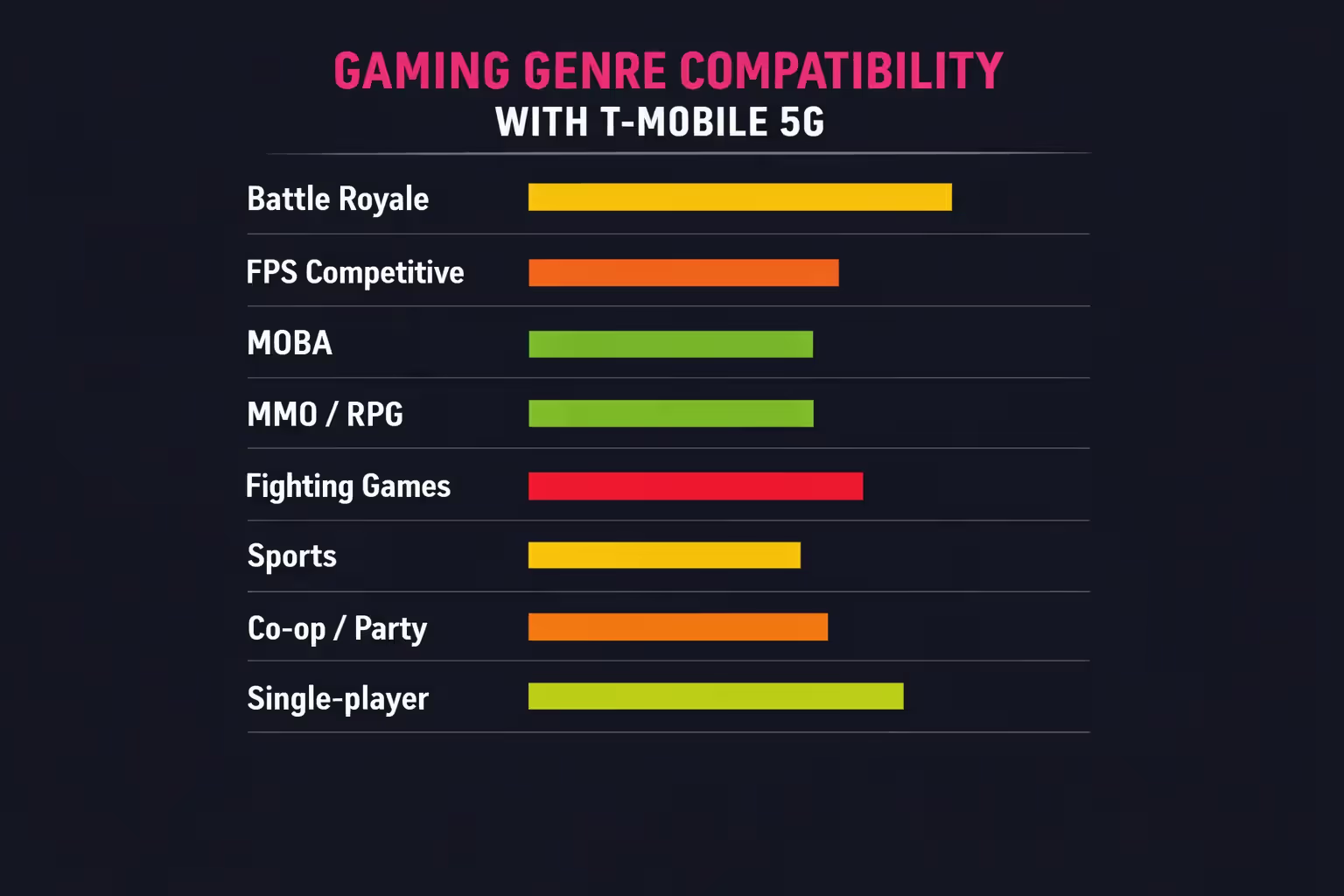
Game Genre Performance Breakdown on T-Mobile
Battle royale titles (Fortnite, Apex Legends, PUBG, Warzone) produce mixed results. These games deploy dedicated servers and tolerate moderate latency reasonably well, making them technically playable on T-Mobile. However, competitive players will absolutely feel the disadvantage during build battles and close-quarters engagements where 30ms of additional latency means opponents consistently shoot first.
First-person competitive shooters with dedicated server infrastructure (Overwatch, Valorant, Counter-Strike) remain functional for casual unranked matches but become frustrating during competitive ranked play. Valorant's netcode particularly amplifies jitter sensitivity, making T-Mobile's inconsistent latency more problematic than in other shooters.
Multiplayer online battle arenas (League of Legends, Dota 2) perform surprisingly well because they're less dependent on twitch reflexes than shooters. The 30-50ms latency is perceptible but not match-breaking for most skill levels. These games also utilize dedicated servers and gracefully handle minor packet loss.
Massively multiplayer and role-playing games (Final Fantasy XIV, World of Warcraft, Destiny 2) generally function fine for PvE raids and dungeons. Story content remains fully playable. PvP modes become more challenging, and you'll occasionally receive blame for raid wipes when your connection stutters during critical boss mechanics.
Fighting games are largely incompatible with T-Mobile because of CGNAT restrictions. These games depend heavily on peer-to-peer connections and frame-perfect input timing. Combining CGNAT's connection limitations with wireless latency makes online fighting game matches essentially unplayable.
Sports and simulation titles (FIFA, Madden, NBA 2K) function adequately for casual exhibition matches. Ultimate Team modes and ranked competitive modes become frustrating when latency spikes cause missed timing windows during crucial moments.
Cooperative and social party games encounter the biggest CGNAT obstacles. Hosting sessions in games like Minecraft, Terraria, or Among Us frequently fails completely. You can join others' hosted games but cannot reliably host your own.
Single-player and local couch multiplayer gaming works flawlessly—your internet connection is irrelevant when you're not connected online.
Author: Marcus Leland;
Source: flexstarsolutions.com
Ideal T-Mobile Gaming Scenarios—And Deal-Breaker Situations
T-Mobile home internet suits gamers in specific circumstances. Primarily casual players who enjoy popular titles with dedicated server infrastructure, don't need lobby hosting capabilities, and avoid high-rank competitive modes will likely find the service acceptable. It's especially attractive when your only alternative is sluggish DSL or satellite internet—T-Mobile's 50-200 Mbps downloads dramatically outperform those options despite latency compromises.
The service also functions well as a backup connection. Some competitive gamers maintain T-Mobile for general household internet, video streaming, and downloads while preserving a cable connection exclusively for gaming sessions. This approach costs more monthly but provides redundancy if either service experiences outages.
Budget-focused gamers in areas dominated by expensive cable monopolies sometimes accept T-Mobile's gaming trade-offs to save $30-50 monthly. Playing primarily single-player campaigns with occasional multiplayer sessions makes this compromise easier to justify.
However, T-Mobile home internet is objectively poor for competitive gamers focused on ranked modes, tournament play, or games where millisecond timing determines outcomes. The latency disadvantage is measurable and real. Climbing ranked ladders in Valorant, Rocket League, or competitive shooters means accepting a significant handicap.
Content creators streaming gameplay should seek alternatives. Simultaneously streaming while gaming demands consistent upload bandwidth and stable bidirectional latency. T-Mobile's variable performance and congestion-induced slowdowns will trigger stream quality degradation and viewer complaints about buffering.
Anyone regularly hosting game servers, playing fighting games competitively, or requiring Open NAT functionality should completely avoid T-Mobile. CGNAT makes these scenarios impractical or literally impossible.
The straightforward truth: T-Mobile home internet represents compromise over optimization. It's adequate for many gaming scenarios but ideal for none. With cable or fiber available at comparable pricing, those options deliver objectively superior gaming experiences. T-Mobile fills gaps for people lacking better alternatives, not for those pursuing maximum performance.
Frequently Asked Questions About T-Mobile Internet for Gaming
T-Mobile's 5G home internet occupies an uncomfortable middle position for gaming applications. It significantly outperforms DSL and satellite alternatives but cannot match cable or fiber consistency and reliability. Your individual experience depends heavily on cell tower proximity, signal strength quality, and which specific game genres you prefer.
When T-Mobile represents your only realistic option for modern broadband speeds, you can game on it with appropriately adjusted expectations. Just recognize you're accepting performance compromises that wired connections don't impose. Test the service during T-Mobile's trial window, game extensively during peak evening hours, and verify your most-played titles function acceptably before committing to long-term service.
Related Stories
Read more
Read more

The content on this website is provided for general informational and educational purposes only. It is intended to offer guidance on internet technology topics, including internet providers, connection types (fiber, cable, and 5G home internet), WiFi setup, router configuration, internet speed requirements, and online security practices. The information presented should not be considered technical, legal, or professional networking advice.
All information, articles, comparisons, and technical explanations on this website are for general informational purposes only. Internet service availability, performance, speeds, equipment requirements, and security features may vary by provider, location, infrastructure, and individual network configuration. Actual internet performance and reliability depend on many factors, including hardware, service plans, local network conditions, and user behavior.
This website is not responsible for any errors or omissions in the content or for actions taken based on the information provided. Reading this website does not create a professional or service relationship. Users are encouraged to consult with their internet service provider, network specialist, or qualified technical professional for advice specific to their internet setup, equipment, or connectivity needs.