
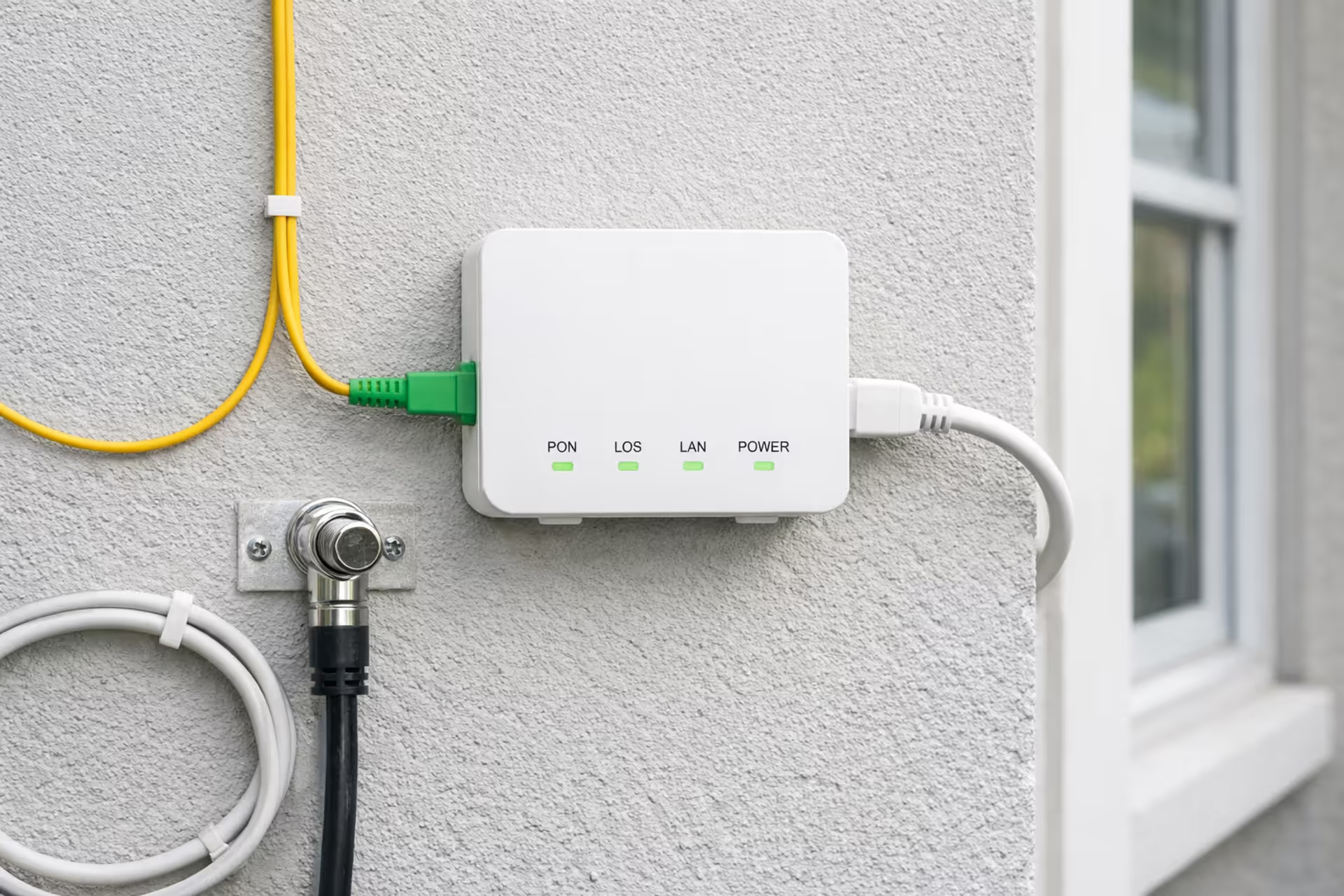
Fiber optic cable connected to an ONT terminal on an exterior house wall with coaxial and Ethernet cables nearby
Does Fiber Internet Use Coax? What to Know About Your Home Wiring

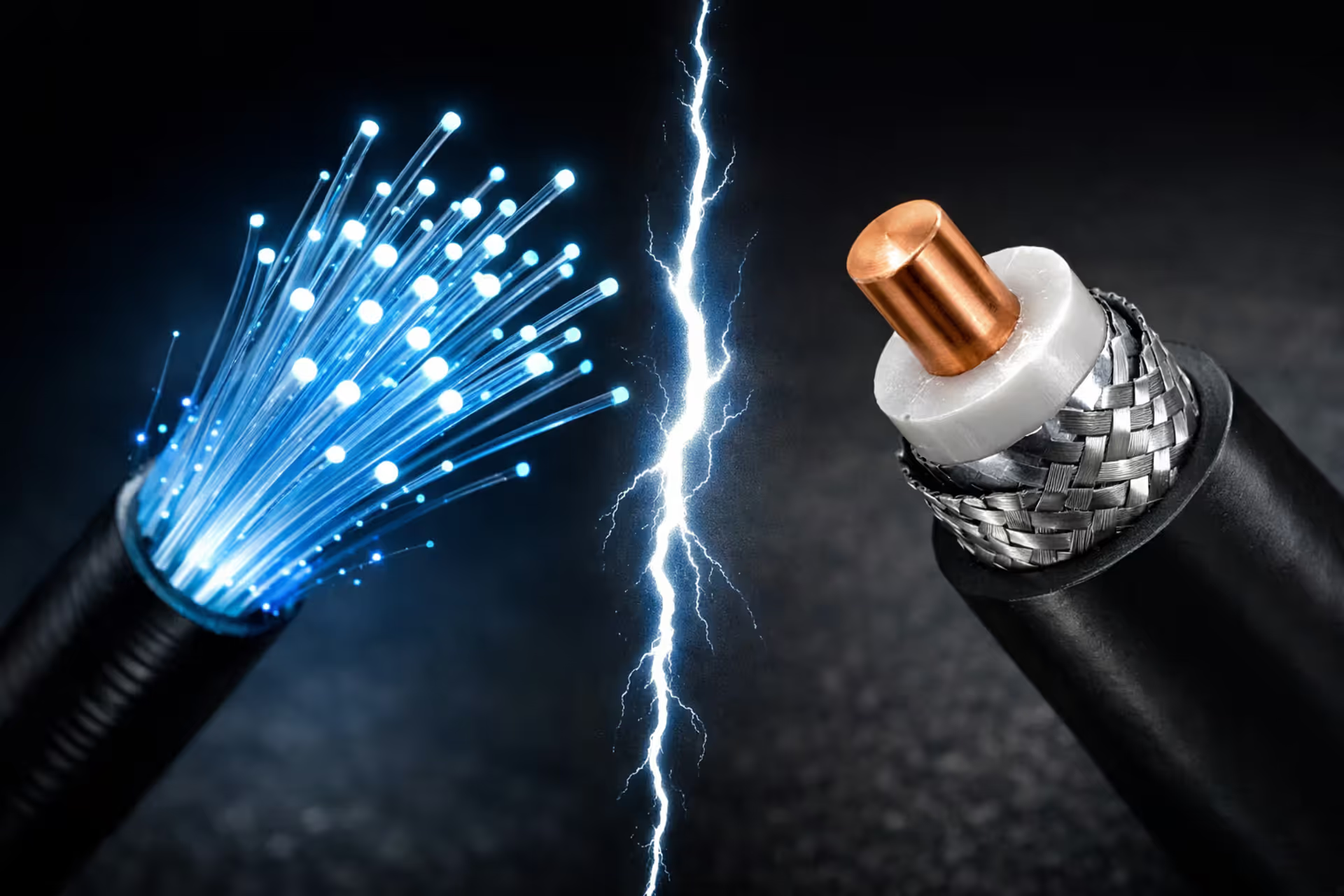
Fiber optic internet represents a fundamental shift in how data reaches your home, but the transition from cable-based services creates real confusion about what happens to existing wiring. The short answer: pure fiber internet does not require coaxial cable to function. However, several scenarios exist where coax remains part of your setup, and understanding these distinctions helps you make informed decisions about your home network.
How Fiber Internet Actually Enters and Connects in Your Home
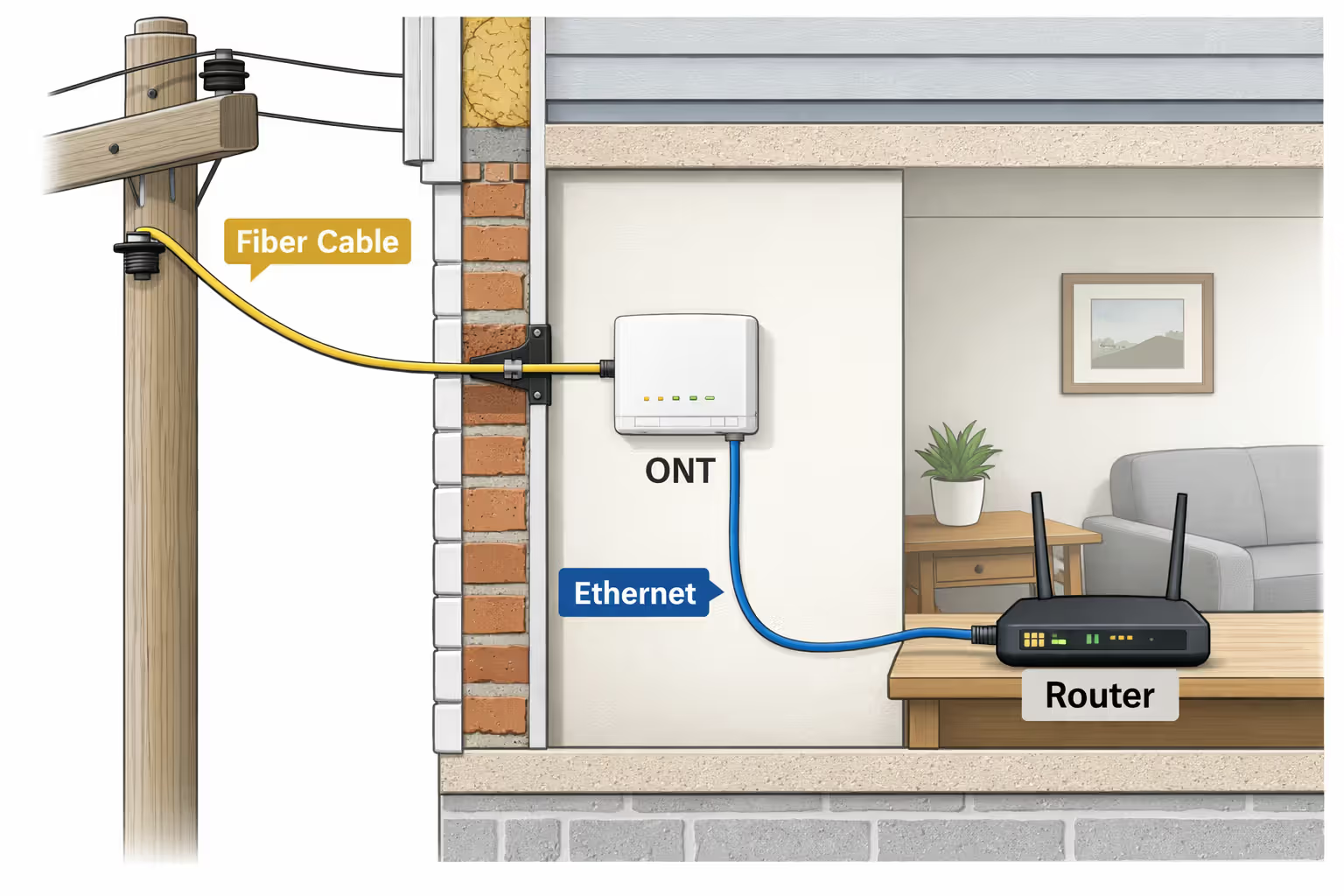
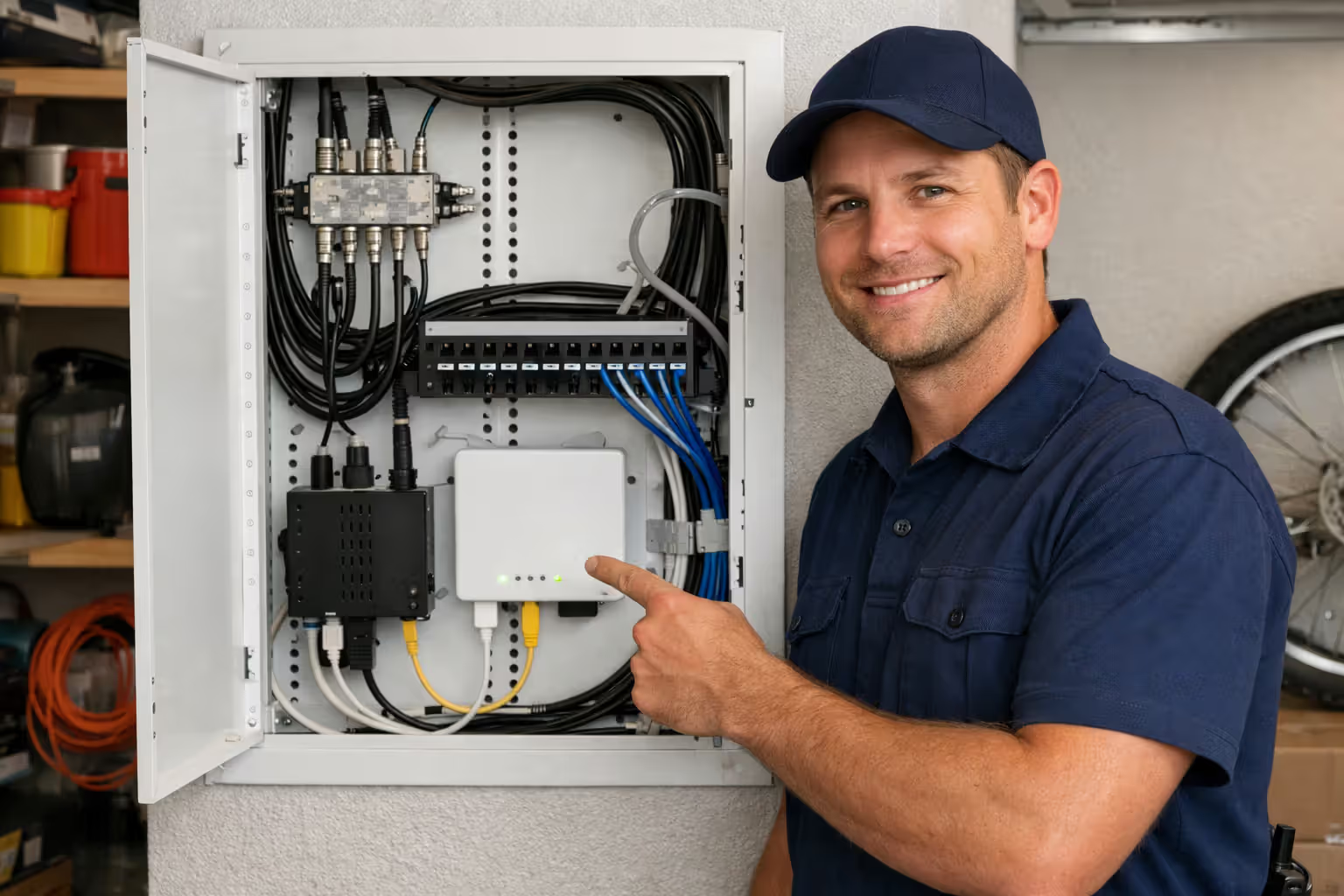
Fiber optic service terminates at a device called an Optical Network Terminal (ONT), typically installed on an exterior wall, in your garage, or inside a utility closet. This box converts light signals traveling through fiber strands into electrical signals your networking equipment can understand.
The fiber cable itself—thinner than most people expect—runs from the street or utility pole directly to the ONT. Your internet service provider handles this installation, drilling a small entry point and securing the fiber line. Once the ONT converts the optical signal, it outputs standard Ethernet connections, usually one or more RJ45 ports.
From the ONT, your installer has several options. The most straightforward approach runs Cat5e or Cat6 Ethernet cable from the ONT to your router location. Some technicians will run this cable through walls, while others take exterior routes or use existing conduits. The key point: after the ONT, you're working with traditional networking methods, not fiber optic cable throughout your house.
Many installations place the router immediately next to the ONT for simplicity. This works fine if the ONT location offers good Wi-Fi coverage, but creates problems when the ONT sits in a basement corner or garage. You'll need to extend your network from that central point using Ethernet, wireless access points, or alternative methods.
The ONT requires power, typically through a standard wall outlet or power-over-Ethernet in some configurations. During power outages, your fiber internet goes down unless you add battery backup to the ONT—unlike old copper phone lines that carried their own power.
Author: Lindsey Hartwell;
Source: flexstarsolutions.com
When Coaxial Cable Is Still Used with Fiber Internet
Despite fiber's different infrastructure, coax sometimes appears in fiber installations for specific reasons. AT&T's fiber service, for example, occasionally uses a gateway device that outputs both Ethernet and coax connections. This happens when the gateway includes integrated TV service distribution, sending video signals over coax to set-top boxes throughout the home.
Verizon Fios deployed early fiber installations that relied heavily on coax distribution. Homes installed between 2005 and 2010 often received an ONT with coax output feeding a router that accepted coax input. Verizon has since shifted to Ethernet-based connections for internet service, but some legacy installations still use this hybrid approach.
Certain multi-dwelling units (apartments and condos) use a shared fiber connection that converts to coax distribution within the building. The property management or ISP runs fiber to a central location, then uses existing coax infrastructure to deliver service to individual units. This isn't true fiber-to-the-home, but rather fiber-to-the-building with coax for the last segment.
Some ISPs offer bundled services where internet arrives via fiber but television service requires coax connections. The gateway device bridges these technologies, pulling internet data from the fiber ONT while outputting cable TV signals through coax ports. You're not using coax for internet in this scenario—just for video distribution.
These hybrid setups explain why neighbors with the same ISP might have different installation experiences. Your specific equipment, service package, and home's existing infrastructure all influence whether coax plays any role.
MoCA Technology: Bridging Fiber Internet Over Existing Coax Lines
Multimedia over Coax Alliance (MoCA) technology lets homeowners repurpose existing coax wiring as a high-speed networking backbone after switching to fiber internet. This proves particularly valuable in homes where coax runs to multiple rooms but Ethernet cabling doesn't exist.
How MoCA Adapters Work with Fiber Service
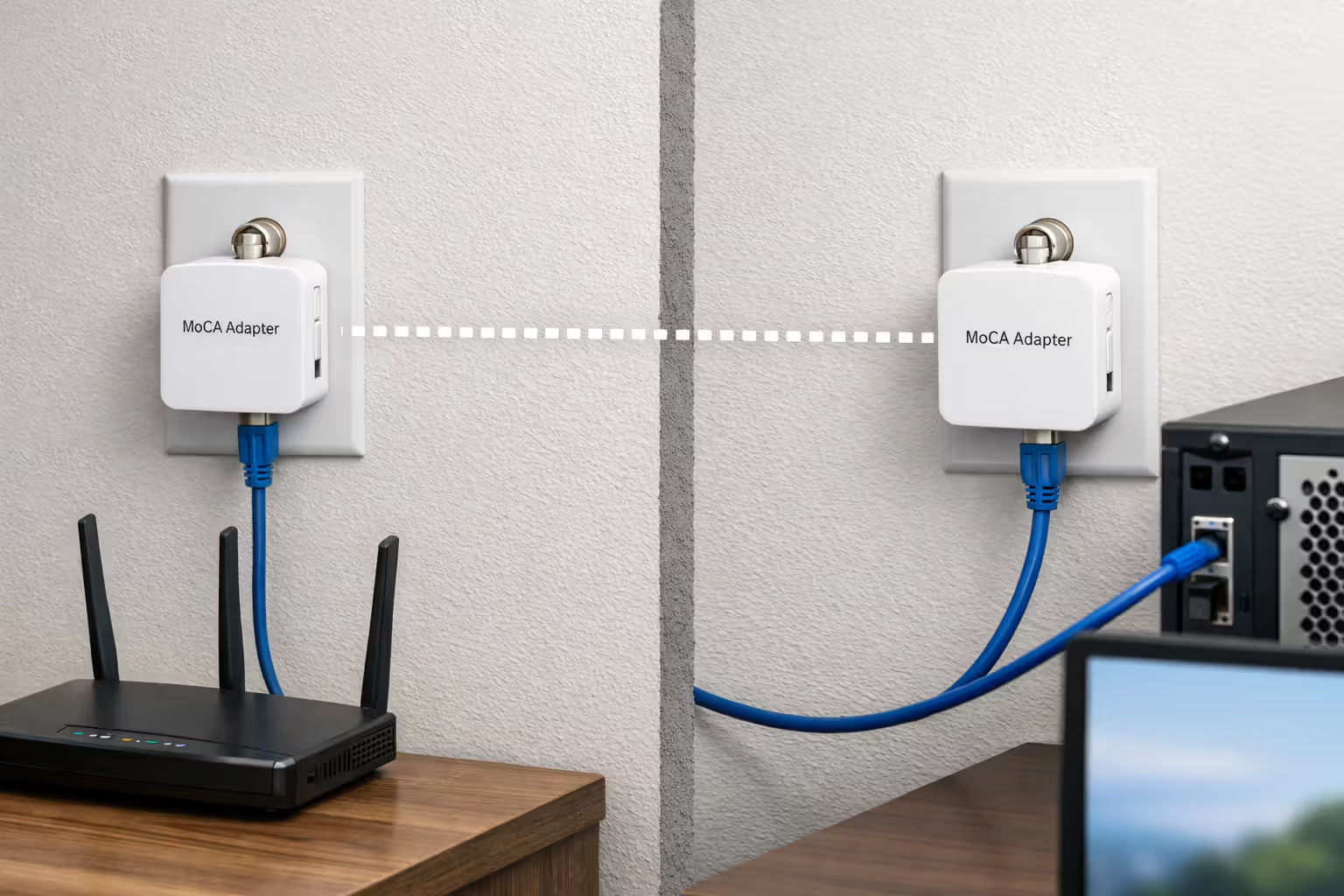
MoCA adapters convert Ethernet signals into frequencies that travel over coax cable, then convert back to Ethernet at the destination. You connect one adapter near your fiber router via Ethernet, then plug it into a coax outlet. At any other coax outlet in your house, a second adapter retrieves the signal and provides Ethernet output for devices or additional access points.
The setup requires your coax lines to be properly connected—all outlets should link back to a central splitter, not run as separate dead-end lines. You'll also need to install a MoCA filter at the point where cable enters your home (or at the ONT location) to prevent signal leakage to neighbors and block interference from external sources.
Modern MoCA 2.5 adapters support speeds up to 2.5 Gbps, making them suitable for gigabit fiber connections. The technology works alongside cable TV signals if you still have them, using different frequency ranges to avoid interference. This means you can distribute fiber internet through coax while still watching cable television on the same wiring.
Author: Lindsey Hartwell;
Source: flexstarsolutions.com
Performance and Limitations to Consider
MoCA delivers significantly better performance than Wi-Fi through walls and floors, with lower latency and more consistent speeds. However, it can't match direct Ethernet connections for absolute maximum throughput and minimal latency. For most household uses—streaming, gaming, video calls—the difference is negligible.
Splitters in your coax network reduce signal strength. Each split drops signal by 3.5 to 7 dB depending on splitter quality. Homes with many splits or very long coax runs may experience reduced MoCA performance. Checking your coax infrastructure before purchasing adapters saves frustration.
Adapter cost runs $50-120 per unit, and you need at least two to create a network. Compare this to running new Ethernet cable (professional installation costs $100-200 per drop) or mesh Wi-Fi systems ($200-500 for whole-home coverage). MoCA often represents the middle ground between performance and investment.
Quality matters with MoCA equipment. Cheap adapters from unknown brands may not handle interference well or deliver rated speeds. Stick with established manufacturers like goCoax, Motorola, or Actiontec for reliable performance.
Comparing Home Wiring Options After Fiber ONT Installation
Once fiber reaches your ONT, you need to distribute that connection throughout your home. Each method involves different trade-offs in performance, cost, and installation complexity.
| Connection Type | Max Speed | Installation Difficulty | Best Use Case | Cost Range |
| Direct Ethernet | 10 Gbps+ | Moderate to High (fishing cables) | Home offices, gaming setups, wired devices | $100-300 DIY, $500-1500 professional |
| MoCA over Coax | 2.5 Gbps | Low (uses existing wiring) | Homes with coax in multiple rooms | $100-250 for adapters |
| Wi-Fi Mesh | 1-2 Gbps (theoretical) | Low (plug and play) | Mobile devices, whole-home coverage | $200-600 for system |
| Powerline Adapters | 500 Mbps-1 Gbps | Low (uses electrical outlets) | Single remote room, temporary solutions | $60-150 for pair |
Direct Ethernet remains the gold standard for speed and reliability. Cat6 cable supports 10 Gbps at distances up to 180 feet, future-proofing your installation as fiber speeds increase. The challenge lies in running cable through finished walls without creating visible damage or hiring professionals.
Wi-Fi mesh systems offer convenience but suffer from wireless interference, wall attenuation, and reduced speeds when nodes relay data multiple hops. A three-node mesh system might provide 300-500 Mbps to distant rooms even with gigabit fiber service. This suffices for most uses but frustrates users who expect their full fiber speed everywhere.
Powerline adapters represent the last resort option. Electrical wiring wasn't designed for data transmission, and performance varies wildly based on circuit quality, distance, and interference from appliances. Some homes get solid 400-500 Mbps connections; others struggle to maintain 100 Mbps. The technology works better for extending network reach to a single problem area rather than building your primary distribution method.
The best approach often combines methods: Ethernet to high-priority locations, MoCA to rooms with coax access, and Wi-Fi for mobile devices and areas without wired options.
What Happens to Your Coax Wiring When Switching to Fiber
Author: Lindsey Hartwell;
Source: flexstarsolutions.com
Your existing coax infrastructure doesn't need removal when switching from cable to fiber internet. The wiring remains in your walls, connected and functional, even if your new fiber service doesn't use it for internet delivery.
Many homeowners worry about leaving "dead" wiring in walls, but coax poses no safety concerns when unused. Unlike old knob-and-tube electrical wiring, coax carries no dangerous voltages and doesn't degrade in ways that create hazards. You can simply leave it in place indefinitely.
Some scenarios make coax repurposing attractive. If you've paid for professional coax installation to multiple rooms, MoCA adapters let you leverage that investment rather than starting from scratch with Ethernet. The wiring you paid to install remains useful, just carrying data instead of cable TV signals.
Removing coax requires cutting drywall to access cables, pulling them from walls (which often fails when cables are stapled), and patching holes. The cost and disruption rarely justify removal unless you're doing major renovations anyway. Most contractors recommend leaving coax in place and simply disconnecting it at the entry point and outlets.
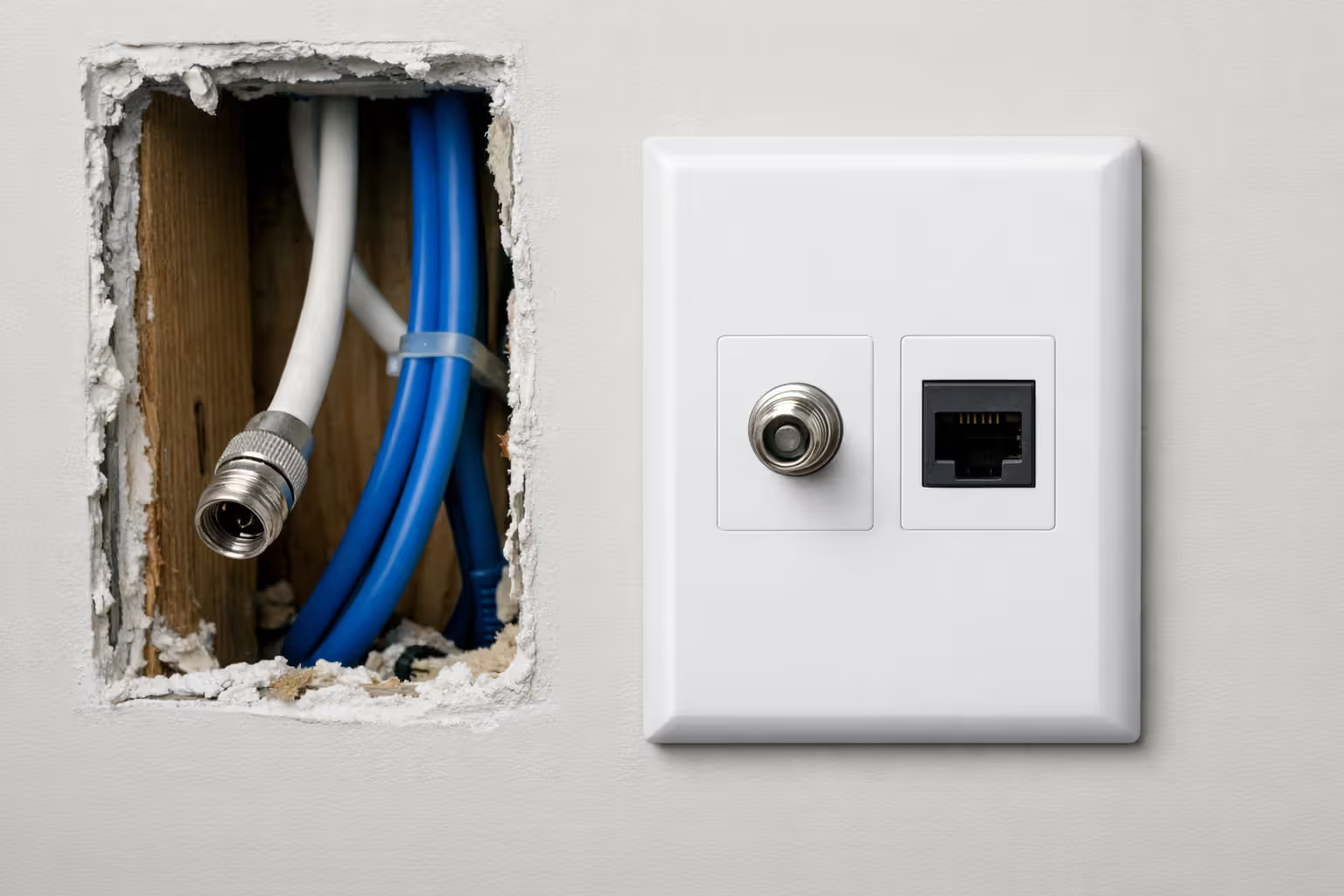
You might choose to repurpose some coax outlets as Ethernet. Wall plates exist that accept either coax or Ethernet keystones, letting you swap the connector type without changing the wall opening. However, you can't simply put an Ethernet connector on coax cable—the cable types have different electrical properties and won't work reliably.
If you're building new or renovating, running Ethernet instead of coax makes sense for future flexibility. But for existing homes, the coax you have represents a potential asset rather than a problem requiring removal.
Common Fiber Installation Mistakes That Involve Coax Confusion
Expert Perspective:
The most common misconception I encounter is customers believing fiber internet eliminates all cables in their home.Fiber reaches your ONT, but you still need infrastructure to distribute that connection. I've seen homeowners disappointed when their gigabit fiber delivers 50 Mbps to a distant bedroom over Wi-Fi, when a simple MoCA setup using their existing coax would have given them 800+ Mbps. Understanding that fiber solves the last-mile problem but not internal distribution helps set realistic expectations
— Marcus Chen
Technicians sometimes create problems by making assumptions about your preferred setup. One common issue: installers place the ONT and router in locations convenient for them but terrible for your home network layout. They might put everything in the garage because that's where cable service entered, leaving you with weak Wi-Fi throughout the house.
Requesting specific ONT placement before installation day prevents this problem. Identify where you want your main router, ensure that location has power access, and communicate this to your ISP. Some charge for non-standard placement, but the fee (typically $50-150) beats dealing with a poorly positioned network.
Another mistake involves installers unfamiliar with MoCA who insist coax "won't work" with fiber. They're technically correct that fiber doesn't travel through coax, but fail to understand that MoCA adapters bridge this gap. If you plan to use MoCA, mention it during installation and confirm the technician won't disconnect your coax network at the entry point or splitter.
Some customers expect their fiber installation to work exactly like cable internet, with coax connections throughout the house providing network access. This misunderstanding leads to disappointment when the installer provides a single Ethernet connection from the ONT. Clarifying your distribution needs before installation—and potentially ordering necessary equipment like MoCA adapters in advance—prevents day-of-installation surprises.
Technicians occasionally damage existing network wiring when installing fiber. They might drill through Ethernet cables in walls, disconnect coax networks at splitters, or remove wall plates without noting what was there previously. Document your existing setup with photos before installation day, and accompany the technician to prevent accidental damage to infrastructure you plan to keep.
The "I thought fiber meant no more cables" misconception creates unrealistic expectations. Fiber to your home doesn't eliminate the need for internal networking infrastructure. You still need some method—Ethernet, coax with MoCA, or robust Wi-Fi—to distribute the connection. Understanding this before switching services helps you plan appropriately.
Author: Lindsey Hartwell;
Source: flexstarsolutions.com
Frequently Asked Questions About Fiber Internet and Coaxial Cable
Making the Right Choice for Your Home Network
Fiber internet delivers exceptional speed and reliability to your home's entry point, but maximizing that investment requires thoughtful internal distribution. Coaxial cable doesn't carry fiber signals, yet it can play a valuable role through MoCA technology when you have existing coax infrastructure.
Evaluate your home's current wiring, your performance needs in different rooms, and your budget for networking equipment. A home office requiring rock-solid connectivity justifies running Ethernet, while bedrooms used primarily for streaming work fine with MoCA or quality Wi-Fi. Most homes benefit from a hybrid approach rather than relying on a single distribution method.
The transition from cable to fiber doesn't require removing existing coax wiring. That infrastructure represents a potential asset for MoCA networking, and removal costs money while providing no real benefit. Focus your efforts on building the distribution network that serves your actual usage patterns rather than chasing theoretical maximum speeds you'll rarely utilize.
Plan your fiber installation with the ONT location in mind, communicate your distribution needs to the installer, and have any necessary equipment like MoCA adapters ready before installation day. These simple steps prevent common problems and ensure your fiber service delivers its full potential throughout your home.
Related Stories
Read more
Read more

The content on this website is provided for general informational and educational purposes only. It is intended to offer guidance on internet technology topics, including internet providers, connection types (fiber, cable, and 5G home internet), WiFi setup, router configuration, internet speed requirements, and online security practices. The information presented should not be considered technical, legal, or professional networking advice.
All information, articles, comparisons, and technical explanations on this website are for general informational purposes only. Internet service availability, performance, speeds, equipment requirements, and security features may vary by provider, location, infrastructure, and individual network configuration. Actual internet performance and reliability depend on many factors, including hardware, service plans, local network conditions, and user behavior.
This website is not responsible for any errors or omissions in the content or for actions taken based on the information provided. Reading this website does not create a professional or service relationship. Users are encouraged to consult with their internet service provider, network specialist, or qualified technical professional for advice specific to their internet setup, equipment, or connectivity needs.