
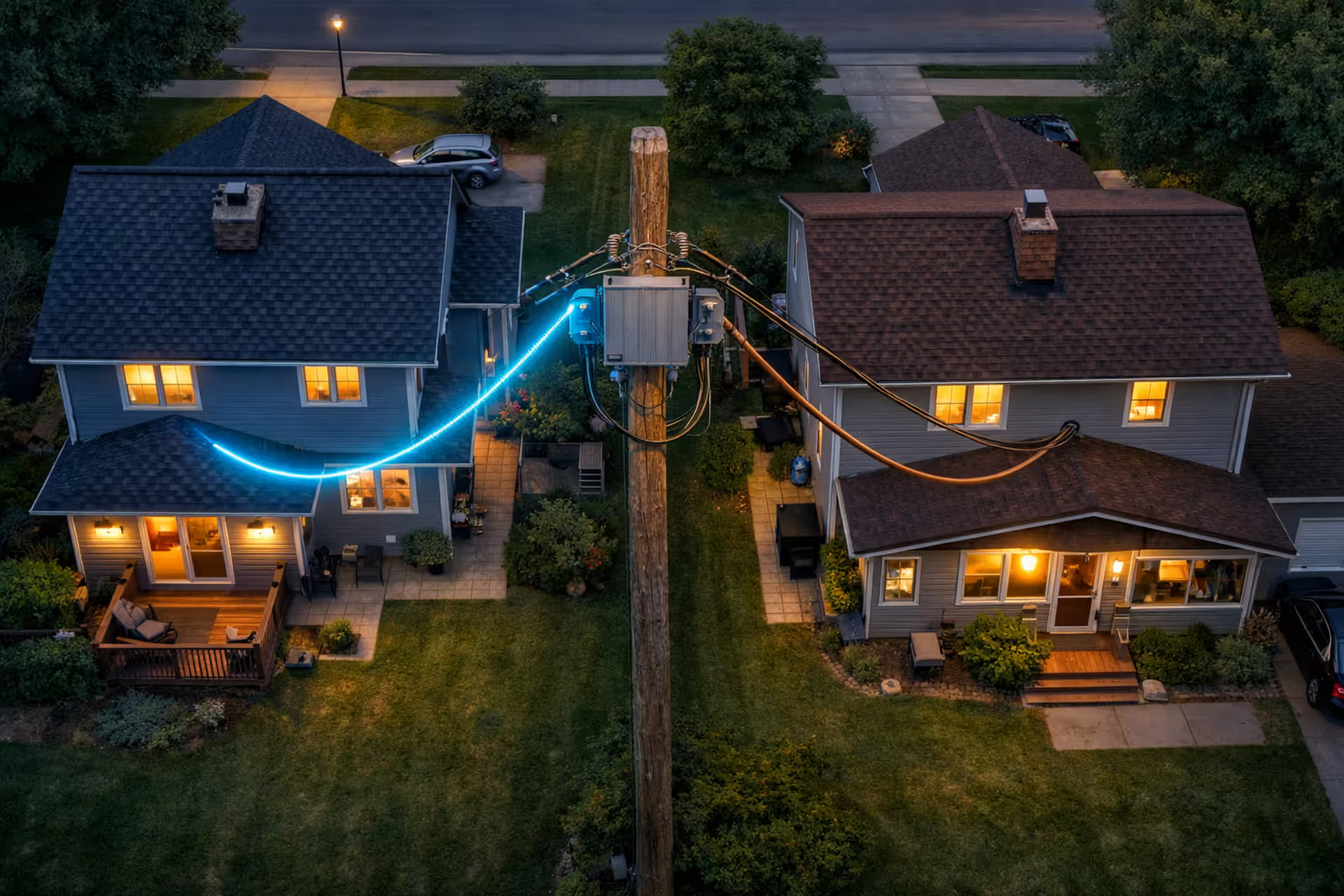
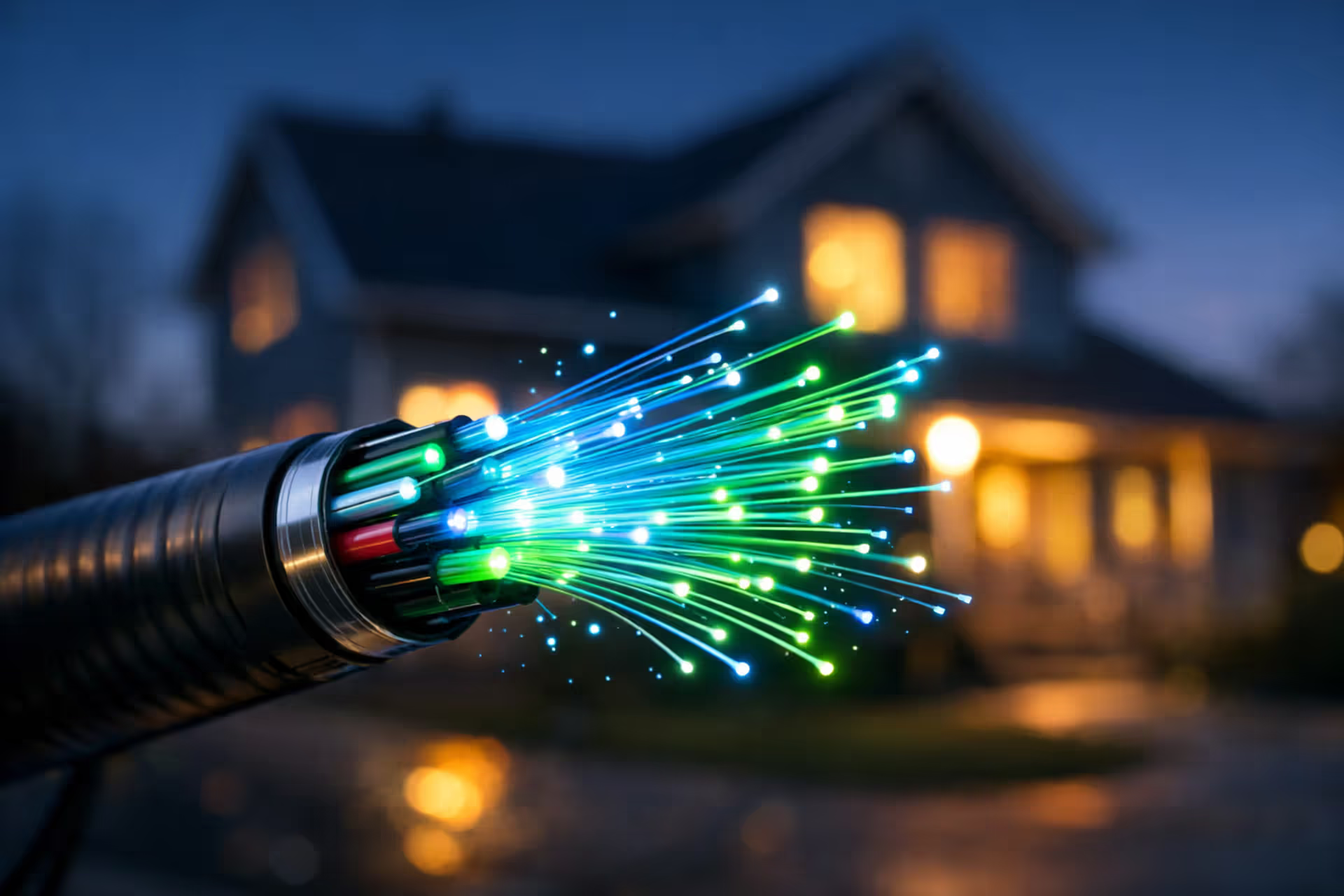
Suburban neighborhood at dusk showing two neighboring houses with different internet connections — one with glowing fiber optic cable and another with old copper wire from the same utility pole
How to Find Internet Providers Available at Your Address

Here's what happened last month: My neighbor Marco walked over, practically bouncing with excitement about his new gigabit fiber connection—$59 every month. I literally live across the street. Same zip code, same block, houses maybe 150 feet apart.
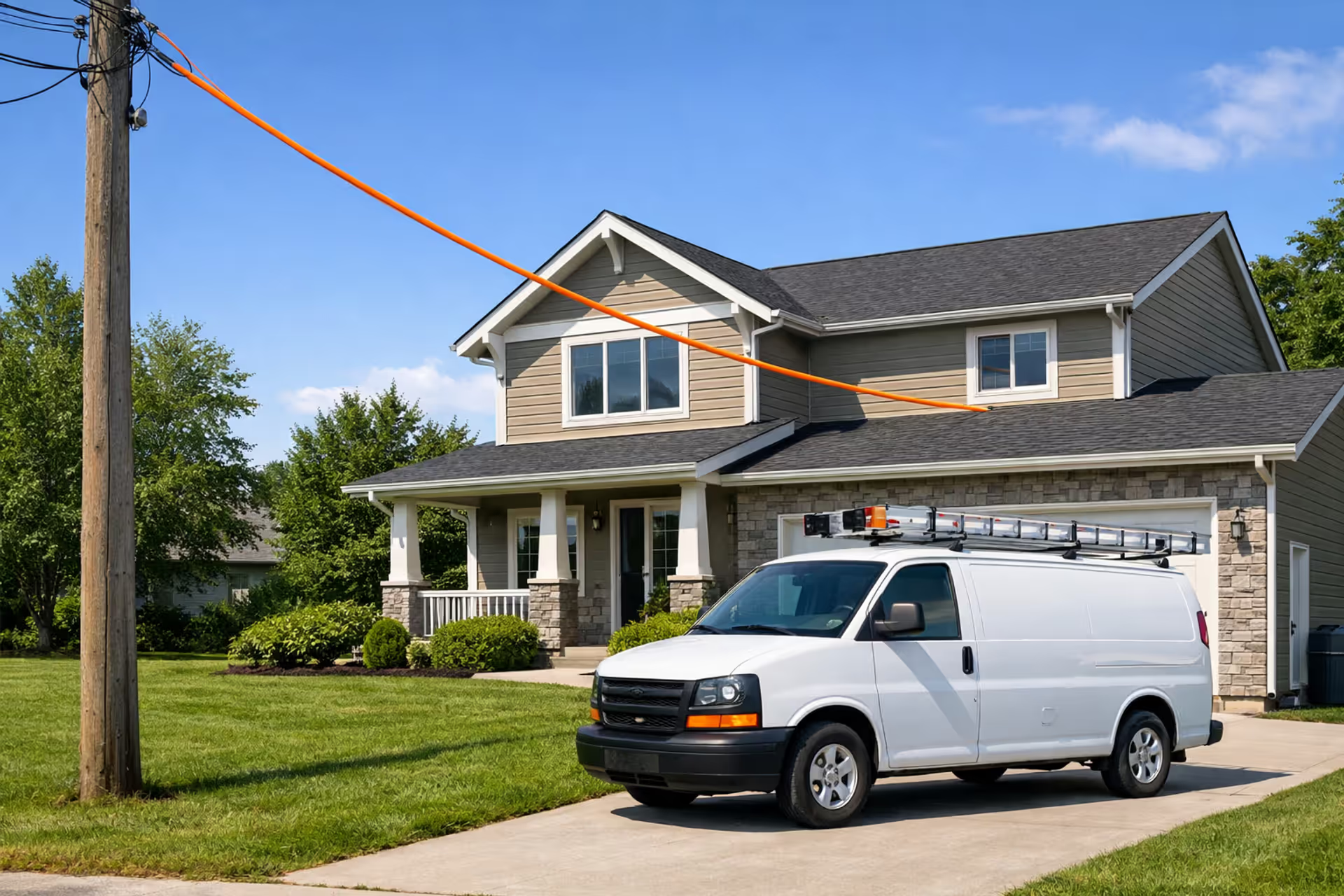
I called the same company that afternoon. The rep pulled up my address and went quiet for a second. "Sir, our fiber network terminates at the utility pole between your properties. You're on the wrong side of that pole." Marco streams 4K without buffering. I'm dealing with cable internet that chokes down to 60 Mbps when the neighborhood finishes dinner and opens Netflix.
This happens constantly. Those billboards advertising $49.99 internet? That price might not apply to your apartment building. The download speeds blasted across every commercial? They'll drop 30-40% between 7-10 PM when everyone's online simultaneously.
Shopping for home internet requires more than comparing advertised rates. You're confirming whether providers have actually built infrastructure to your specific unit—not just somewhere on your street. You're figuring out which connection technologies will deliver stable performance versus constant headaches. And you're calculating what you'll truly pay after the first year when promotional rates vanish and those equipment charges appear on your bill.
Check ISP Availability: 3 Methods That Actually Work
Method 1: Search Each Company's Website Directly
Go straight to the source—Xfinity's site, then AT&T's, then Verizon's, Spectrum's, T-Mobile Home Internet's. Each company puts an address checker right on their homepage. Type your full address. If you're in an apartment or condo, the unit number matters—include it.
Starting with individual company sites takes longer than using comparison tools. Why bother? Because Xfinity's internal database showing service at 742 Oak Street Unit 3B means their technicians have actually connected equipment there. Their systems track which specific buildings link to their network, right down to individual units in those huge apartment complexes downtown.
The annoying part? You're checking one company at a time. Comparing six providers means six separate searches. But you're getting accuracy that third-party sites struggle to match, particularly for complicated situations like multi-unit buildings or new construction.
Method 2: Try Third-Party Comparison Platforms
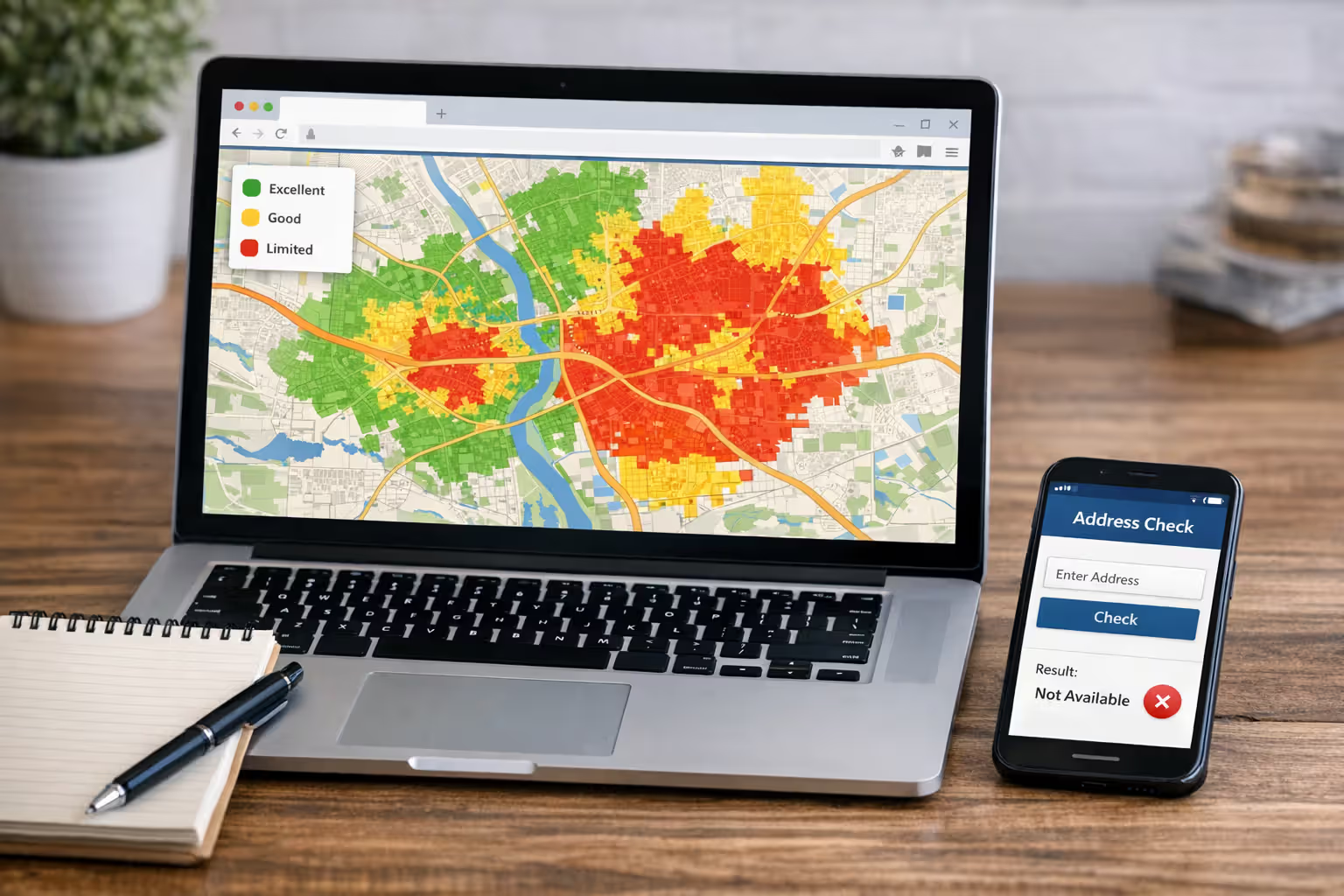
Sites like BroadbandNow, HighSpeedInternet.com, and Allconnect gather data from company filings, FCC databases, and customer reports. One search shows you multiple providers at once.
Here's the catch: these platforms sometimes show what's available near your address rather than at your exact location. Seeing "Verizon Fios available" might mean four blocks away. Might mean they service your street but haven't extended construction to your house yet. I've watched three different friends get excited about fiber availability that existed everywhere except their actual building.
Use these results as your starting point requiring verification. Every option that looks promising needs confirmation through the provider's actual website before you cancel your current service.
Author: Marcus Leland;
Source: flexstarsolutions.com
Method 3: Check the FCC National Broadband Map
Head to broadbandmap.fcc.gov where internet companies submit their coverage information. Search your address, filter by technology type (fiber, cable, DSL), and review which providers claim to serve your location.
Congress forced a complete map rebuild in 2023 after the old version became notorious for showing availability that didn't exist. The new system lets residents challenge incorrect data—matters because companies sometimes report coverage more optimistically than their actual infrastructure supports. Still, the map depends on what providers tell regulators.
Combining All Three Gets Better Results
Start with comparison sites for the overview of your possibilities. Write down every provider worth checking. Then verify each one through their official website. Last step? Actually call the companies whose plans look most interesting. Website databases lag behind what's happening on the ground—fiber networks expand every week in growing markets, and your address might have access before their online tools show it.
What Determines Which Internet Providers Service Your Area?
The cables buried beneath your street probably date back three or four decades. Construction choices from the 1980s and 1990s still control what you can get today. Cable companies ran coaxial lines through neighborhoods based on franchise agreements with local governments. Phone companies built copper networks even earlier. Fiber represents newer investment, focused in areas where population density justifies the construction expense.
Franchise Agreements Created Territorial Monopolies
Your city or county gave cable franchises to specific companies decades back. Comcast controls most Philadelphia addresses. Charter Spectrum dominates throughout Los Angeles. These companies could theoretically compete in each other's markets—no law stops Comcast from building across LA. But duplicating an entire metro area's cable infrastructure requires billions of dollars, making direct competition economically absurd.
Phone-based internet (DSL and fiber) follows territorial patterns shaped by breaking up the Bell System in 1984. AT&T inherited California and the Southeast. Verizon operates through the Northeast. CenturyLink (now called Lumen) covers Mountain West states and scattered rural territories. These historical boundaries still determine who offers service at your address.
Network Construction Economics
Running new fiber or cable to your property costs $500 to $2,000 depending on distance from existing lines. Companies calculate potential monthly revenue from your household, then figure out whether construction expenses get recovered within 3-5 years.
Math works easily in suburbs where ten or twelve houses line each block—construction serves multiple paying customers per street segment. The calculation barely works in exurban areas with houses on two-acre lots. Completely fails in rural regions where neighbors live a quarter-mile apart. About 85% of urban addresses have multiple high-speed options competing. Only 30% of rural addresses can access even one choice beyond satellite.
The digital divide isn't just about having internet or not having it—it's about the quality of access. Two homes five miles apart can have completely different options based on infrastructure investments made decades ago
— Gigi Sohn
Why Your Neighbor May Have Different Options Than You
Apartment buildings and condos sometimes operate under exclusive agreements. Your building owner signed a contract with Spectrum years ago, preventing AT&T from offering service even though AT&T covers every surrounding property. State laws increasingly ban these exclusive deals, but older contracts remain enforceable.
Single-family neighborhoods face different issues. Fiber construction happens block by block—sometimes literally stopping mid-block. A crew working north to south might halt at your property line after hitting bedrock, running into conflicting utility pipes, or reaching their construction permit boundary. Your neighbor across the street gets fiber. You're stuck with cable. Nobody knows when that changes.
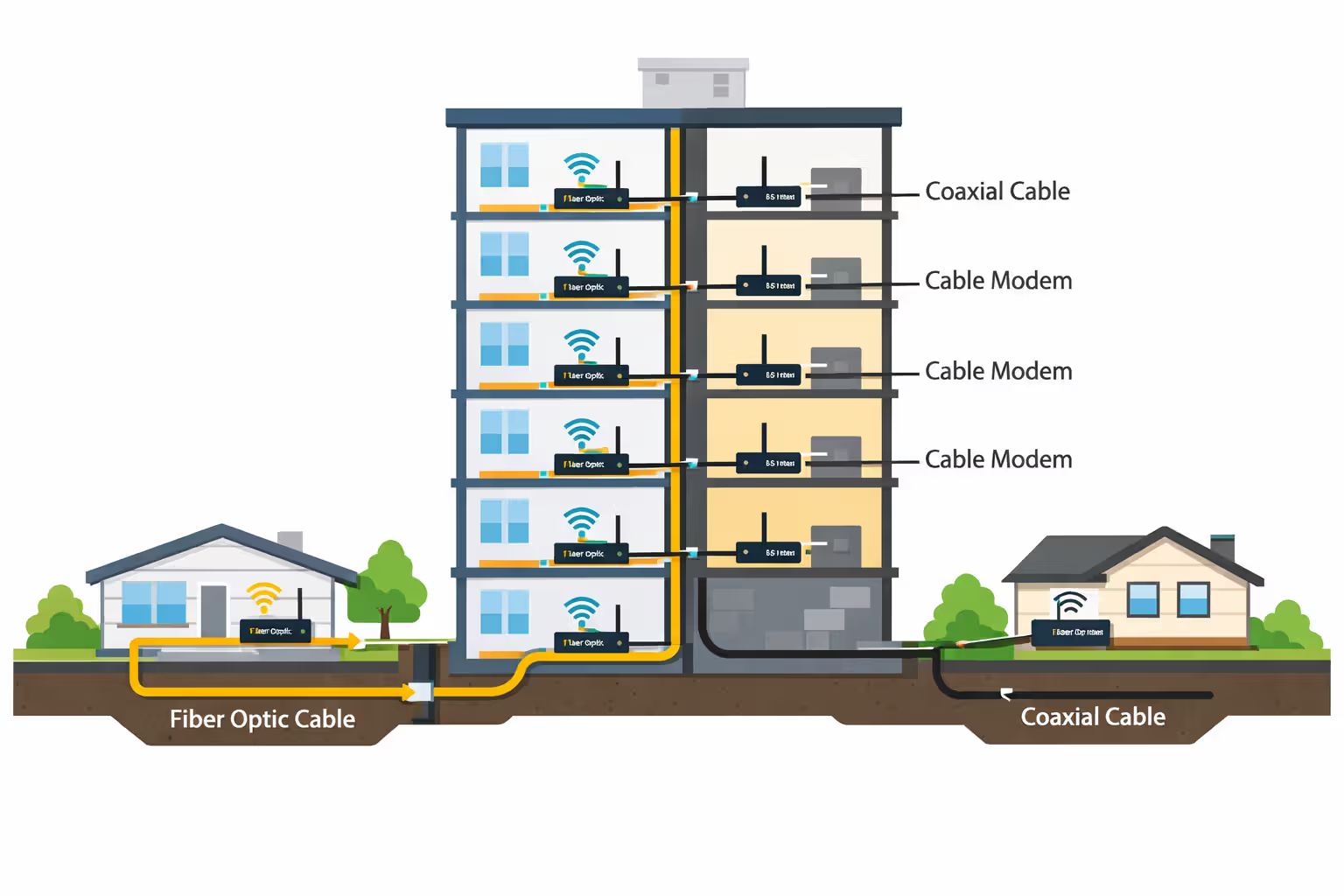
Multi-dwelling units create the weirdest situations. A provider might wire your apartment building's exterior but only connect certain units based on internal conduit systems. Buildings constructed before 2000 frequently lack pathway infrastructure making modern fiber installation straightforward. Units on floors 1-4 get fiber connectivity while floors 5-8 remain limited to the building's legacy cable contract.
Author: Marcus Leland;
Source: flexstarsolutions.com
Comparing Internet Plans: 7 Factors Beyond Just Price
1. Upload Speed Gets Ignored
Marketing departments plaster download speeds across every billboard while hiding upload specs in microscopic footnotes. That "300 Mbps cable plan" probably delivers merely 10 Mbps upload. Seems irrelevant until you're on a video call screen-sharing while your partner uploads project files to Dropbox—suddenly your entire meeting freezes. Fiber delivers symmetrical speeds: 300 down means 300 up. Cable and DSL create massive imbalance.
2. Data Caps Versus Throttling
Some providers enforce monthly data limits—typically 1TB to 1.2TB—then charge $10 for every additional 50GB you consume. Others implement vague "network management," slowing heavy users during peak times without explicit caps. Satellite plans frequently cap usage at 150GB monthly. Verify whether unlimited data costs extra. Xfinity charges an additional $30 monthly to remove their cap, adding $360 annually to real costs.
3. Promotional Rates Expire
Advertised rates expire after 12 months. That "$39.99 per month" jumps to $75-80 in year two. Calculate your real average monthly cost across 24 months for fair comparisons. Some companies let you renegotiate promotional discounts when they expire—you call their retention department and request the discount again. Others automatically bump you to standard pricing, requiring you to notice the increase, call customer service, and fight for lower rates.
4. Installation and Activation Charges
Professional installation typically runs $50-150, though providers waive fees during promotional campaigns. Self-installation kits cost $10-15 for shipping. Certain companies charge separate activation fees of $30-50 on top of installation. Add these one-time costs to your first-year calculation when comparing providers—they can shift which option truly costs less over time.
5. Renting Equipment Versus Buying Your Own
Modem rental: $12 monthly. Router rental: $12 monthly. That's $288 annually for equipment you could purchase outright for $180. Your own modem and router pay for themselves in eight months. Fiber providers sometimes require their optical network terminal (ONT) but let you connect your personal router downstream. Verify compatibility before purchasing anything.
6. Contract Length and Cancellation Penalties
Standard contracts run 12 months with early termination penalties around $200, decreasing by $10 for each completed month. No-contract plans cost $10-20 extra monthly. If there's any chance you'll move within a year, that no-contract premium might cost less than paying the termination fee. Think about your actual likelihood of staying at your current address.
7. Bundle Traps
Bundles advertise savings: "Add TV for just $20 more per month!" Sounds reasonable until you account for cable box rental ($12), DVR service fee ($15), broadcast TV surcharge ($18), and regional sports fee ($13). That "$20 bundle upgrade" truly costs $78 additional monthly. Most households using streaming platforms save money with standalone internet plus their preferred streaming subscriptions rather than cable bundles.
Internet Connection Types Compared: What's Available in Your Area?
| Connection Type | Typical Downloads | Typical Uploads | Response Time | Works Best For | Typical Monthly Price | Where You'll Find It |
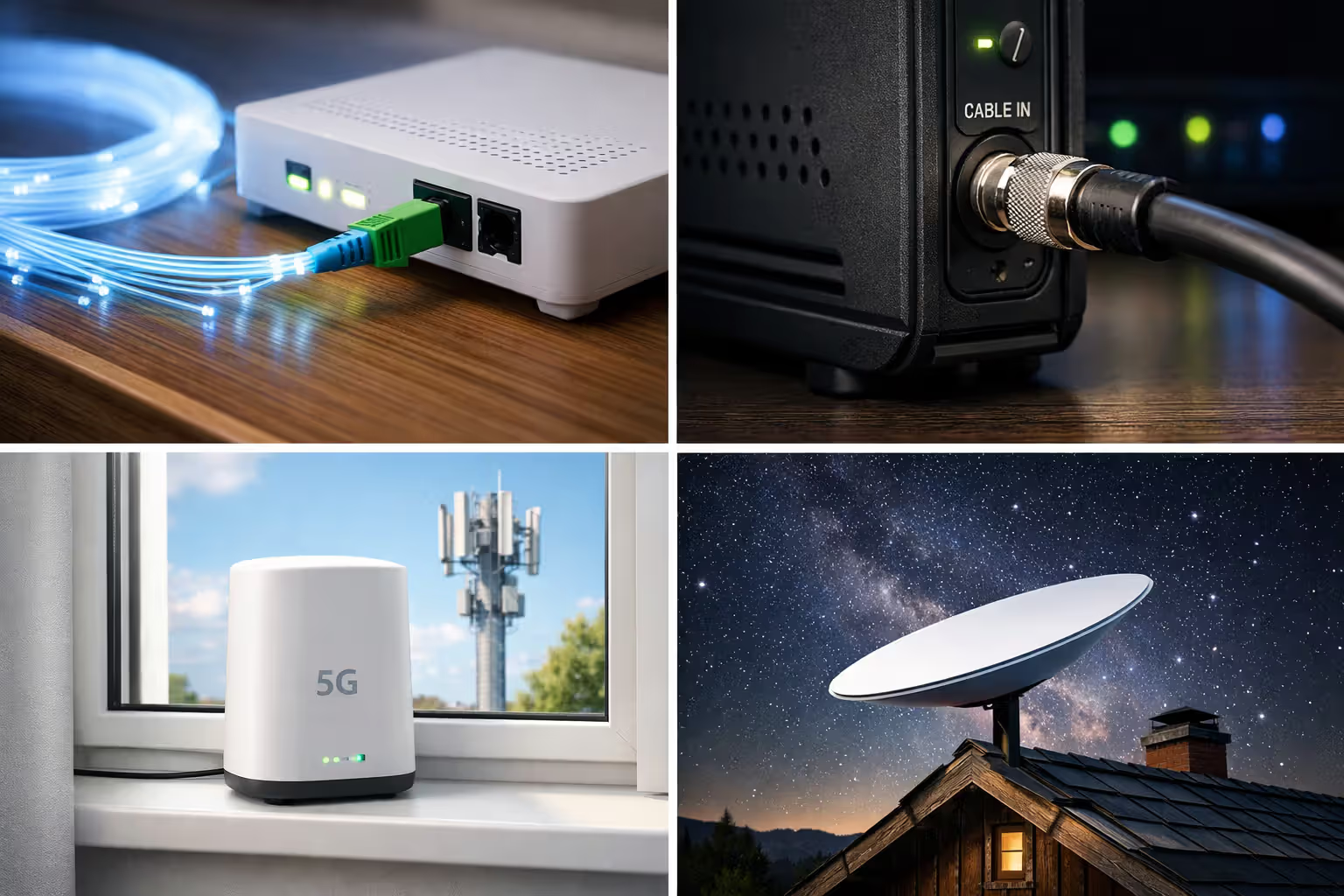
| Fiber-optic lines | 300-5000 Mbps | 300-5000 Mbps (equal both ways) | 5-15 milliseconds | Remote work, uploading content, competitive gaming, busy households | $50-150 | Roughly 45% of US locations, concentrated in cities and suburbs |
| Coaxial cable | 100-1000 Mbps | 10-50 Mbps | 15-35 milliseconds | HD/4K streaming, casual online gaming, typical family internet use | $40-100 | Available to approximately 85% of homes |
| DSL phone lines | 5-100 Mbps | 1-10 Mbps | 20-45 milliseconds | Basic web browsing, email, single-user households | $30-60 | Reaches about 90% of locations with wildly inconsistent speeds |
| 5G fixed wireless home | 50-300 Mbps | 10-50 Mbps | 20-40 milliseconds | Locations with strong cellular signals, places beyond cable infrastructure | $50-70 | Currently serves roughly 40% of addresses, expanding quickly |
| Satellite connections | 25-150 Mbps | 3-20 Mbps | 500-700 milliseconds (older tech) or 20-40 milliseconds (Starlink) | Remote rural properties beyond wired options | $60-150 | Works at 100% of US addresses nationwide |
| Fixed wireless from local ISPs | 10-100 Mbps | 2-10 Mbps | 15-50 milliseconds | Rural and outer suburban areas, requires unobstructed tower view | $40-80 | Covers approximately 15% of addresses through smaller regional companies |
How to Identify the Best Internet Technology for Your Location
Fiber: Top Choice When You Can Get It
Fiber connections maintain consistent performance because the underlying technology handles network congestion better than alternatives. Equal upload and download speeds—where upload capacity matches download—make fiber especially suitable for households running multiple video conferences simultaneously. Response times stay low even during 7-10 PM peak hours when your entire neighborhood streams shows.
The problem? Coverage. Fiber requires recent infrastructure investment many regions lack. When fiber becomes available at reasonable pricing, it outperforms other technologies unless you're such a light internet user that justifying an extra $15-20 monthly becomes difficult.
Cable: Reliable Middle Option
Cable internet runs through the same coaxial wiring delivering cable television. Download performance proves solid, but upload speeds lag substantially behind. Performance sometimes degrades during 6-10 PM when neighbors simultaneously stream video because you share bandwidth with other households in your network node—usually 200-500 homes.
Cable works adequately for most households that primarily consume content rather than create it. The technology has matured considerably, and current DOCSIS 3.1 systems provide dependable performance for streaming, gaming, and normal web activities. Just don't expect impressive upload capabilities.
DSL: Declining Technology Still Widespread
DSL performance depends entirely on distance between your house and the phone company's equipment cabinet. Living within a mile? You might get 50-100 Mbps. Two miles distant? Speeds frequently drop below 25 Mbps. Three miles away? You're looking at 10 Mbps maximum, possibly less.
Only choose DSL when cable and fiber don't reach your address. Phone companies aren't upgrading DSL infrastructure in most markets—they're directing fiber investment toward higher-density areas where construction economics make financial sense.
5G Home Internet: New Competition
T-Mobile and Verizon now sell fixed wireless running on their 5G cellular networks. You get a router connecting to nearby cell towers, delivering broadband speeds without any physical cable to your residence.
Performance varies dramatically based on tower proximity and local network congestion. Some users experience consistent 200+ Mbps. Others see significant fluctuation throughout the day. Major advantages: no data restrictions on most plans, zero installation complexity, no contract commitments. Worth testing for a month—when performance works at your location, it competes favorably with cable pricing.
Satellite: Last Resort or Starlink Revolution
Traditional satellite providers (HughesNet, Viasat) suffer from severe latency—600+ milliseconds—making video calls awkward and gaming nearly impossible. Data restrictions are limiting. Weather impacts signal quality.
Starlink transformed satellite service with low-earth-orbit technology reducing latency to 20-40 ms and providing 50-150 Mbps without hard data restrictions. Monthly service costs $120 with $599 equipment charges—definitely expensive. For rural households that previously struggled with 10 Mbps DSL or conventional satellite though, the performance improvement justifies the expense.
Author: Marcus Leland;
Source: flexstarsolutions.com
Common Mistakes When Shopping for Local Internet Service
Mistake 1: Completely Ignoring Upload Speeds
Marketing emphasizes download speeds while hiding upload specs in microscopic print. A 200 Mbps download plan with only 10 Mbps upload will frustrate anyone working remotely, uploading photos to cloud storage, or streaming on Twitch. Video conferences consume upload bandwidth when sharing your video feed. Cloud backups stall when upload speeds bottleneck. Always verify upload specifications before committing.
Mistake 2: Taking "Up To" Claims at Face Value
"Up to 400 Mbps" means you might hit 400 Mbps at 3 AM when minimal network traffic exists. Real speeds during peak evening hours typically run 60-80% of advertised maximums for cable and DSL connections. Fiber generally delivers closer to advertised speeds consistently. Search for customer reviews mentioning actual speed test results rather than marketed numbers.
Mistake 3: Signing Without Reading Equipment Fees
Advertised monthly rates almost never include modem rental ($12-15) or router rental ($10-12). These charges add $264-324 annually. Buying your own compatible equipment makes financial sense when keeping service longer than 18 months. Some providers charge both rental fees and activation fees—carefully read the equipment section before signing.
Mistake 4: Choosing Bundles for TV You Won't Watch
Cable companies aggressively push bundles, but most households now primarily use streaming platforms. Calculate whether you'd actually watch sufficient cable TV to justify bundle costs versus standalone internet plus Netflix, Hulu, and whatever else you genuinely use. Equipment charges for cable boxes ($12-15 per box) and DVR service ($10-20) make bundles substantially more expensive than the "$20 bundle upgrade" advertised.
Mistake 5: Skipping Performance Testing During Trial Windows
Most providers offer 14-30 day trial periods. Actually test your connection during this window. Run speed tests at different times—6 AM, 2 PM, 8 PM. Attempt video calls. Verify performance meets your requirements. Returning equipment within the trial period allows cancellation without early termination penalties. Don't skip this verification step.
Mistake 6: Not Scheduling Installation Early Enough
Book installation appointments 2-3 weeks before your move-in date, particularly during May through September when moving activity peaks. Providers frequently have limited installation slots, and you might wait 1-2 weeks for availability during busy seasons. Some providers allow scheduling installation before you officially own or lease the property—inquire about their specific policies. When you're moving to an address where the previous resident used service from the identical provider, installation might simply involve activating existing equipment, potentially happening same-day or next-day. For new construction or addresses without existing service infrastructure, installation could require multiple visits for outside work and inside setup, sometimes spanning several days.
Mistake 7: Assuming the Cheapest Plan Meets Your Household's Needs
Entry-level plans at 25-50 Mbps work fine for one person browsing and streaming HD content. They become painfully inadequate when three people video conference simultaneously while someone else streams 4K content. Spending $10-20 more monthly for appropriate speed prevents constant frustration. Undersized internet plans waste more of your time managing slowdowns than the monthly savings justify.

Author: Marcus Leland;
Source: flexstarsolutions.com
What to Do When You Have Limited or No Broadband Options
Using Your Mobile Hotspot as Primary Internet
Unlimited smartphone plans from Verizon, AT&T, and T-Mobile can function as home internet temporarily. Expect 25-100 Mbps depending on local tower congestion. The major limitation? Deprioritization. After consuming 50-100 GB monthly, your speeds may slow during busy network periods when towers prioritize regular phone customers.
This approach works for single users with moderate internet consumption. It struggles when multiple people require simultaneous connectivity for work and school.
Finding Regional Fixed Wireless Providers
Many rural areas have local wireless internet service providers (WISPs) using towers to transmit internet to antennas mounted on your roof. These companies often don't appear in national provider databases or comparison sites.
Search "
wireless internet provider" or " WISP" to locate local options. Performance varies significantly by provider and your line-of-sight to their towers, but many deliver 25-50 Mbps reliably enough for video streaming and remote work.Trying Starlink for Truly Remote Locations
Beyond cable and DSL reach? Starlink delivers genuinely usable broadband at rural addresses. Monthly service runs $120 with equipment costing $599 upfront—a substantial investment. For rural households that previously relied on 10 Mbps DSL or traditional high-latency satellite though, the performance improvement justifies the cost.
Order early—Starlink sometimes maintains waitlists lasting several months in areas where demand exceeds current satellite capacity.
Applying for Government Assistance Programs
The Affordable Connectivity Program offers $30 monthly toward internet service ($75 on tribal lands) for qualifying low-income households. Major providers participate, and the discount applies to mid-tier plans, not merely basic service tiers.
Visit GetInternet.gov to verify eligibility based on income or program participation (SNAP, Medicaid, SSI, WIC, Federal Pell Grant, etc.). Expect to spend roughly 15 minutes completing the online application with documentation of your qualifying program or income level.
Advocating for Better Local Service
Attend city council or county commissioner meetings to advocate for municipal broadband or improved franchise agreements encouraging competition. Some communities successfully attracted new providers by demonstrating organized demand and offering streamlined permitting processes.
Join or create a local broadband advocacy group. Providers pay attention when organized community groups document inadequate service and push for infrastructure investment. Elected officials respond to constituent pressure, especially when you show up consistently with specific requests and data about underserved areas.
Frequently Asked Questions About Finding Internet Providers
Finding the right internet provider starts with understanding what's genuinely available at your specific address, not merely your general neighborhood or zip code. Use multiple verification methods rather than trusting a single source. Look beyond promotional pricing to calculate true 24-month costs including equipment fees and post-promotional rate increases. Prioritize the technology type and speeds matching your actual usage patterns rather than simply choosing the cheapest advertised rate you see.
When you're stuck with limited options, explore alternatives like 5G home internet or regional fixed wireless providers that won't appear in national databases. Government assistance programs can reduce costs significantly when you qualify based on income or program participation.
The effort you invest in thorough research pays dividends in years of reliable connectivity at fair pricing. Take time to verify actual availability at your specific address, read contract details carefully, and test performance during trial periods before the return window closes. Your internet connection affects daily life too significantly to settle for the first option appearing in a search result without proper verification and comparison.
Related Stories

Read more

Read more

The content on this website is provided for general informational and educational purposes only. It is intended to offer guidance on internet technology topics, including internet providers, connection types (fiber, cable, and 5G home internet), WiFi setup, router configuration, internet speed requirements, and online security practices. The information presented should not be considered technical, legal, or professional networking advice.
All information, articles, comparisons, and technical explanations on this website are for general informational purposes only. Internet service availability, performance, speeds, equipment requirements, and security features may vary by provider, location, infrastructure, and individual network configuration. Actual internet performance and reliability depend on many factors, including hardware, service plans, local network conditions, and user behavior.
This website is not responsible for any errors or omissions in the content or for actions taken based on the information provided. Reading this website does not create a professional or service relationship. Users are encouraged to consult with their internet service provider, network specialist, or qualified technical professional for advice specific to their internet setup, equipment, or connectivity needs.