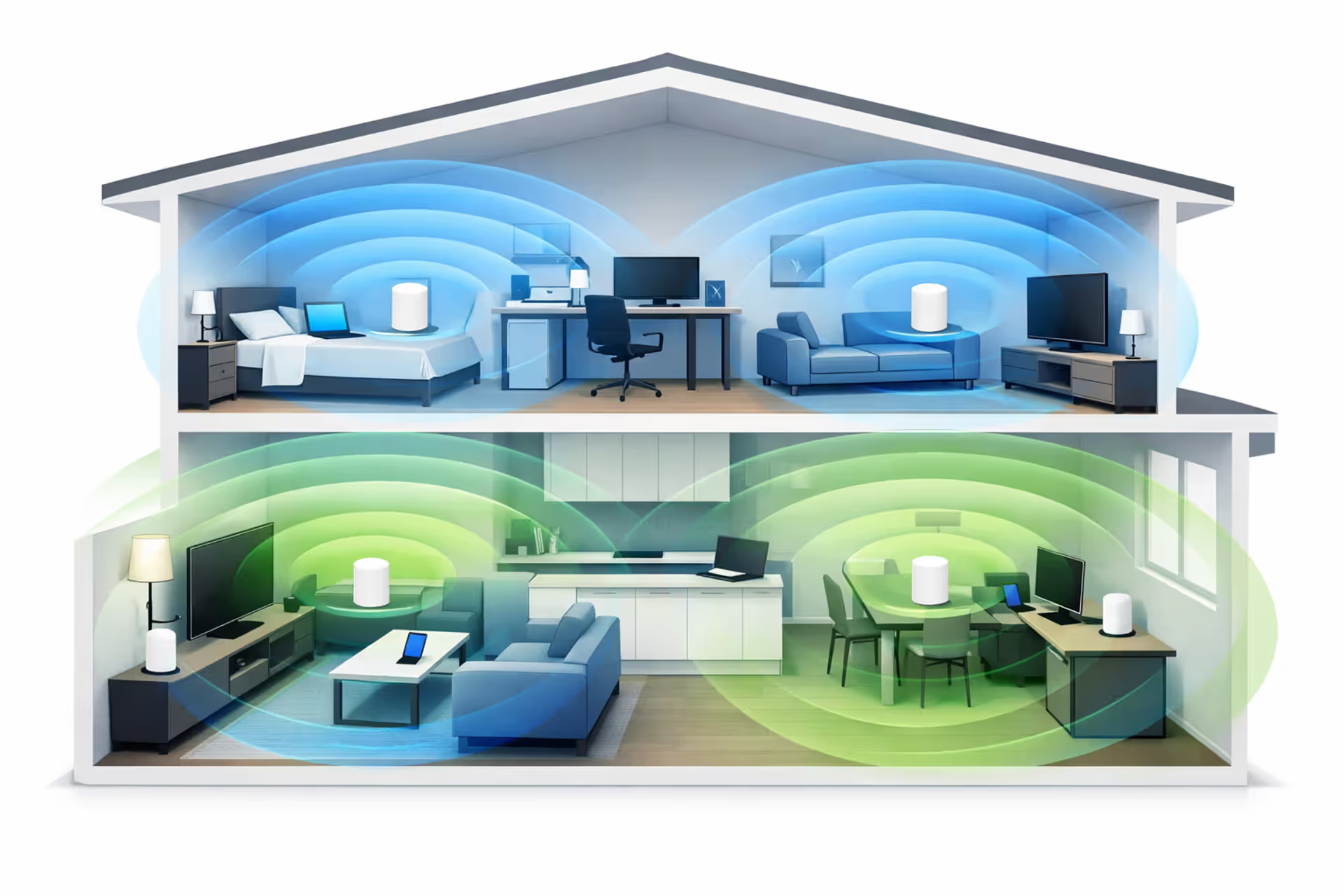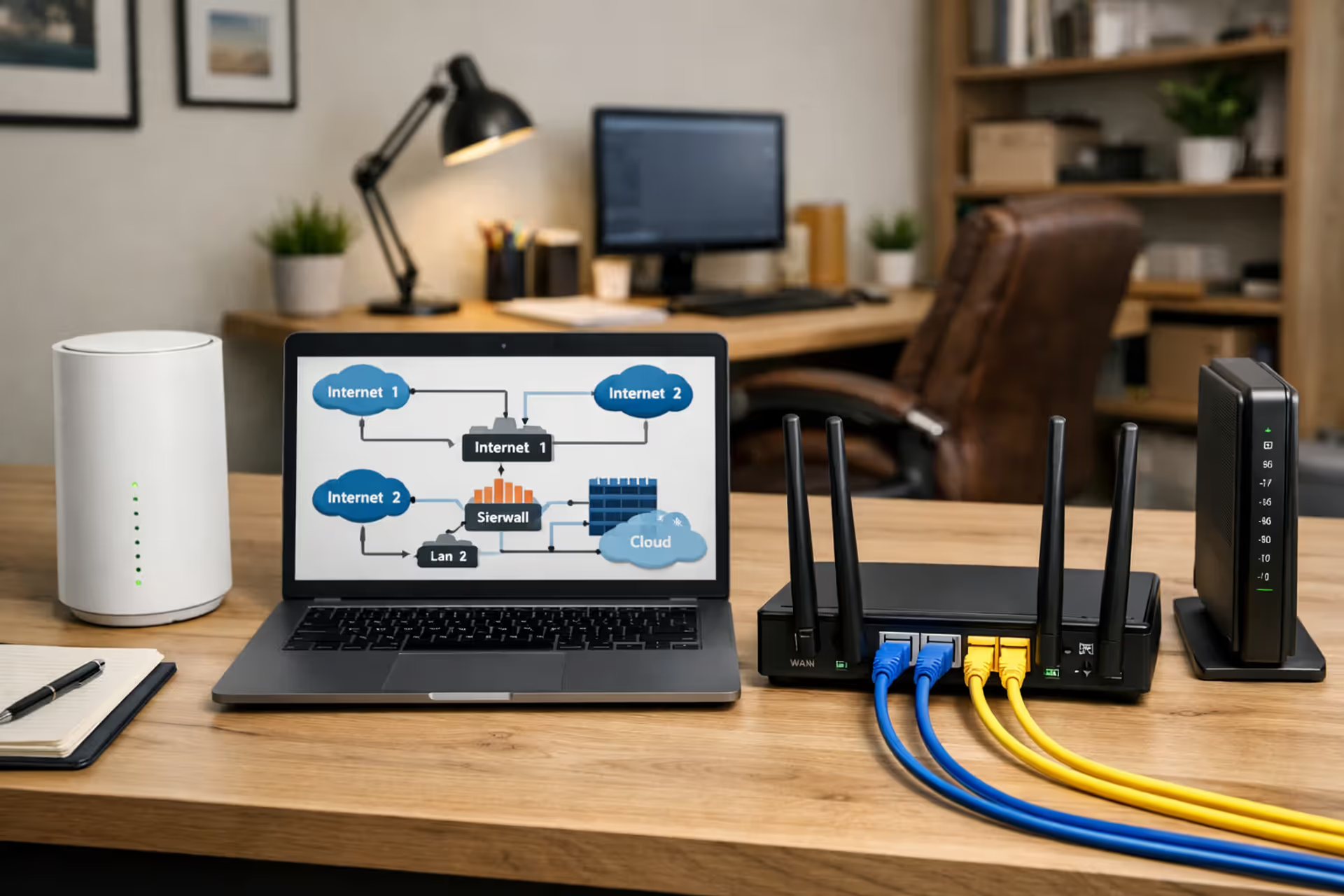
Home office with two ISP modems and a dual WAN router
Can You Have Two Internet Providers in the Same House

Content
Absolutely. You can subscribe to two different internet service providers and run both connections in the same house without violating any terms of service or creating technical conflicts. Thousands of households already do this, particularly remote workers who can't risk downtime during video conferences, small business owners running operations from home, and content creators who need guaranteed upload capacity.
The technical feasibility is straightforward: each ISP delivers internet through its own physical infrastructure—whether that's coaxial cable, fiber optic line, DSL over phone lines, or fixed wireless. These connections don't interfere with each other. You'll have two modems, two accounts, and two monthly bills. The complexity comes in how you configure your home network to actually use both connections effectively rather than just having them sit side by side.
Most people pursuing this setup fall into three categories: professionals whose income depends on zero internet downtime, households with extreme bandwidth demands across multiple simultaneous users, and those living in areas where single-provider reliability is questionable. A software developer losing four hours of productivity during an outage might justify the extra $50-80 monthly expense. A family streaming on one connection while gaming on another might not.
How Dual ISP Setup Actually Works: Equipment and Configuration
Dual WAN Router vs. Two Separate Networks
You have two fundamental approaches. The simpler method involves keeping both ISPs completely separate—one modem and router for your primary network, another modem and router creating a second Wi-Fi network with a different name. You manually connect critical devices to the backup network when the primary fails. This requires no special equipment beyond two standard router setups, but offers zero automation.
The sophisticated approach uses a dual WAN router, a specialized device with two internet input ports that intelligently manages both connections. These routers cost between $150-600 depending on features. TP-Link, Ubiquiti, Peplink, and Netgate make popular models. The dual WAN router sits between your two modems and your home network, presenting a single Wi-Fi network to your devices while handling the complexity of managing two internet sources behind the scenes.
Modem and Router Requirements for Each Provider
Each ISP requires its own modem compatible with that provider's infrastructure. Your cable ISP needs a DOCSIS 3.0 or 3.1 cable modem. Your fiber provider might supply an ONT (optical network terminal) as part of installation. DSL requires a DSL modem. You cannot share modems between providers—the hardware is fundamentally incompatible.
If you're using the two-separate-networks approach, each ISP connection gets its own standard router. If you're using a dual WAN router, you'll connect both modems directly to the dual WAN device, which then handles all routing duties. Some people make the mistake of putting regular routers between the modems and dual WAN router, creating unnecessary network layers that complicate troubleshooting and add latency.
One configuration detail that trips people up: you need to set one modem to bridge mode if your dual WAN router handles DHCP and firewall duties. Otherwise you create a "double NAT" situation where network address translation happens twice, breaking certain applications like gaming servers or VPN connections.
Four Reasons Homeowners and Remote Workers Choose Dual Internet

Author: Marcus Leland;
Source: flexstarsolutions.com
Remote professionals in client-facing roles represent the largest group adopting dual ISP setups. A financial advisor conducting video consultations can't afford to drop from a client call because Comcast is having a Tuesday afternoon outage. The cost of two internet plans becomes a business expense that prevents lost revenue and damaged client relationships. These users typically configure automatic failover so the switch happens within seconds, often before a video call even disconnects.
Households with teenagers gaming while parents stream 4K content and participate in work calls simultaneously hit bandwidth ceilings even with gigabit plans. The issue isn't total bandwidth but how it's distributed—one person's large download can create latency spikes for everyone else. Load balancing across two ISPs lets you dedicate one connection to latency-sensitive activities (gaming, video calls) while bulk data transfers happen on the other line. This segregation eliminates the fights over who's "hogging the internet."
Home-based businesses that process credit card transactions, maintain VoIP phone systems, or run customer-facing web services need enterprise-level reliability without enterprise costs. A small e-commerce operation losing payment processing for three hours during an ISP outage directly loses sales. The math becomes simple: if downtime costs more than an extra $60-80 monthly, redundancy pays for itself the first time it prevents an outage.
Content creators uploading large video files face a specific bottleneck—upload speeds. Most residential plans offer asymmetric bandwidth with upload speeds 10-20 times slower than downloads. A YouTuber uploading a 40GB video file on a 35 Mbps upload connection waits over two hours. With two ISPs, you can bond the upload bandwidth, cutting that time significantly, or upload to multiple platforms simultaneously without bottlenecking.
The reliability improvement from dual ISPs isn't just about uptime percentage—it's about eliminating single points of failure.When your income depends on connectivity, the question isn't whether you can afford redundancy, it's whether you can afford not to have it.
— Marcus Chen
Failover vs. Load Balancing: Choosing Your Dual ISP Strategy
Automatic Failover for Uninterrupted Connectivity
Failover configuration designates one ISP as primary and the other as backup. All traffic normally flows through the primary connection. The dual WAN router constantly monitors the primary connection's health by pinging external servers. When it detects failure—whether complete outage or degraded performance beyond your threshold settings—it automatically reroutes all traffic through the secondary connection within 10-30 seconds.
This approach makes sense when one ISP offers superior performance but questionable reliability. You might have gigabit fiber as your primary but keep a 100 Mbps cable connection as backup. The backup sits mostly idle, only activating during outages. You're essentially paying for insurance. Some users configure the backup connection to handle specific low-priority devices (smart home gadgets, security cameras) during normal operation so it's not completely unused.
The main failover weakness involves sessions that don't gracefully handle IP address changes. When you switch from one ISP to another, your public IP address changes. Active VPN tunnels will drop. Video calls might disconnect and require rejoining. Large file downloads may fail. The transition isn't completely seamless, but it beats having no internet at all.
Load Balancing to Maximize Bandwidth
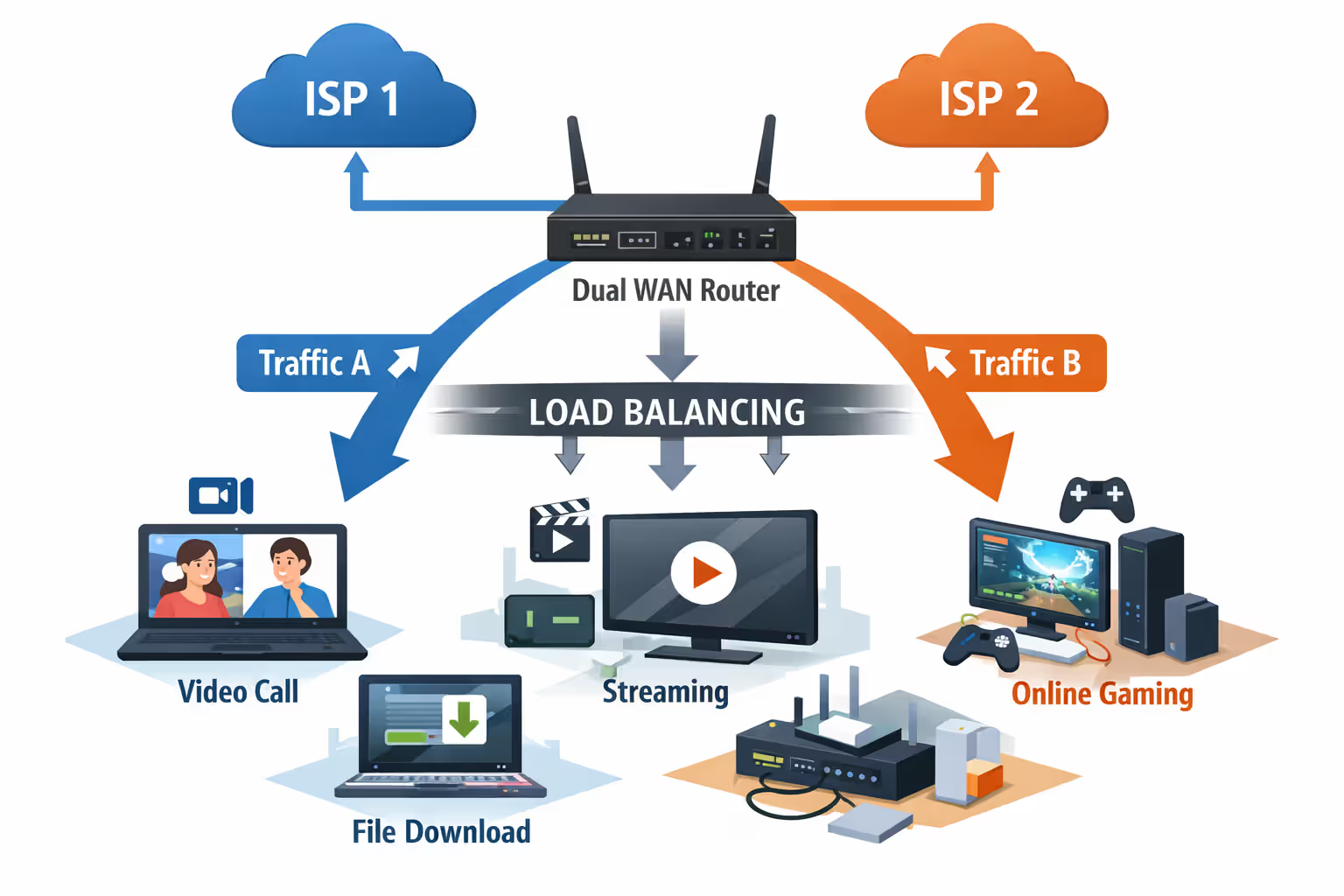
Load balancing distributes traffic across both connections simultaneously based on rules you configure. The simplest method uses round-robin distribution—connection one gets the first request, connection two gets the second, alternating continuously. More sophisticated approaches route based on traffic type, source device, or destination.
You might configure all devices on the 192.168.1.x subnet to use ISP one while 192.168.2.x devices use ISP two. Or route all traffic to streaming services through one ISP while web browsing and downloads use the other. Gaming consoles might get dedicated access to the lower-latency connection. The flexibility lets you optimize for your specific usage patterns.
Load balancing doesn't simply add the bandwidth together for a single device. If you have two 500 Mbps connections, one computer downloading a single file doesn't get 1 Gbps—it gets 500 Mbps through whichever connection the router assigned. But five devices downloading simultaneously can collectively use the full combined bandwidth. The benefit comes from aggregate household capacity, not individual device speed.
The technical challenge with load balancing involves websites and services that expect consistent IP addresses. Banking sites might flag your session as suspicious if requests alternate between two different IP addresses. Some streaming services track simultaneous streams by IP and may think you're account sharing. You'll need to configure exceptions routing specific destinations through only one ISP.
Author: Marcus Leland;
Source: flexstarsolutions.com
What Dual Internet Actually Costs: Monthly Fees and Equipment
Budget $100-200 for setup equipment before monthly costs. A quality dual WAN router runs $150-300 for home use (TP-Link ER7206 at $150, Ubiquiti Dream Machine Pro at $379). Enterprise-grade options from Peplink start at $500. You'll need two modems unless providers supply them—figure $80-120 each if purchasing. Installation fees vary; some providers waive them, others charge $50-100 per line.
Monthly ISP costs depend entirely on your market and chosen providers. In competitive urban markets, you might get two 500 Mbps cable connections for $50 each ($100 total). In areas with limited competition, a single gigabit fiber line costs $80 while adding a 100 Mbps cable backup runs another $60 ($140 total). Promotional rates typically last 12 months before jumping $10-30 per line.
The hidden cost trap involves equipment rental fees. If both ISPs charge $15 monthly for modem/router combos, that's $360 annually—enough to buy your own equipment outright. Purchase your own modems and dual WAN router to avoid this recurring expense. The upfront investment pays back within 12-18 months.
Monthly Cost Comparison: Dual ISP vs. Single ISP with Backup Options
| Setup Type | Equipment Cost | Monthly ISP Fees | Total First Year Cost | Best For |
| Two cable ISPs | $350 | $100-140 | $1,550-2,030 | Maximum redundancy, similar performance both connections |
| Cable + Fiber | $350 | $110-160 | $1,670-2,270 | Best performance with technology diversity |
| Single ISP + 5G backup | $250 | $80-110 | $1,210-1,570 | Occasional backup needs, mobile flexibility |
| Single ISP + Mobile hotspot | $100 | $70-90 | $940-1,180 | Emergency backup only, budget-conscious |
| Single premium ISP only | $100 | $80-120 | $1,060-1,540 | Good infrastructure area, low risk tolerance |
A realistic example: you get Comcast cable at 800 Mbps for $70 monthly and AT&T fiber at 500 Mbps for $55 monthly. Add a $180 TP-Link dual WAN router and two $90 modems. First year total: $360 equipment + $1,500 ISP fees = $1,860. Subsequent years drop to $1,500 annually. Compare that to a single $80 gigabit plan at $960 annually. You're paying $540 extra per year for redundancy—roughly $45 monthly for peace of mind.
Budget-Friendly Alternatives to Two Full ISPs
LTE/5G Backup Internet Solutions
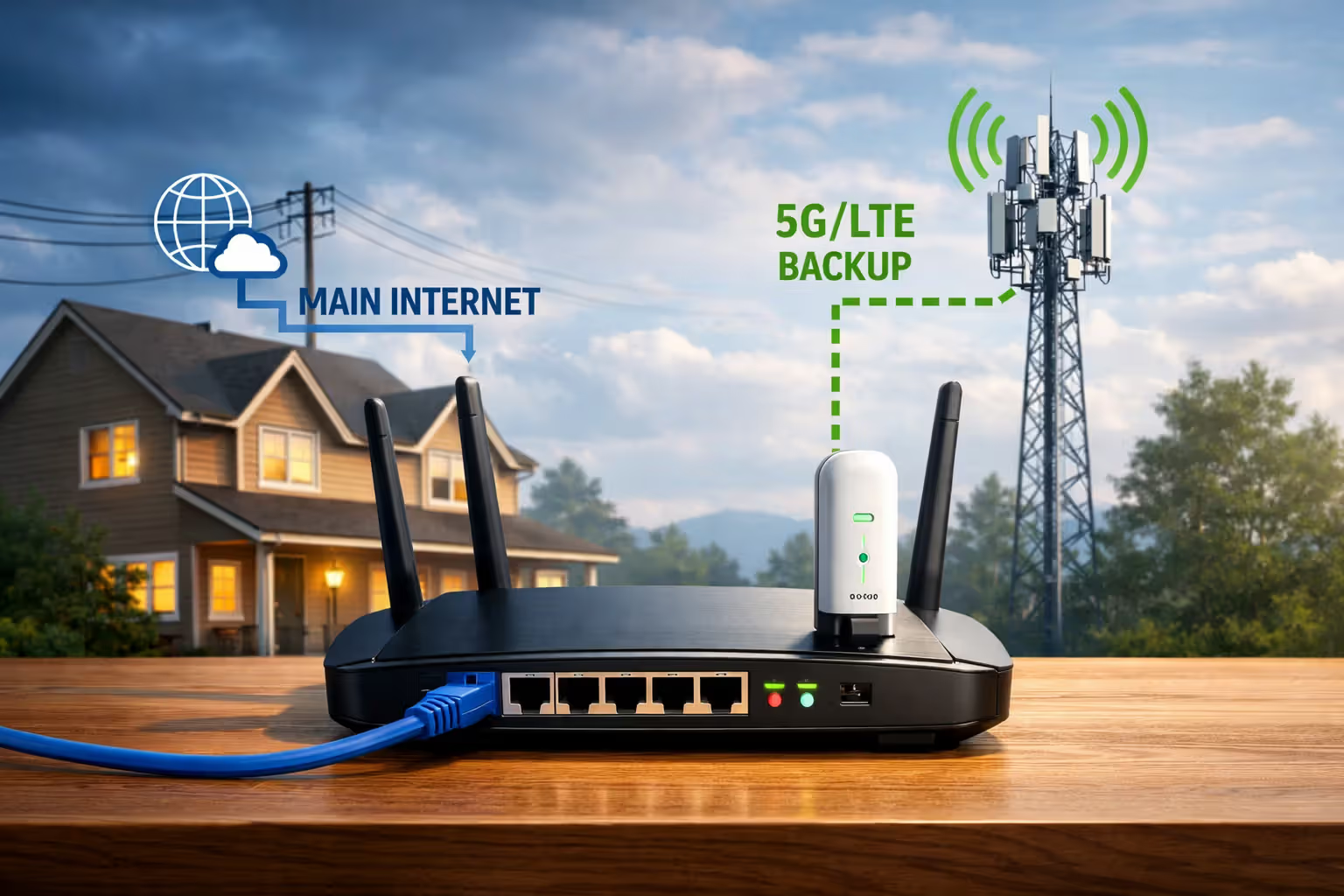
Cellular home internet services from T-Mobile and Verizon cost $50-60 monthly for unlimited data with speeds ranging from 50-300 Mbps depending on tower proximity and congestion. These work as backup connections without requiring a second traditional ISP installation. The cellular modem connects to your dual WAN router's second WAN port just like a cable or fiber modem would.
The advantage here is flexibility—cellular internet doesn't depend on the same physical infrastructure as cable or fiber. A construction crew severing a fiber line won't affect your LTE backup. You can also take the cellular modem with you when traveling, something impossible with a fixed cable connection.
Performance varies dramatically by location. Check coverage maps and read local reviews before committing. Some users see consistent 100+ Mbps, others struggle with 20 Mbps during peak hours. T-Mobile's service typically performs better in urban areas, Verizon in suburban and rural locations. Both providers offer trial periods—test thoroughly before canceling your second traditional ISP.
Starlink presents another alternative at $120 monthly for satellite internet with 50-150 Mbps speeds. The $600 equipment cost and higher monthly fee make it expensive as backup, but it provides true infrastructure independence. No terrestrial cables or cell towers required. Rural users with limited ISP options find this combination compelling: one terrestrial ISP plus Starlink covers nearly every failure scenario.
Author: Marcus Leland;
Source: flexstarsolutions.com
Mobile Hotspot as Emergency Backup
The minimalist approach uses your smartphone's hotspot feature as emergency backup. Most unlimited phone plans include 10-50 GB of hotspot data monthly. This won't sustain normal usage but covers critical needs during outages—joining video calls, sending emails, accessing cloud documents.
Configure your dual WAN router to accept a USB-tethered phone as a third failover option, or simply enable the hotspot manually when both primary connections fail. This costs nothing beyond your existing phone plan but requires manual intervention and provides limited data capacity.
Some users maintain a dedicated mobile hotspot device on a prepaid plan, keeping it powered off except during emergencies. Prepaid plans from Visible ($25 monthly) or US Mobile ($30 monthly) offer unlimited data that's only charged when active. You're not paying for unused backup capacity like with a full second ISP.
The trade-off is speed and reliability. Mobile hotspots typically deliver 20-60 Mbps with higher latency than wired connections. Sufficient for basic work tasks, inadequate for bandwidth-intensive activities. This works as a last-resort backup, not a true redundant system.
Common Mistakes When Setting Up Two Internet Connections
Choosing two ISPs that share infrastructure undermines the entire redundancy strategy. Many cable companies lease lines from the same backbone providers. An upstream fiber cut can take down both your "independent" ISPs simultaneously. Research whether your providers use separate physical infrastructure. Pairing cable with fiber, or cable with fixed wireless, provides true diversity.
IP address conflicts emerge when both connections assign devices addresses in the same subnet range (like 192.168.1.x). Your dual WAN router needs to use different subnets for each connection, or devices won't know which path to use. Configure one ISP to use 192.168.1.x and the other to use 192.168.2.x, or let the dual WAN router handle subnet assignment automatically.
Improper failover thresholds cause false positives where the router switches connections unnecessarily. Setting the failover trigger too sensitive means brief latency spikes trigger switches, disrupting active sessions. Too lenient and you'll tolerate poor performance too long before switching. Start with conservative settings (switch after 60 seconds of failed pings) and adjust based on experience.
Overpaying for speed tiers you don't need doubles the waste. If your backup ISP only activates during outages, you don't need gigabit speeds on that line. A 100-200 Mbps backup connection handles most emergency needs at half the cost of premium tiers. Save the speed investment for your primary connection that handles daily traffic.
Neglecting to test failover regularly means discovering configuration problems during an actual outage when you need the backup most. Manually disconnect your primary ISP monthly and verify the backup activates correctly, devices maintain connectivity, and performance meets expectations. Fix issues during controlled tests, not emergencies.
Frequently Asked Questions About Dual Internet Setups
Running two internet providers simultaneously solves specific problems for specific users. Remote workers whose income depends on connectivity, households with extreme bandwidth demands across multiple users, and home businesses requiring enterprise reliability without enterprise costs all find legitimate value in dual ISP setups. The $500-800 annual premium over single-ISP costs represents insurance against downtime and congestion.
The decision hinges on calculating your downtime cost. If losing internet for four hours means missing $300 in billable work, dual ISPs pay for themselves preventing a single outage. If downtime just means watching downloaded shows instead of streaming, the expense probably isn't justified.
Start by evaluating your current ISP's reliability over three months. Track outages, slowdowns, and their duration. If you're experiencing problems monthly, redundancy makes sense. If your service is solid, you're paying for unlikely scenarios. Consider whether your area offers true infrastructure diversity—two cable companies sharing infrastructure provide less value than cable plus fiber.
For most households, the middle ground of a primary ISP plus cellular backup offers 90% of the benefit at 60% of the cost. Full dual traditional ISPs make sense for professionals and businesses operating from home where connectivity directly impacts income. Everyone else should seriously consider whether they're solving a real problem or buying expensive peace of mind they don't actually need.