Smartphone split screen comparing WiFi router connection with lock icon versus 5G cell tower connection with shield icon on dark blue digital background
Is 5G More Secure Than WiFi and How Their Security Compares

Content
Your phone constantly switches between WiFi and cellular data, but which connection actually protects your information better? The answer depends on what you're doing, where you are, and who might be watching.
Both 5G and WiFi encrypt your data, but they do it differently and face distinct threats. A secure home WiFi network operates under different rules than the public hotspot at your coffee shop. Meanwhile, 5G cellular connections promise enterprise-grade security but aren't immune to sophisticated attacks.
This comparison cuts through marketing claims to examine how each technology protects your data—and where both fall short.
How 5G and WiFi Security Actually Work
5G Authentication and Encryption Standards
5G networks authenticate devices through a process involving your SIM card and the carrier's network. When your phone connects, it proves its identity using cryptographic keys stored on the SIM. The network verifies these credentials before allowing any data transmission.
Once authenticated, 5G encrypts data using 256-bit encryption algorithms between your device and the cell tower. This encryption happens automatically—you don't configure it or choose a password. The 3GPP standards that govern 5G mandate this protection for all connections.
The authentication system also works both ways. Your phone verifies it's connecting to a legitimate cell tower, not an imposter. This mutual authentication represents a significant upgrade from 4G LTE, where phones couldn't always confirm the tower's identity.
5G encrypts more of the connection process than previous cellular generations. The IMSI (International Mobile Subscriber Identity) that identifies your device stays encrypted during initial handshakes, making it harder for surveillance equipment to track individual phones.
WiFi Security Protocols (WPA2, WPA3, and Open Networks)
WiFi security depends entirely on how the network administrator configures it. Modern routers support WPA2 or WPA3 encryption protocols, which scramble data between your device and the router. Both require a password to join the network.

Author: Marcus Leland;
Source: flexstarsolutions.com
WPA3, introduced in 2018, fixes several WPA2 vulnerabilities. It protects against dictionary attacks where hackers try thousands of password combinations. WPA3 also provides forward secrecy—if someone eventually cracks your WiFi password, they can't decrypt previously captured traffic.
But many networks still run WPA2, and some public hotspots use no encryption at all. Open networks at airports, hotels, and cafes often skip encryption entirely to simplify guest access. When you connect to an open WiFi network, anyone nearby with basic packet-sniffing software can read your unencrypted traffic.
Even encrypted WiFi networks share the password among all users. At a coffee shop with "Password123" posted on the wall, every customer has the same credential. Anyone on that network can potentially intercept traffic from other users through techniques like ARP spoofing.
Home WiFi networks provide stronger protection because you control the password and limit who connects. A unique, complex password on a WPA3-enabled router creates a reasonably secure environment—assuming you've changed the default admin credentials and keep firmware updated.
The Real Risks: Where Each Connection Type Fails
Public WiFi Vulnerabilities You Should Know
Rogue access points pose the most common threat on public WiFi. An attacker sets up a hotspot with a convincing name like "Airport_Free_WiFi" or "Starbucks_Guest." Your device connects automatically, and suddenly everything you send flows through a machine controlled by someone with malicious intent.
These fake hotspots can serve lookalike login pages for popular services. You think you're logging into your email, but you're actually handing your credentials to an attacker. The fake access point can also inject malware or redirect you to phishing sites.
Man-in-the-middle attacks work even on legitimate public WiFi. If you and the attacker both connect to the same coffee shop network, they can position themselves between your device and the router. Specialized software lets them read, modify, or inject data into your connection.
Session hijacking represents another public WiFi risk. Even if you log into a website securely, the session cookie that keeps you logged in might transmit unencrypted. An attacker captures that cookie and impersonates you on the site—no password needed.
Public WiFi creates a shared medium where traffic from multiple users travels through the same physical space. Without proper encryption at the application layer, you're essentially broadcasting your data to everyone in the room
— Dr. Margaret Cunningham
WiFi pineapples and similar devices automate these attacks. A hacker can sit in a busy airport terminal and passively collect credentials from hundreds of travelers who connect to a malicious hotspot.
5G Security Weaknesses Carriers Don't Advertise
IMSI catchers (also called Stingrays) impersonate legitimate cell towers. When your phone connects, the device can intercept calls, texts, and data. Law enforcement agencies use these tools, but criminals can build or buy them too.
While 5G's improved authentication makes IMSI catchers less effective than with older networks, they still work against phones that fall back to 4G or 3G. Most phones automatically downgrade to older networks when 5G isn't available, and attackers can force this downgrade with jamming equipment.
SS7 protocol vulnerabilities affect cellular networks regardless of generation. SS7 (Signaling System 7) routes calls and texts between carriers globally. Security researchers have demonstrated SS7 exploits that intercept text messages, including two-factor authentication codes, without the user noticing.
SIM swapping attacks bypass network security entirely. An attacker convinces your carrier to transfer your number to a SIM card they control. Suddenly they receive your calls and texts, including authentication codes for banking and email accounts. This social engineering attack exploits carrier customer service procedures rather than technical vulnerabilities.
Baseband processor exploits target the chip in your phone that handles cellular connections. These processors run their own operating system, separate from Android or iOS. Vulnerabilities in baseband firmware can allow remote code execution—an attacker sends specially crafted data that compromises your phone when it connects to the network.
Nation-state actors and sophisticated criminals can exploit these weaknesses, but the average person faces minimal risk from cellular-specific attacks. The expertise and equipment required put these threats beyond most criminals' capabilities.
WiFi vs 5G for Banking and Sensitive Transactions
| Security Feature | Home WiFi | Public WiFi | 5G Cellular |
| Encryption standard | WPA2/WPA3 (user-configured) | Often none or shared WPA2 | 256-bit (mandatory) |
| Authentication method | Shared password | Shared password or open | SIM-based mutual auth |
| Interception risk | Low (if properly secured) | High | Low to medium |
| Best use cases | All activities including banking | Basic browsing only | Banking, sensitive transactions |
| Risk level | Low | High | Low |
Banking apps encrypt data end-to-end regardless of your connection type. When you check your balance or transfer money, that information travels through an encrypted tunnel from your app to the bank's servers. This application-layer encryption (typically TLS 1.2 or 1.3) protects your data even on compromised networks.
However, cellular connections provide an additional security layer. If you're using 5G for banking, an attacker must break both the cellular encryption and the banking app's encryption. On public WiFi, they only need to defeat the app's encryption—and if you accidentally use an outdated app with weak encryption, you're exposed.
Most financial institutions recommend avoiding public WiFi for account access. Their security teams know that public networks introduce variables they can't control. One bank's security guide explicitly states: "Use your cellular data connection when accessing your accounts away from home."
Home WiFi occupies a middle ground. A properly secured home network (WPA3, strong password, updated firmware) provides similar protection to cellular. You control the environment and limit who connects. But if you've never changed your router's default password or your network name is "NETGEAR30," you're vulnerable.

Author: Marcus Leland;
Source: flexstarsolutions.com
The practical difference for banking: cellular data removes several attack vectors entirely. No rogue access points, no ARP spoofing, no other users on your local network. The threats that remain—like malware already on your device—exist regardless of connection type.
What VPNs Actually Protect (And What They Don't)
VPNs encrypt all traffic between your device and the VPN server. On public WiFi, this encryption prevents local attackers from reading your data or hijacking your sessions. The coffee shop hacker sees encrypted gibberish instead of your passwords and browsing history.
This protection works because the VPN creates a secure tunnel before your data reaches the compromised network. Even on an open WiFi network with no encryption, the VPN's encryption keeps your information private.
VPNs prevent several specific attacks on public WiFi: man-in-the-middle interception, session hijacking, DNS spoofing, and packet sniffing. They also hide your browsing activity from the network operator—useful when you don't trust the hotel or airport running the WiFi.
But VPNs don't protect against attacks that happen before encryption starts or after it ends. If you connect to a rogue access point that serves a fake banking login page, your VPN won't save you from entering credentials into a phishing site. The fake page loads over your encrypted connection just like a legitimate one would.
VPNs also don't prevent malware infections or protect against compromised apps on your device. If you download a malicious app, it runs on your phone regardless of your VPN status.
On cellular connections, VPNs provide less security benefit. Your data already travels encrypted from your device to the cell tower. Adding a VPN creates a second encryption layer, which might help if you're concerned about your carrier monitoring your traffic or government surveillance. For most users, this extra protection isn't necessary on cellular.
VPN limitations matter: they slow your connection, require trust in the VPN provider (who can now see all your traffic), and don't work with some apps and services. Some banking apps refuse to function over VPNs because they can't verify your location.
The rule of thumb: VPNs make public WiFi safer but can't make it as safe as cellular. They prevent network-level attacks but not application-level threats.

Author: Marcus Leland;
Source: flexstarsolutions.com
Your Threat Model: Who Needs to Worry About What
Average User vs High-Risk Target
Most people face opportunistic threats—automated attacks and criminals looking for easy targets. Public WiFi poses real risks in this category because attacks require minimal skill. A teenager with a YouTube tutorial can set up a rogue hotspot.
For typical browsing, email, and social media on cellular, your risk comes primarily from the websites and apps themselves, not the connection. Phishing, weak passwords, and unpatched apps cause more breaches than cellular network vulnerabilities.
High-risk targets include journalists, activists, executives with valuable corporate data, and anyone whose information has significant value to sophisticated attackers. These individuals might face targeted surveillance using IMSI catchers or SS7 exploits.
If you're a high-risk target, assume both WiFi and cellular can be compromised. Use end-to-end encrypted messaging (Signal, WhatsApp), avoid SMS for sensitive communications, and consider dedicated secure devices for high-stakes activities.
The average person doesn't need to worry about nation-state surveillance of their cellular connection. They should worry about public WiFi at the airport and phishing emails pretending to be from their bank.
Corporate Data vs Personal Browsing
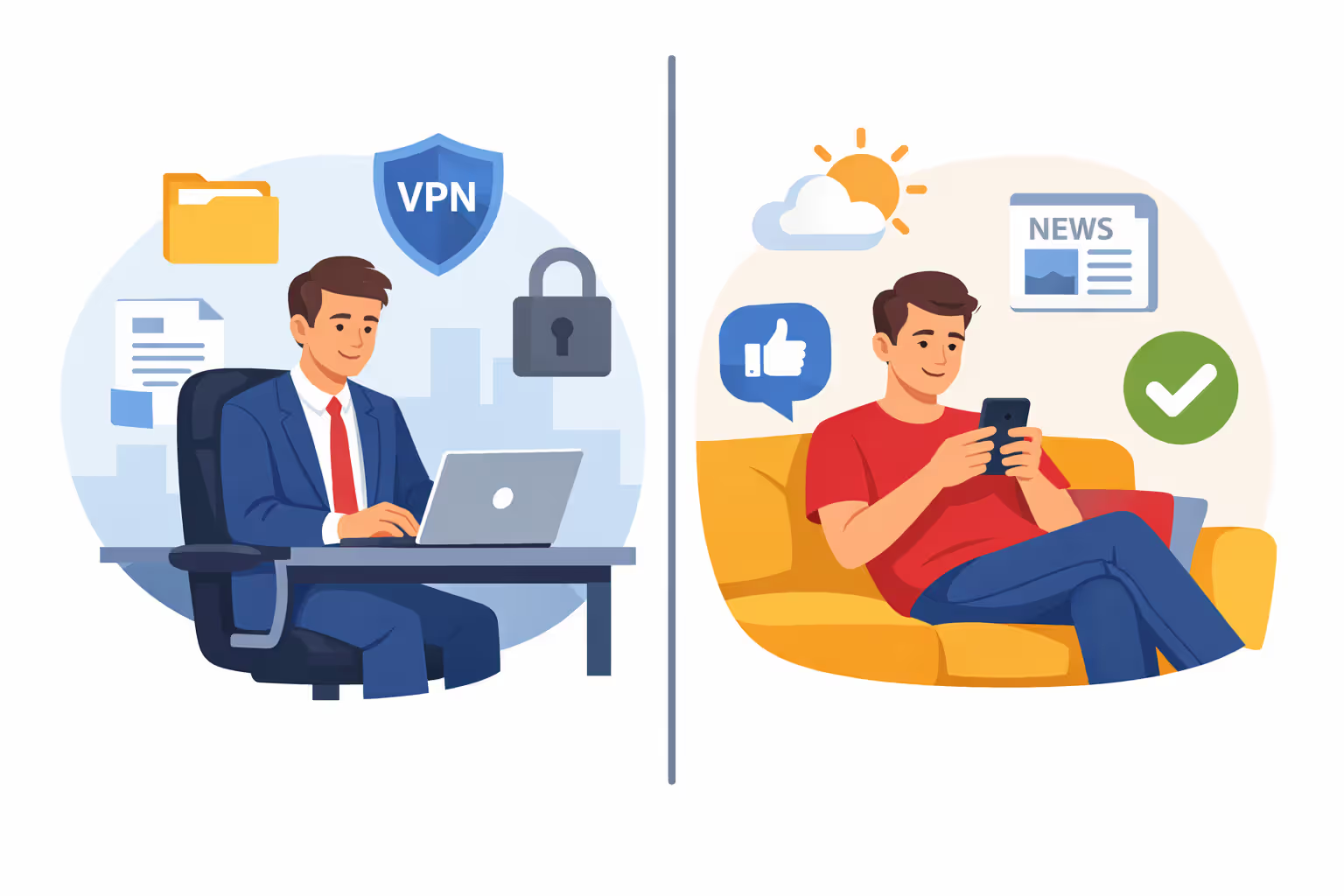
Corporate security policies often mandate VPN use on all networks, including cellular. Companies worry about different threats than individuals—primarily data exfiltration and industrial espionage.
If you access company email, files, or systems on your phone, follow your IT department's requirements. They might prohibit public WiFi entirely or require specific security configurations.
For personal browsing, the stakes are lower. Checking weather, reading news, or scrolling social media on public WiFi carries minimal risk. These activities don't involve credentials or sensitive data.
The distinction matters because it affects which precautions make sense. Routing your entire life through a VPN for every connection adds hassle with marginal security benefit for low-stakes activities. But accessing your company's customer database over coffee shop WiFi without protection violates basic security hygiene.
Author: Marcus Leland;
Source: flexstarsolutions.com
7 Practical Rules for Safer Connections
- Never enter passwords on open WiFi networks. If the network didn't require a password to join, don't log into anything sensitive. Check your email later or switch to cellular.
- Verify network names before connecting. Ask staff for the exact WiFi network name. "Starbucks WiFi" and "Starbucks_WiFi" might be different networks—one legitimate, one malicious.
- Disable automatic WiFi connections. Your phone shouldn't join networks without your explicit approval. Turn off "Auto-join" for public networks and "Ask to join networks" for unknown ones.
- Use cellular for banking, healthcare, and sensitive accounts. The few megabytes of data cost less than dealing with a compromised account. Most banking apps use minimal data anyway.
- Enable two-factor authentication with an authenticator app, not SMS. SMS codes can be intercepted through SS7 exploits or SIM swapping. Apps like Google Authenticator or Authy generate codes locally on your device.
- Keep your phone's operating system and apps updated. Security patches fix vulnerabilities in both cellular and WiFi implementations. Enable automatic updates or check weekly.
- Forget public WiFi networks after using them. Your phone will try to reconnect automatically next time you're in range. Manual connection forces you to make a conscious security decision each time.
Additional considerations: Use HTTPS Everywhere or similar browser extensions to force encrypted connections to websites. Check for "https://" and the padlock icon before entering any credentials. Consider a VPN for frequent public WiFi use, but research providers carefully—free VPNs often sell your data.
FAQ: 5G vs WiFi Security Questions
Security isn't binary—it's about matching protection level to the sensitivity of your activity. 5G cellular connections provide consistent, automatic encryption without configuration. Public WiFi introduces variables you can't control, from rogue access points to shared passwords.
The practical approach: use cellular for anything involving money, health information, or work data. Properly secured home WiFi works for all activities. Public WiFi is fine for casual browsing but requires caution or VPN protection for anything sensitive.
Your biggest vulnerabilities aren't the connections themselves but the choices you make—weak passwords, ignored updates, clicking suspicious links. Both 5G and WiFi can be secure or compromised depending on implementation and user behavior.
The connection you use matters less than maintaining basic security hygiene: strong unique passwords, two-factor authentication, regular updates, and healthy skepticism about unexpected login requests. These practices protect you regardless of whether your data travels through cell towers or WiFi routers