
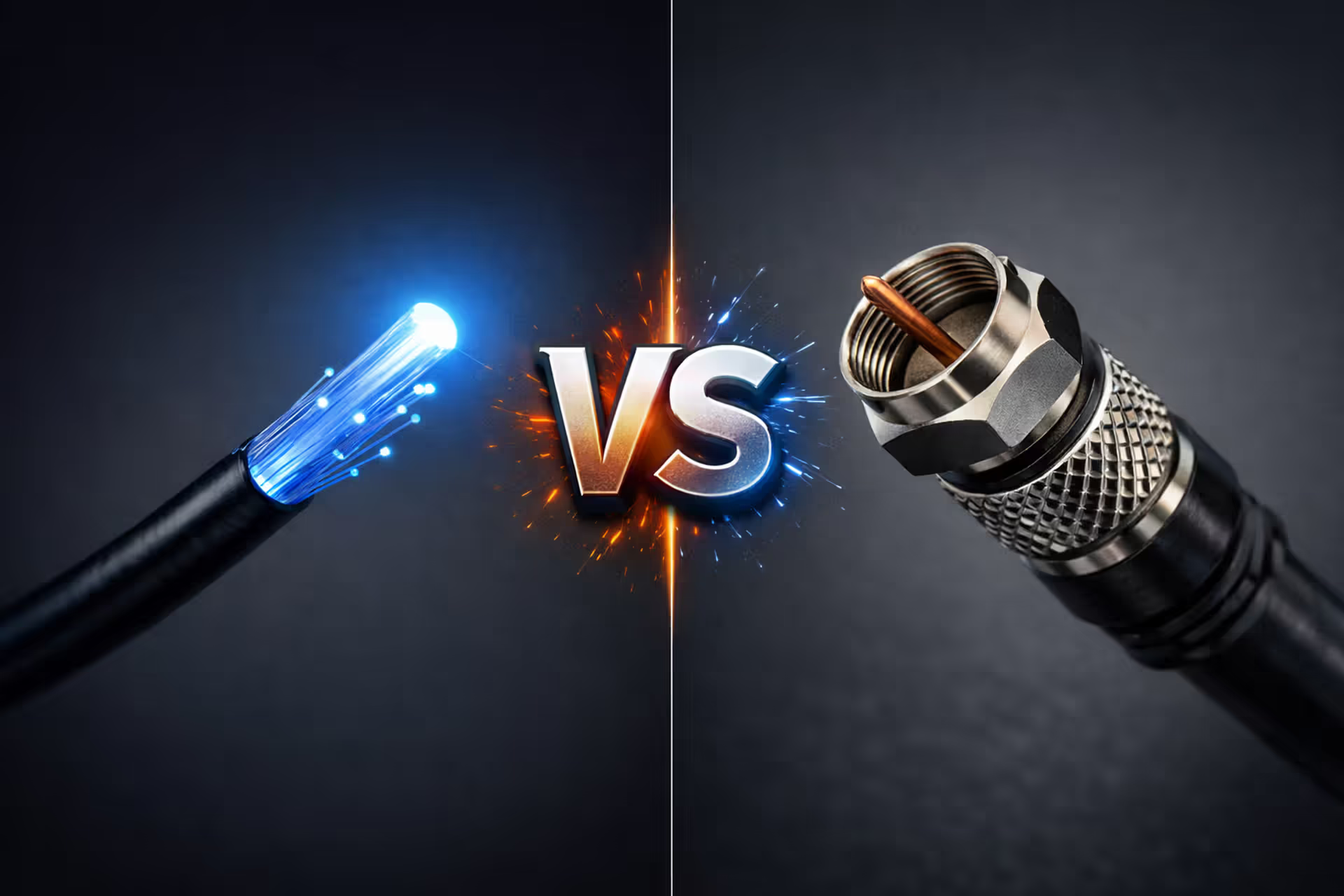
Fiber optic cable glowing blue on the left versus coaxial copper cable on the right with VS symbol in the center on dark gray background
AT&T vs Spectrum – How to Pick the Right Internet Provider in 2025

So you're stuck choosing between AT&T and Spectrum. Here's what actually matters: AT&T might have fiber at your house (but probably doesn't), and Spectrum runs cable to way more addresses. Fiber beats cable on paper every single time—symmetrical speeds, rock-solid reliability, lower latency. But here's the catch: most people reading this won't have access to AT&T Fiber. They'll get offered ancient DSL that can't touch what Spectrum delivers.
I'm breaking down what you'll actually experience with each provider. Forget the marketing fluff about "lightning-fast" speeds. We're looking at real monthly bills after promotions tank, how often your connection drops during Zoom calls, and whether you can actually stream to Twitch without your gameplay looking like a slideshow.
How AT&T and Spectrum Internet Services Differ
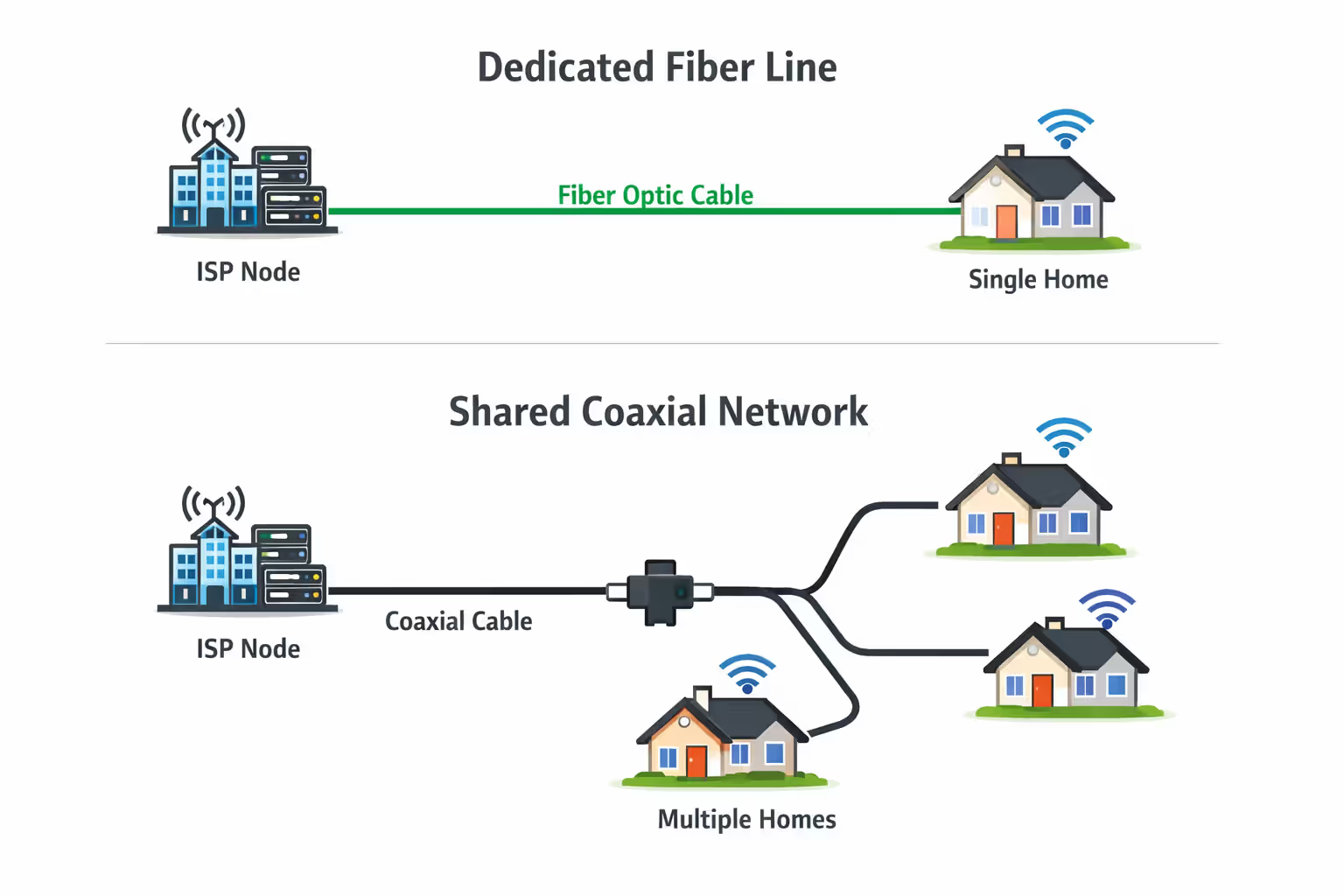
AT&T's fiber network reaches about 20 million addresses, mostly clustered in metros across 22 states. Texas, California, and Florida get the best coverage. Outside those fiber zones? You're getting DSL technology from 2005 that maxes out around 100 Mbps on a good day. Here's the frustrating part: AT&T Fiber might blanket one neighborhood while stopping dead three blocks away. Your coworker across town could have 5 Gig fiber while you're stuck with 25 Mbps DSL—both from the same company.
Spectrum built everything on top of existing cable TV lines. They cover 32 states and reach something like 110 million potential customers. Way more geographic spread than AT&T Fiber, especially through the South, Midwest, and up the California coast. Their network runs fiber for the backbone between cities, then switches to coaxial copper cable for that last mile to your house. Same line that's carried HBO and ESPN for decades, now pushed to handle gigabit internet speeds.
Author: Marcus Leland;
Source: flexstarsolutions.com
The technology gap creates real performance differences. Fiber shoots light pulses through glass strands—no interference from weather, no slowdown over distance, perfect symmetry between upload and download. Cable shares bandwidth across your street. When everyone fires up Netflix at 8 PM on Thursday, your speeds take a hit. The copper coax line creates an upload bottleneck that no amount of marketing can fix.
Your actual choice comes down to availability more than anything else. AT&T Fiber sounds great until you punch in your address and discover it stops two streets over. Spectrum's cable reaches way more homes total, though good luck getting either provider to run lines way out in the sticks.
Speed and Performance: Which Provider Delivers Faster Internet?
AT&T Fiber Speed Tiers and Real-World Performance
AT&T sells fiber in five tiers: 300 Mbps, 500 Mbps, 1 Gig, 2 Gig, and 5 Gig. Every single tier gives you identical upload and download speeds. That 300 Mbps plan? 300 up, 300 down. The symmetry matters way more than most people realize.
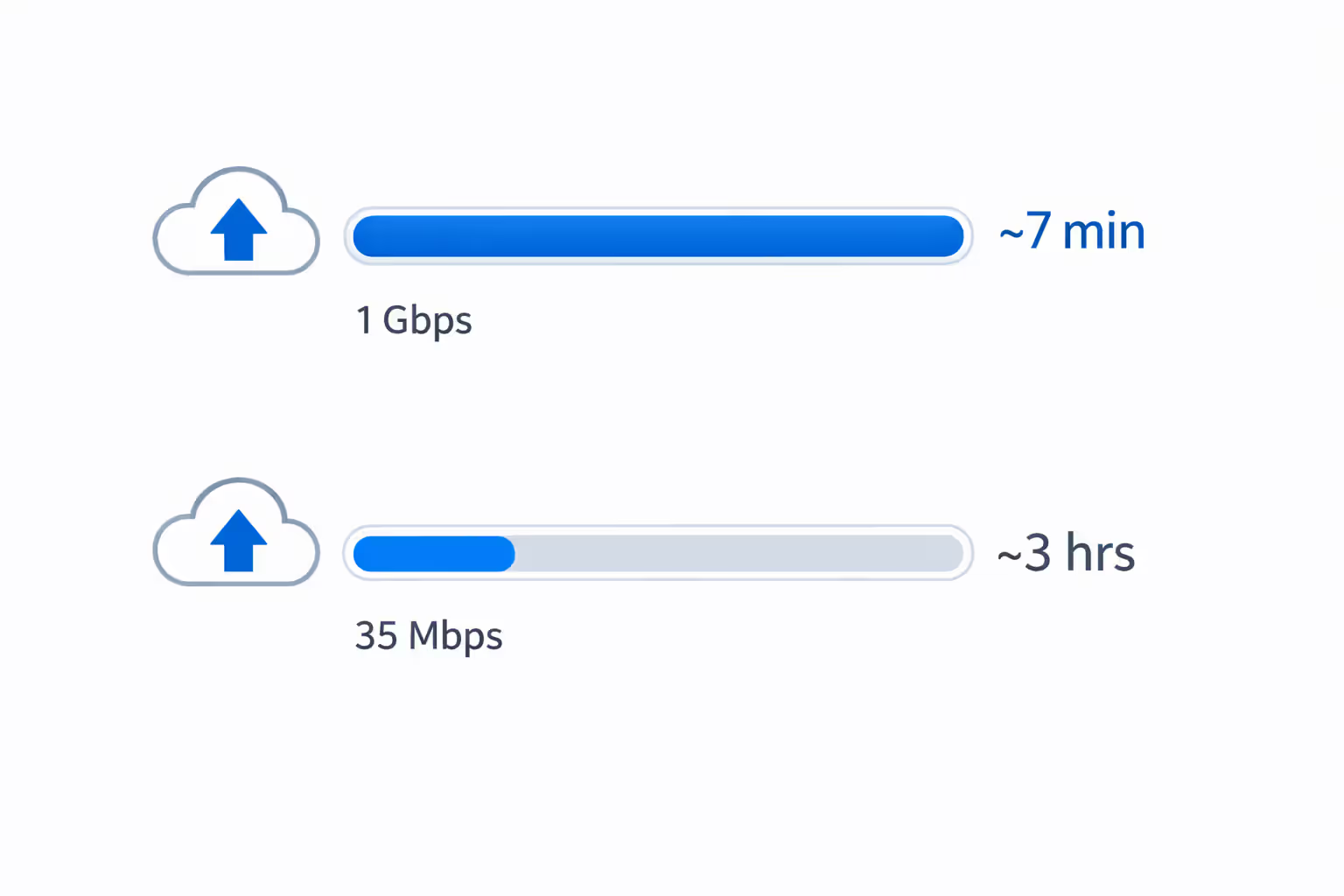
Let's say you're backing up your phone to iCloud—20,000 photos, maybe 50GB total. On AT&T's 1 Gig fiber, that upload finishes in about seven minutes. Same backup on Spectrum's 1 Gig plan with its 35 Mbps upload? You're waiting nearly an hour. Anyone who works from home and shares their screen on video calls all day immediately feels the difference.
The 300 Mbps tier handles three or four 4K streams running simultaneously without buffering. Toss in a couple people on video calls, someone downloading a game update, and you're still fine. Most households never actually need more than 500 Mbps, but AT&T's sales folks will absolutely try pushing you toward their gig plan.
Those 2 Gig and 5 Gig tiers? Honestly, they're overkill unless you're running a home server farm or doing professional video production. Your laptop's network card probably can't even handle those speeds without specialized hardware. Marketing flex more than practical upgrade.
Author: Marcus Leland;
Source: flexstarsolutions.com
Spectrum Cable Speed Options and Upload Limitations
Spectrum keeps it simple: 300 Mbps, 500 Mbps, or 1000 Mbps download speeds. But check those upload numbers—10 Mbps on the base plan, 20 Mbps on the middle tier, maxing out at 35 Mbps even on their gig service. That upload choke point is cable internet's fundamental weakness.
Download speeds usually hit close to advertised rates when you run speed tests at 2 AM. During primetime? Expect some variation. Not terrible, but you'll see dips when your neighbors are all streaming Ted Lasso. The 300 Mbps entry plan works fine for smaller households doing normal internet stuff—browsing Reddit, watching YouTube, online shopping.
Cable's shared bandwidth model means everyone on your street splits the available pipe capacity. Fiber gives you a dedicated line that doesn't care what anyone else is doing. You'll notice the difference mostly during peak evening hours, though it rarely gets bad enough to cause serious problems.
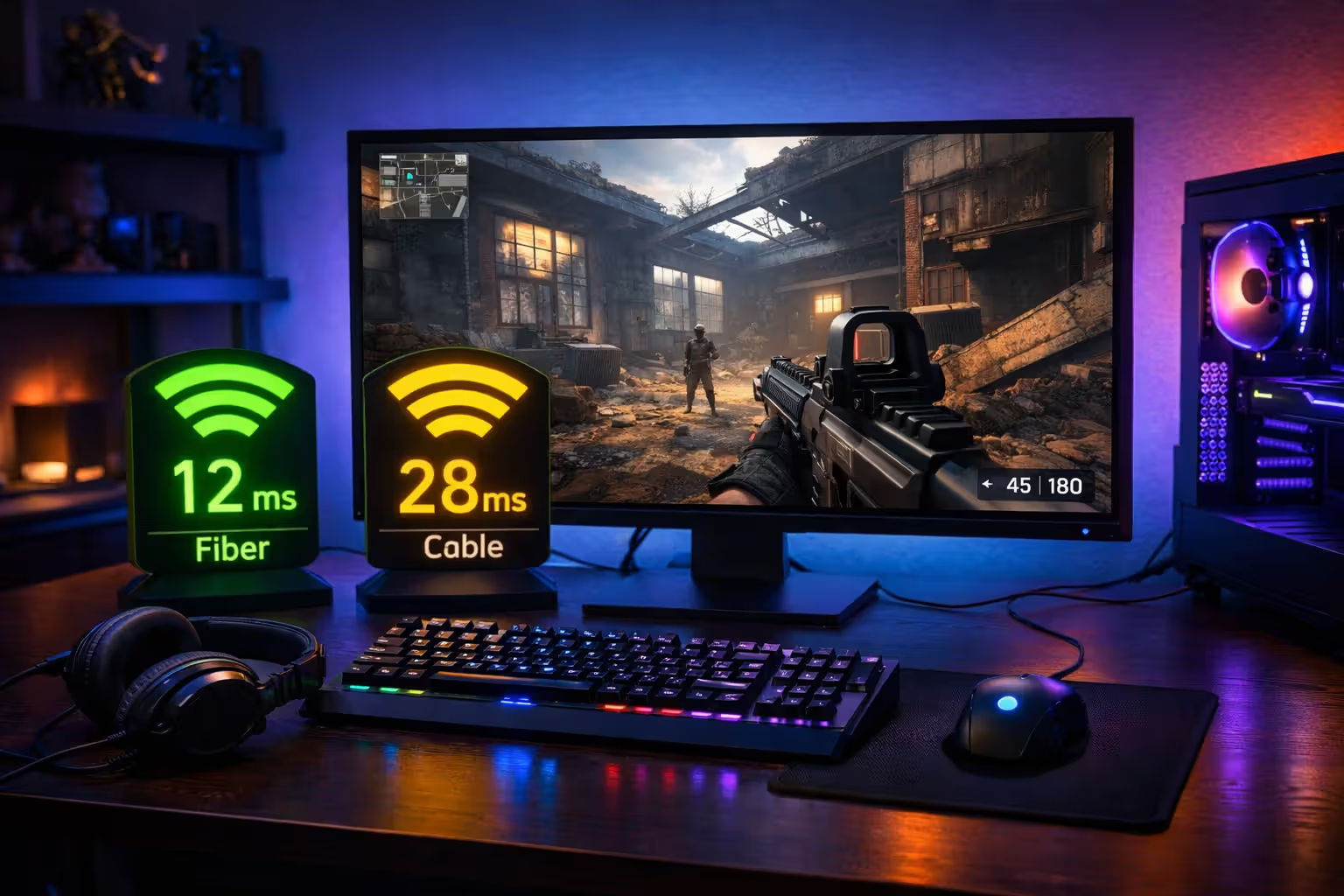
For gaming specifically, both providers deliver plenty of download speed at comparable price points. AT&T Fiber typically pings game servers around 10-15ms, while Spectrum cable sits in the 20-30ms range. Both work perfectly fine for everything except maybe top-tier competitive Counter-Strike matches where every millisecond counts. Regular gaming? Either service handles it.
Streaming 4K content needs roughly 25 Mbps per screen, so both providers' cheapest plans support multiple simultaneous streams. Where you run into trouble is maintaining that quality when five people are streaming, someone's uploading work files, and your security cameras are saving footage to the cloud—all at 7 PM when everyone's home.
Pricing Breakdown: AT&T vs Spectrum Monthly Costs
AT&T Fiber runs $55 monthly for 300 Mbps, $65 for 500 Mbps, $80 for 1 Gig. Those prices include the gateway equipment and stay locked for your first year. After twelve months, AT&T reserves the right to jack up rates, though increases tend to be modest—maybe $5-10 monthly. They constantly run promotions dangling gift cards or bill credits that cut your first-year cost.
Spectrum plays the promotional pricing game hard. Their 300 Mbps plan starts at $49.99 monthly for year one, then jumps to $74.99 in year two. That's a $25 monthly increase that catches people by surprise when they forget to mark their calendar. The 500 Mbps tier runs $69.99 promotional, then $94.99 standard. Their gig plan costs $89.99 initially before climbing to $114.99 after twelve months.
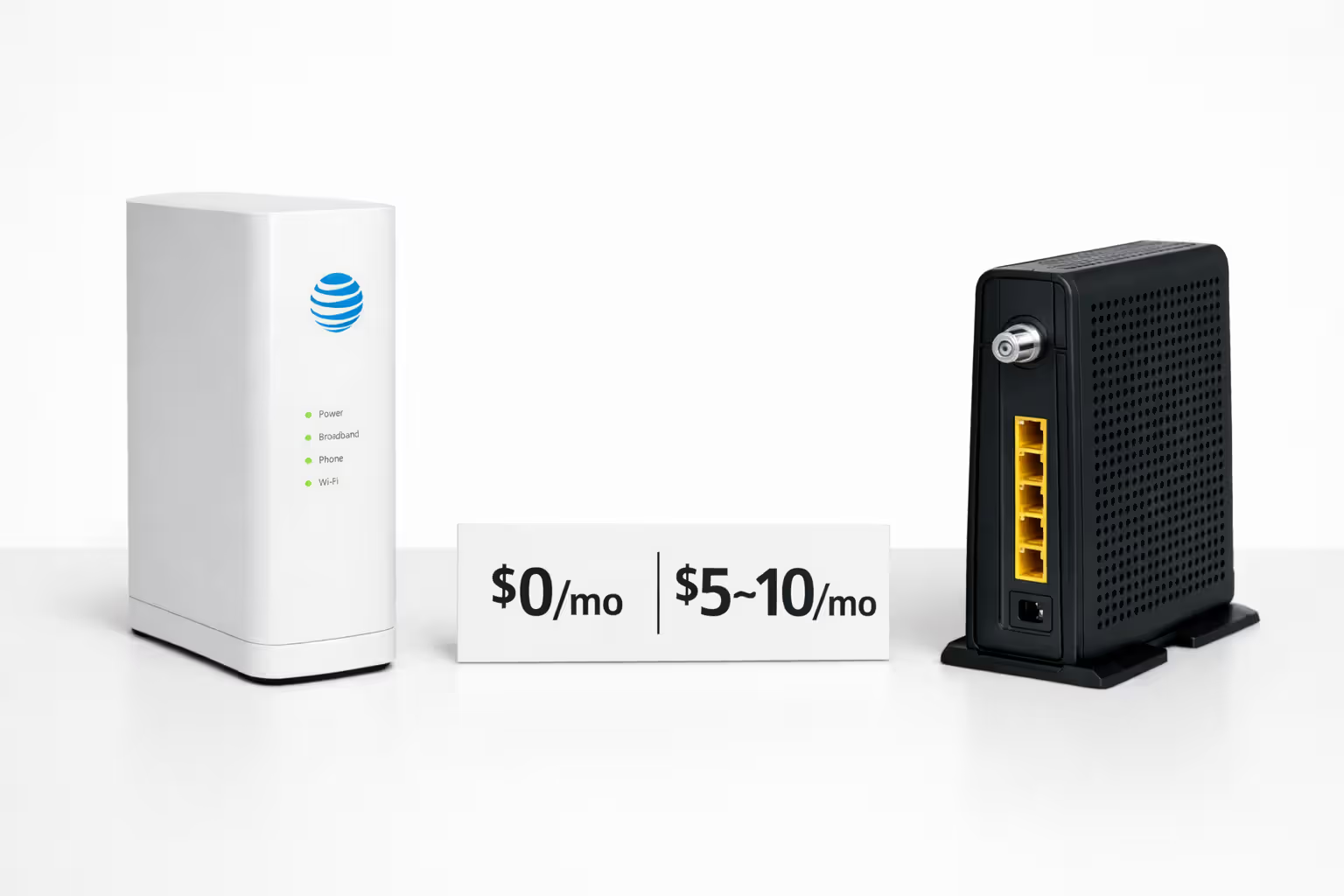
Equipment charges create another cost gap. AT&T bundles their fiber gateway at no additional monthly fee—it's included in those prices above. Spectrum charges $5 monthly to rent their modem, or $10 monthly for a combined modem/router unit. Over two years, you're paying $120-$240 just for equipment rental. You can buy your own DOCSIS 3.1 modem for $80-$150 to dodge that fee, but Spectrum's support team will blame your personal equipment for any service hiccups.
Installation fees run $99-$150 with either provider if you want a technician to come out. Both offer self-install kits that eliminate the charge if you're comfortable plugging in cables and following online activation steps. Promotional offers frequently waive professional installation—just ask specifically when you're signing up.
Neither company locks you into contracts for basic residential service. You can bail anytime without penalties. But accept certain promos or bundle TV service, and you might sign a 12-month commitment with early termination fees.
Here's what you'll actually pay:
| Internet Service | Download | Upload | First Year Monthly | Year Two Monthly | Equipment Cost | Usage Limits |
| AT&T Fiber 300 | 300 Mbps | 300 Mbps | $55 | $55 (locked 12mo) | $0 | Unlimited |
| AT&T Fiber 500 | 500 Mbps | 500 Mbps | $65 | $65 (locked 12mo) | $0 | Unlimited |
| AT&T Fiber 1000 | 1 Gig | 1 Gig | $80 | $80 (locked 12mo) | $0 | Unlimited |
| Spectrum 300 | 300 Mbps | 10 Mbps | $49.99 | $74.99 | $5-10 | Unlimited |
| Spectrum 500 | 500 Mbps | 20 Mbps | $69.99 | $94.99 | $5-10 | Unlimited |
| Spectrum 1000 | 1 Gig | 35 Mbps | $89.99 | $114.99 | $5-10 | Unlimited |
Calculating your real two-year total means adding up equipment fees plus that second-year rate increase. AT&T's upfront transparency often beats Spectrum's total cost despite similar starting prices.
Reliability and Customer Experience Compared
Network stability matters more than peak speeds for daily use. Fiber infrastructure handles interference better than cable—no signal degradation from electrical storms, no slowdown over distance, fewer points of failure. AT&T Fiber customers report fewer random disconnections and more consistent performance compared to cable subscribers.
Spectrum's network performs decently in most markets, but you'll find more localized headaches. Older cable infrastructure in certain neighborhoods causes intermittent drops that take three service calls to properly diagnose. The shared bandwidth setup means your connection quality partially depends on whether your neighbors are data hogs and whether Spectrum invested enough in local network capacity.
J.D. Power's 2023 satisfaction study ranked AT&T slightly above the national ISP average while Spectrum scored below average. Both companies struggle with customer service responsiveness. Spectrum catches more complaints about excessive hold times and difficulty reaching anyone who actually knows technical details beyond reading a script.
Fiber internet consistently demonstrates 30-40% fewer service interruptions compared to cable networks in our reliability tracking. The technology gap translates directly to uptime differences that customers experience as fewer frustrating outages during work calls or gaming sessions
— Dave Johnson
A connection delivering 90% of advertised speeds reliably beats one that occasionally hits full speed but drops constantly. AT&T Fiber's technical edge shows up most clearly in this consistency measurement.
Customer service experiences swing wildly depending on your region and which support rep answers your call. Both providers share the same frustrations: reaching someone knowledgeable takes forever, hold times stretch past 20 minutes, and retention departments offer way better deals than new customer promotions. Calling to renegotiate after your promo expires usually works, but you'll need patience and willingness to mention switching providers.
Which Internet Provider Wins for Gaming and Streaming?
Gaming cares about latency (ping) way more than raw download speed. AT&T Fiber typically runs 10-15ms to major game servers. Spectrum cable lands in the 20-35ms range. Both work fine—most people can't perceive differences below 50ms. Competitive players grinding ranked matches in Valorant or Apex might prefer fiber's slight edge, but casual gaming runs smoothly on either service.
Author: Marcus Leland;
Source: flexstarsolutions.com
Upload bandwidth matters hugely if you stream your gameplay to Twitch or YouTube. Broadcasting 1080p at 60fps needs 6-8 Mbps upload. Streaming in 4K requires 15-20 Mbps. AT&T Fiber's symmetrical speeds handle streaming effortlessly at any tier—even the base 300 Mbps plan gives you 300 up. Spectrum's upload caps create immediate problems. That base 300 Mbps plan with 10 Mbps upload can't reliably stream 1080p while you're gaming. Even the gig plan's 35 Mbps upload barely manages 4K streaming.
Packet loss and jitter (latency spikes) disrupt competitive gaming worse than average ping numbers suggest. Fiber's consistent signal path produces minimal jitter. Cable connections experience more variation during neighborhood congestion periods. This shows up as occasional rubber-banding or weird hit detection issues in fast shooters, even when your average ping looks acceptable.
Streaming video to multiple TVs simultaneously needs sufficient download bandwidth plus network consistency. Both providers' base plans handle three to four concurrent 4K streams (about 25 Mbps each). Bigger households with six or more screens streaming simultaneously benefit from 500 Mbps or gig tiers. When cable subscribers experience buffering issues, it's usually from inconsistent speeds during peak hours rather than insufficient total bandwidth.
Smart home devices pile on background bandwidth—security cameras, doorbell cams, smart speakers, thermostats, robot vacuums. A household running 20+ connected devices benefits from higher-tier plans not because any single device demands huge speeds, but because everything adds up. Either provider's 500 Mbps tier gives comfortable headroom for device-heavy homes.
Equipment, Installation, and Extra Fees You Should Know
AT&T ships you their BGW320 gateway (or similar model) with fiber service at zero monthly rental cost. This combined modem/router handles most homes adequately, though networking enthusiasts often add their own mesh system or dedicated router for better coverage and more control. AT&T lets you use your own router in passthrough mode while keeping their gateway connected for authentication.
Spectrum hits you with $5 monthly for modem rental or $10 monthly for their combo modem/router unit. Buying your own compatible modem eliminates this recurring charge—DOCSIS 3.1 modems cost $80-$150. But here's the catch: Spectrum's support will blame your personal equipment for any service issues, even unrelated ones. They'll make you temporarily reconnect their modem for troubleshooting. Their approved modem list changes periodically and limits your options.
Author: Marcus Leland;
Source: flexstarsolutions.com
Data caps used to be a major differentiator, but both providers dropped them. AT&T Fiber includes unlimited data on all plans—zero overage charges regardless of monthly usage. Spectrum similarly offers unlimited data across all residential tiers with no caps or throttling. Both companies eliminated this pain point in recent years.
Self-installation works for most people comfortable with basic tech. AT&T ships a gateway with clear setup instructions—you plug it into the fiber ONT (optical network terminal) already installed at your house, power it up, and activate service through their website or app. Spectrum's self-install kit includes a modem and coax connections that typically take 15-20 minutes to complete.
Professional installation makes sense when you need ethernet wiring run through walls, want optimal equipment placement in tricky floor plans, or just prefer having a technician verify everything works before they leave. The $99-$150 installation charge often gets waived during promotional periods—specifically ask about waiving install fees when signing up.
Early termination fees only hit you if you've accepted promotional offers requiring service commitments. Standard month-to-month service with either provider carries zero cancellation penalties. Always read promotional terms carefully—some offers lock you into 12-24 month agreements with $200+ early termination fees if you bail early.
Frequently Asked Questions About AT&T and Spectrum Internet
Making Your Decision Between AT&T and Spectrum
Your decision ultimately hinges on what's physically available at your exact address and how your household actually uses internet. AT&T Fiber delivers objectively superior technology—symmetrical speeds, lower latency, better consistency—when it reaches your home. Spectrum's cable network covers vastly more locations and performs adequately for typical usage despite upload limitations.
Work through this decision process: First, verify which services actually reach your specific address, not your general neighborhood. If AT&T Fiber is available, it's typically the better technical choice unless Spectrum offers dramatically lower promotional pricing that offsets the performance gap. If only AT&T DSL is available, Spectrum's cable almost certainly provides better real-world performance.
Compare total costs over two years including equipment rental and post-promotional rates instead of fixating on initial monthly prices. Calculate whether Spectrum's lower year-one rate actually saves money after you factor in equipment fees and that second-year rate jump. Consider your upload requirements—content creators, remote workers on constant video calls, and gamers who stream benefit substantially from fiber's symmetrical speeds.
Your household's usage patterns matter more than maximum speed specifications. Families primarily streaming video and browsing social media don't need gigabit service—300-500 Mbps from either provider handles typical consumption. Heavy users regularly uploading large files, running multiple simultaneous video conferences, or operating home servers should prioritize AT&T Fiber's upstream bandwidth advantage.
Neither provider wins universally. AT&T Fiber takes the technology and performance crown where available. Spectrum wins on coverage and reaches millions of addresses where fiber doesn't exist. Verify what's actually available at your address, calculate real costs beyond promotional rates, and match service tiers to your household's actual usage instead of marketing promises about speeds you'll rarely utilize fully.
Related Stories

Read more
Read more




The content on this website is provided for general informational and educational purposes only. It is intended to offer guidance on internet technology topics, including internet providers, connection types (fiber, cable, and 5G home internet), WiFi setup, router configuration, internet speed requirements, and online security practices. The information presented should not be considered technical, legal, or professional networking advice.
All information, articles, comparisons, and technical explanations on this website are for general informational purposes only. Internet service availability, performance, speeds, equipment requirements, and security features may vary by provider, location, infrastructure, and individual network configuration. Actual internet performance and reliability depend on many factors, including hardware, service plans, local network conditions, and user behavior.
This website is not responsible for any errors or omissions in the content or for actions taken based on the information provided. Reading this website does not create a professional or service relationship. Users are encouraged to consult with their internet service provider, network specialist, or qualified technical professional for advice specific to their internet setup, equipment, or connectivity needs.