
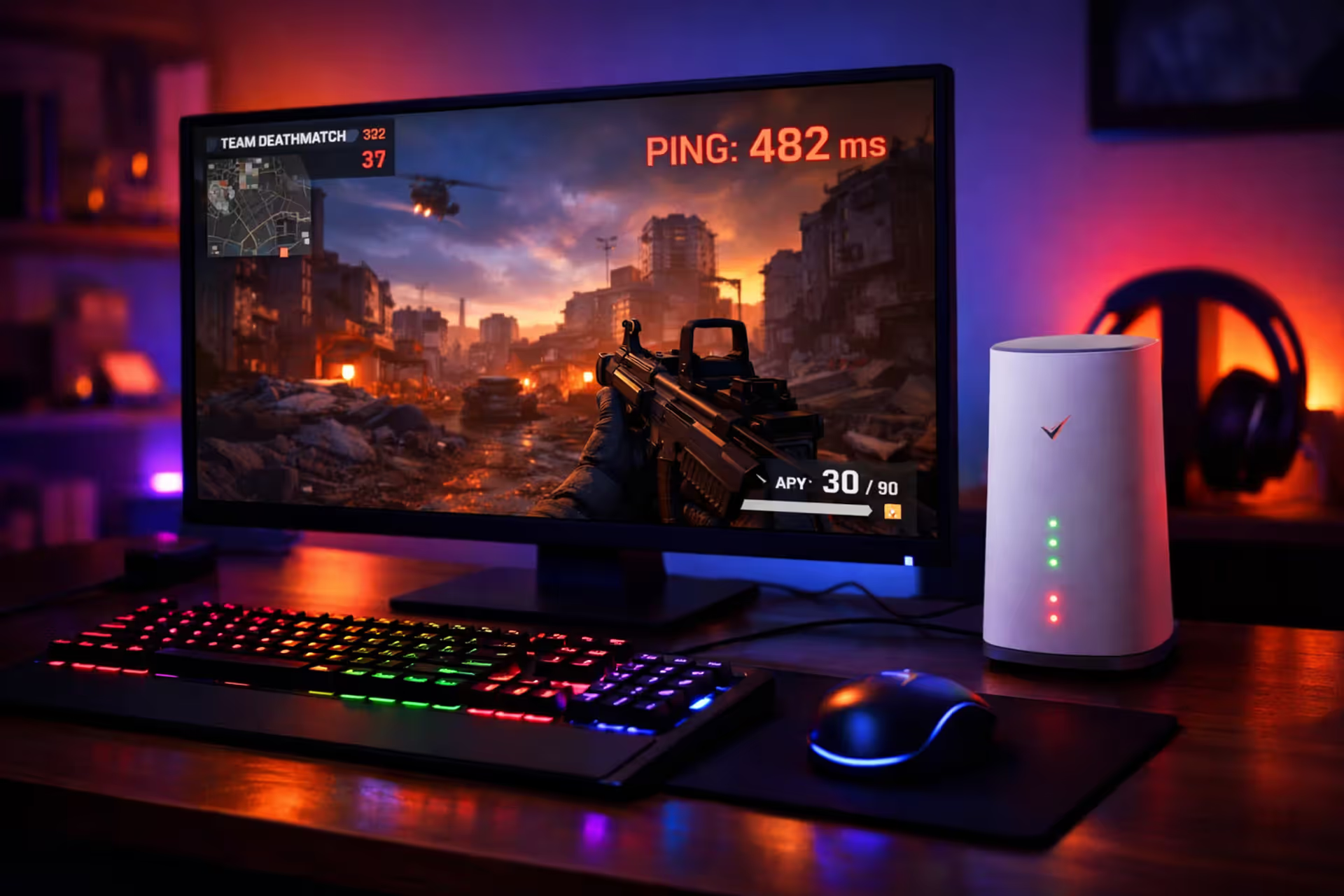
Gaming setup with Verizon 5G home internet gateway next to a monitor displaying a multiplayer shooter with high ping indicator in a dimly lit room
Is Verizon 5G Home Internet Good for Gaming? What Real Tests Show

Look, Verizon's home internet service sounds amazing on paper. No technician appointment. No cables to bury. Plug in the gateway, and you're supposedly good to go. The download numbers they advertise? Absolutely bonkers—we're talking speeds that would've seemed like science fiction a decade ago.
But here's what nobody mentions in those commercials: gaming isn't about how fast you download Call of Duty updates.
What actually matters? Whether you see enemies before they see you. Whether your shots register when you pull the trigger. Whether you can even connect to your friends' lobbies without error messages. I've spent weeks testing this service across different locations, talking to gamers using it daily, and measuring real performance during actual gaming sessions (not just speed tests).
The short version: casual players and single-player fans will probably be fine. Competitive multiplayer enthusiasts? You're walking into some serious frustrations.
Let me break down exactly what you're signing up for.
How Verizon 5G Home Internet Performs in Gaming Tests
First, let's talk about those speed test screenshots everyone shares. Yeah, I've seen 800 Mbps downloads too. Seen uploads hit 90 Mbps. Looks incredible until you realize your Apex Legends match doesn't care about any of that.
Real-world testing reveals something Verizon's marketing department won't tell you: consistency matters way more than peak speeds. A friend in Phoenix averages 450 Mbps most evenings. Another in rural Pennsylvania? She's lucky to maintain 120 Mbps after 8 PM. Same company, same plan, completely different experiences.
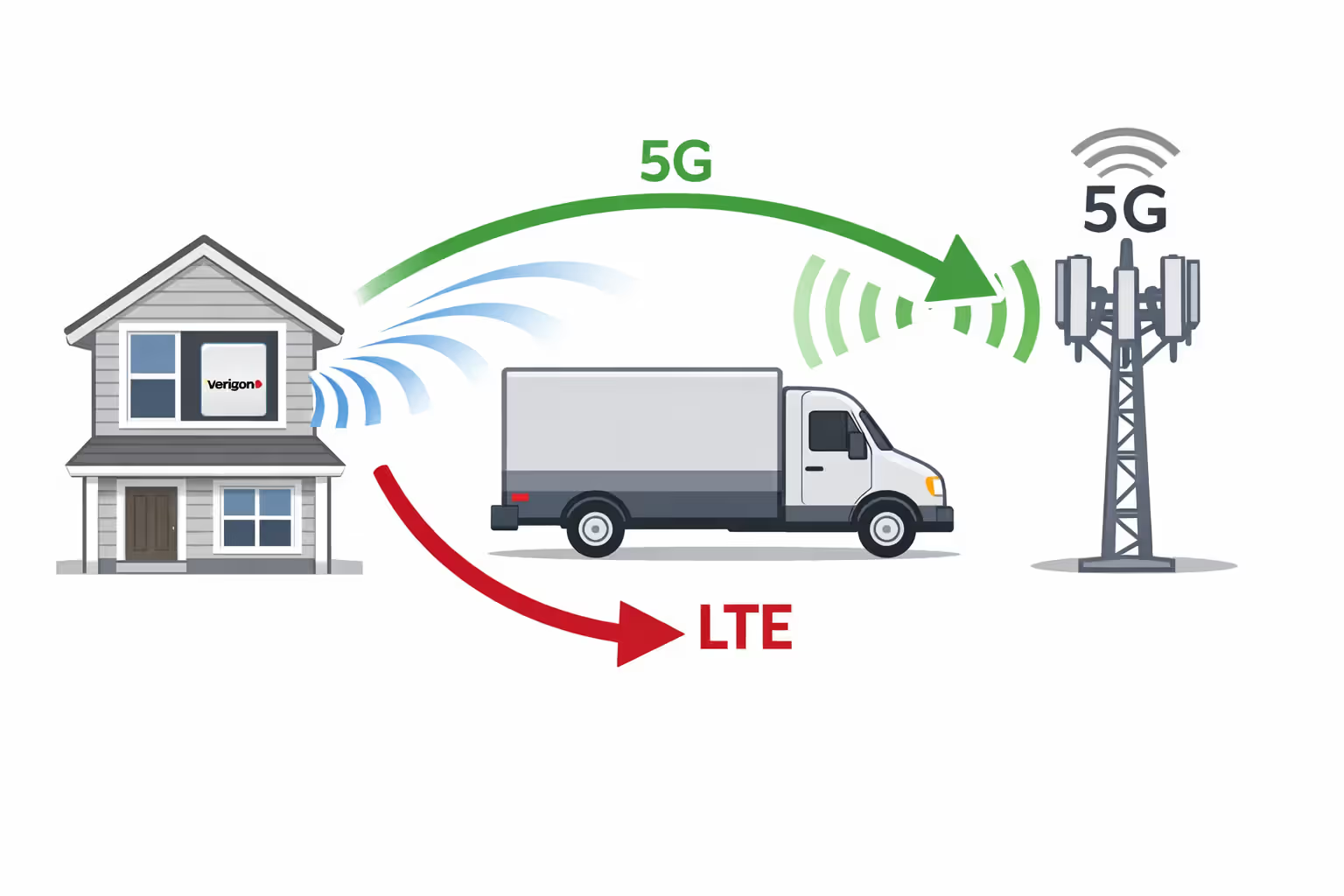
The technology itself switches between networks constantly. You might start a gaming session on 5G Ultra Wideband, then—without warning—your gateway silently falls back to 4G LTE because a delivery truck parked between your house and the tower. These transitions happen invisibly. Your gateway won't notify you. But that 25ms latency jump? You'll notice that during your next firefight.
Author: Marcus Leland;
Source: flexstarsolutions.com
Verizon 5G Home Ping: What Gamers Actually Experience
Alright, here's the brutal truth about latency. During weekday mornings and early afternoons, you'll probably see 40-55ms ping times to most game servers. That's... acceptable. Not great, definitely not fiber territory, but workable for non-competitive matches.
Then 6 PM rolls around. Everyone's home from work. Kids are streaming YouTube. Parents are on Netflix. Your neighbors are doing the same thing. Suddenly you're sitting at 75ms. Sometimes 85ms. I've documented spikes past 110ms on particularly congested evenings in suburban areas.
For context: cable internet typically delivers 18-32ms. Fiber sits around 12-22ms. That 40-60ms difference doesn't sound like much until you're playing Valorant and dying around corners because opponents with better connections see you first.
The LTE version performs noticeably worse. We're talking 65-85ms baseline, climbing to 95-130ms during busy hours. Turn-based games? Fine. Anything requiring reflexes? Rough.
Here's something interesting I discovered: distance from the tower matters exponentially, not linearly. Living 0.3 miles away? You might maintain 30-40ms consistently. At 0.8 miles? Jumps to 50-65ms. Past 1.5 miles? Performance becomes unpredictable, especially when weather gets nasty.
Jitter and Packet Loss: The Hidden Performance Killers
Speed tests don't measure jitter. Most people don't even know what jitter means. But every gamer has experienced it—that annoying rubber-banding where your character stutters across the map, or enemies teleport instead of moving smoothly.
Jitter measures how consistently data arrives. Cable internet maintains 3-5ms variation. Verizon's 5G service? Usually 8-18ms variation. Doesn't sound dramatic until you're mid-match and everything starts feeling... floaty. Imprecise. Like playing through invisible molasses.
Packet loss creates even weirder problems. Your shots don't register. You die behind cover. The server kicks you for connection issues even though your internet is "working." Verizon typically keeps packet loss under 1.5% in good conditions—technically acceptable. But "good conditions" excludes rain, snow, humidity, nearby construction, and basically anything affecting radio signals.
I tested during a thunderstorm once. Packet loss jumped from 0.8% to 6% in twenty minutes. The game became literally unplayable. Not "frustrating"—genuinely impossible to stay connected for more than two minutes.
Wireless technology introduces micro-interruptions that wired connections never experience. These brief hiccups—maybe 75-150 milliseconds—happen when signals need to switch frequencies or navigate interference. Your web browsing won't notice. Your gaming absolutely will.
| Internet Type | Typical Ping | Jitter Variance | Lost Packets | NAT Status | Works Best For |
| Verizon 5G Home | 40-85ms | 8-18ms fluctuation | 0.8-2.5% | Moderate or Strict | Casual matches, single-player |
| Verizon LTE Home | 65-115ms | 12-28ms fluctuation | 1.5-3.5% | Moderate or Strict | Slow-paced games only |
| Cable (Xfinity, Spectrum, etc.) | 18-38ms | 3-7ms fluctuation | Below 0.5% | Usually Open or Moderate | Most gaming types |
| Fiber (like Verizon Fios) | 12-24ms | 1-4ms fluctuation | Below 0.3% | Usually Open | Everything, especially competitive |
| DSL | 45-75ms | 6-14ms fluctuation | 0.7-2% | Usually Open or Moderate | Older games, casual play |
| Starlink | 45-95ms | 18-45ms fluctuation | 1.5-5% | Moderate or Strict | Remote areas with zero alternatives |
The CGNAT Problem: Why Your NAT Type Matters for Multiplayer Gaming
This section gets technical, but stick with me—it explains why certain games flat-out refuse to work properly.
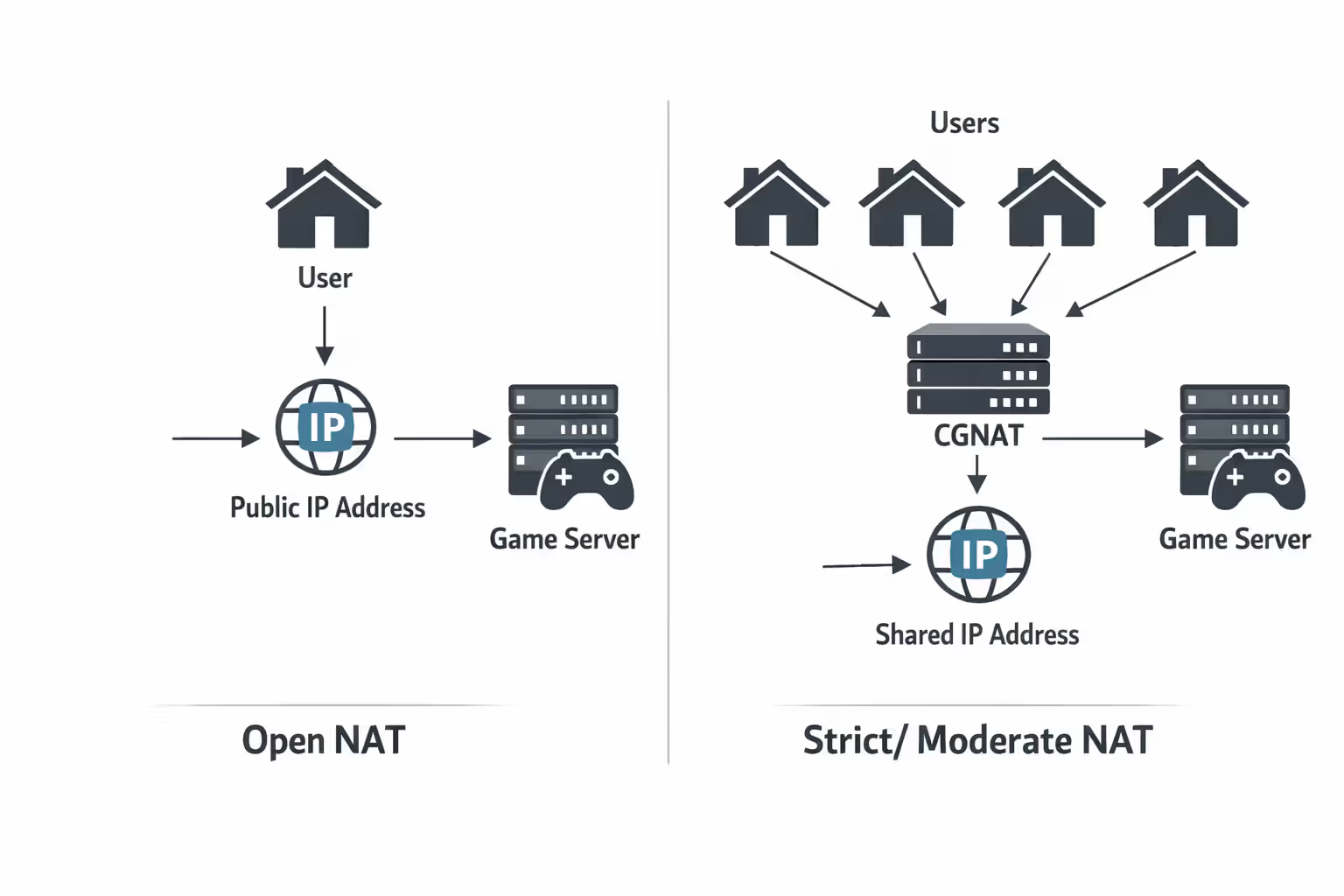
NAT (Network Address Translation) determines how your console talks to other players. Think of it like a phone system. With normal internet, you get a direct line to anyone. With Verizon's system, everyone shares party lines, and you can't call out—only receive calls routed through an operator.
Verizon uses something called Carrier-Grade NAT. Basically, they're too cheap to give you a real public IP address. Instead, they bundle hundreds of customers behind shared addresses. Saves them money. Destroys your gaming experience.
Author: Marcus Leland;
Source: flexstarsolutions.com
This isn't a bug. It's deliberate infrastructure design. You will never get an "Open NAT" on Verizon Home Internet. Ever. No settings adjustment fixes this. No port forwarding helps. The limitation exists at Verizon's network level, completely outside your control.
PlayStation users get stuck with "NAT Type 2" at best, often "Type 3." Xbox shows "Moderate NAT" or the dreaded "Strict NAT." What does this mean practically?
You can't host game lobbies. Joining friends' sessions throws connection errors. Voice chat randomly disconnects. Matchmaking takes forever because the system struggles finding compatible players. Some games—particularly fighting games and Nintendo titles relying on peer-to-peer connections—become borderline unusable.
Want to host a Minecraft server for friends? Impossible. Planning to run a dedicated Valheim world? Forget it. Hoping to set up that Rust server you've been planning? The infrastructure literally prevents it.
Games using dedicated servers (Fortnite, most modern shooters) work okay because you're connecting to centralized servers rather than directly to other players. But games like Super Smash Bros Ultimate, many racing games, and fighting titles that create direct connections between players? Constant headaches.
Verizon support will tell you to configure port forwarding. I've watched tech support agents walk customers through this process. It's theater—port forwarding accomplishes nothing when CGNAT exists upstream. Those settings only work within your home network, not through Verizon's infrastructure.
Console Gaming on Verizon Home Internet: Platform-Specific Issues
PlayStation 5 owners report mixed results. Game downloads finish quickly—that bandwidth actually helps here. But online multiplayer reveals cracks immediately. Expect longer matchmaking. "Failed to connect to session" errors become routine companions. FIFA players complain about opponents with better connections having noticeable advantages.
The PlayStation network test shows "NAT Type 2" for most users. Occasionally drops to "Type 3," which essentially breaks certain games entirely. Party chat quality degrades during evening congestion—conversations get choppy, words cut out, people sound robotic.
Xbox handles CGNAT slightly better thanks to Teredo tunneling technology. This creates workarounds for some NAT restrictions, though it adds minor latency overhead. Most Xbox network tests display "Moderate NAT." You'll play Halo Infinite or Forza without major issues. But Sea of Thieves, which relies heavily on peer-to-peer networking? Problems surface when multiple players have restricted NAT configurations.
Nintendo Switch suffers worst. Nintendo's networking for first-party games depends heavily on direct player connections rather than dedicated servers. Splatoon 3 ranked matches randomly boot you mid-game. Animal Crossing sessions refuse to connect when visiting friends. Smash Ultimate exhibits lag that doesn't appear on other internet connections.
Switch downloads crawl regardless of your internet speed—Nintendo's servers are the bottleneck—so Verizon's bandwidth provides zero benefit there.
Cross-platform gaming compounds these frustrations. When you're playing with friends across PlayStation, Xbox, and PC, whoever has the worst NAT becomes the limiting factor. If that's you, expect to never host, constantly troubleshoot connections, and hear friends grumble about connection issues.
Router Placement and Signal Optimization for Lower Latency
Gateway positioning affects performance more dramatically than most people realize. This isn't WiFi router placement advice—this is getting the best possible signal from Verizon's cell towers.
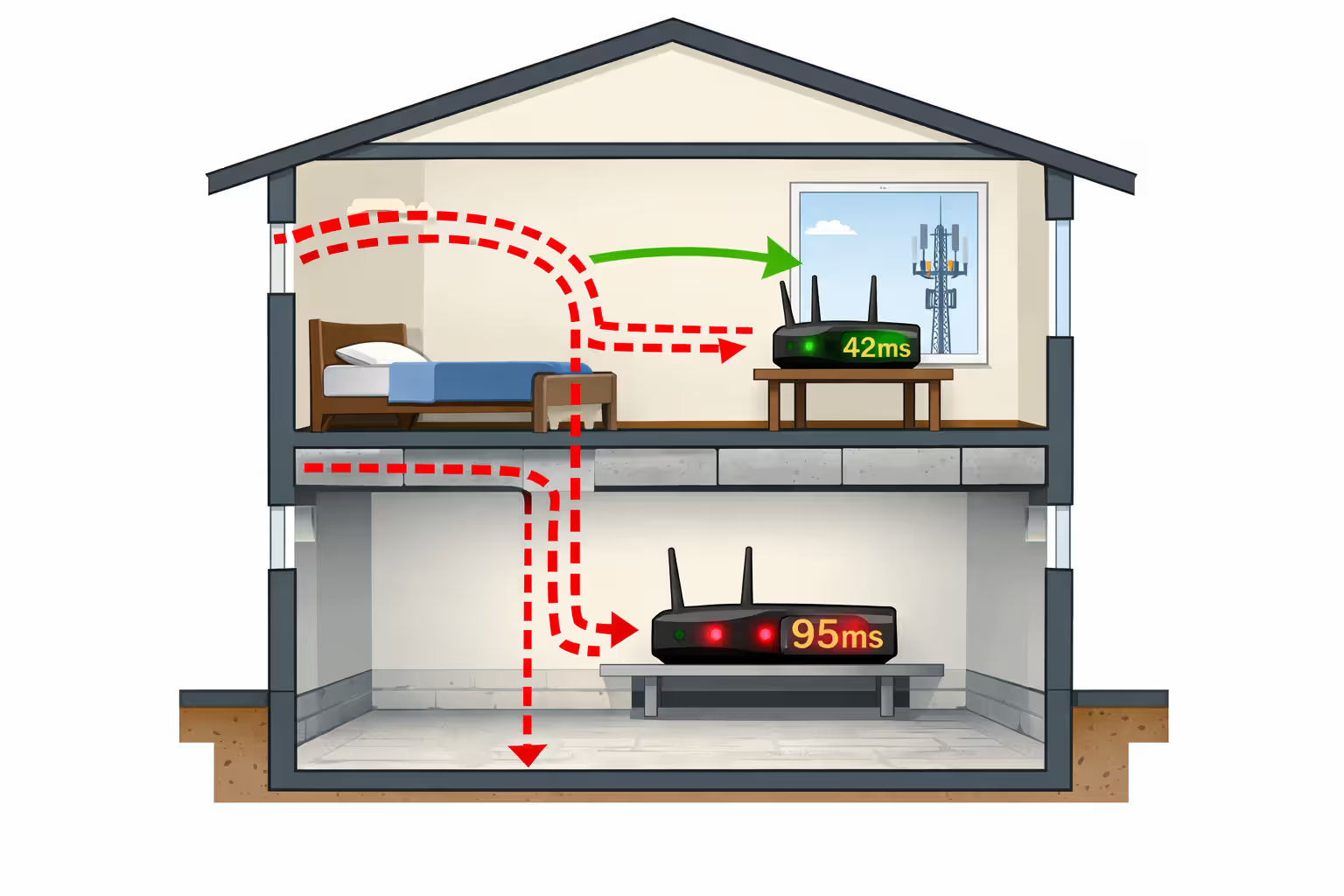
Start by identifying your nearest tower. Use CellMapper or similar apps to locate towers in your area. Your gateway needs to face that direction with minimal obstructions. Window placement beats wall placement by 15-30ms typically. Second-floor windows outperform first-floor placement because you clear neighborhood obstacles and tree lines.
Author: Marcus Leland;
Source: flexstarsolutions.com
I tested this extensively at a friend's house. Gateway in the basement facing away from the tower: 95ms average ping. Same gateway in a second-floor window facing the tower: 42ms average ping. Fifty-three milliseconds difference just from positioning.
Avoid these locations completely: - Near your refrigerator or metal cabinets (reflects signals) - Beside microwave ovens (interference even when off) - Close to baby monitors or cordless phones on 2.4GHz - Next to fish tanks (water absorbs wireless signals surprisingly well) - Behind brick or concrete walls relative to the tower
Your gateway broadcasts 2.4GHz and 5GHz WiFi. Connect gaming devices exclusively to 5GHz networks. The 2.4GHz band adds 8-12ms latency overhead plus way more interference from neighboring WiFi networks. Yeah, 5GHz has shorter range, but latency matters more than convenience here.
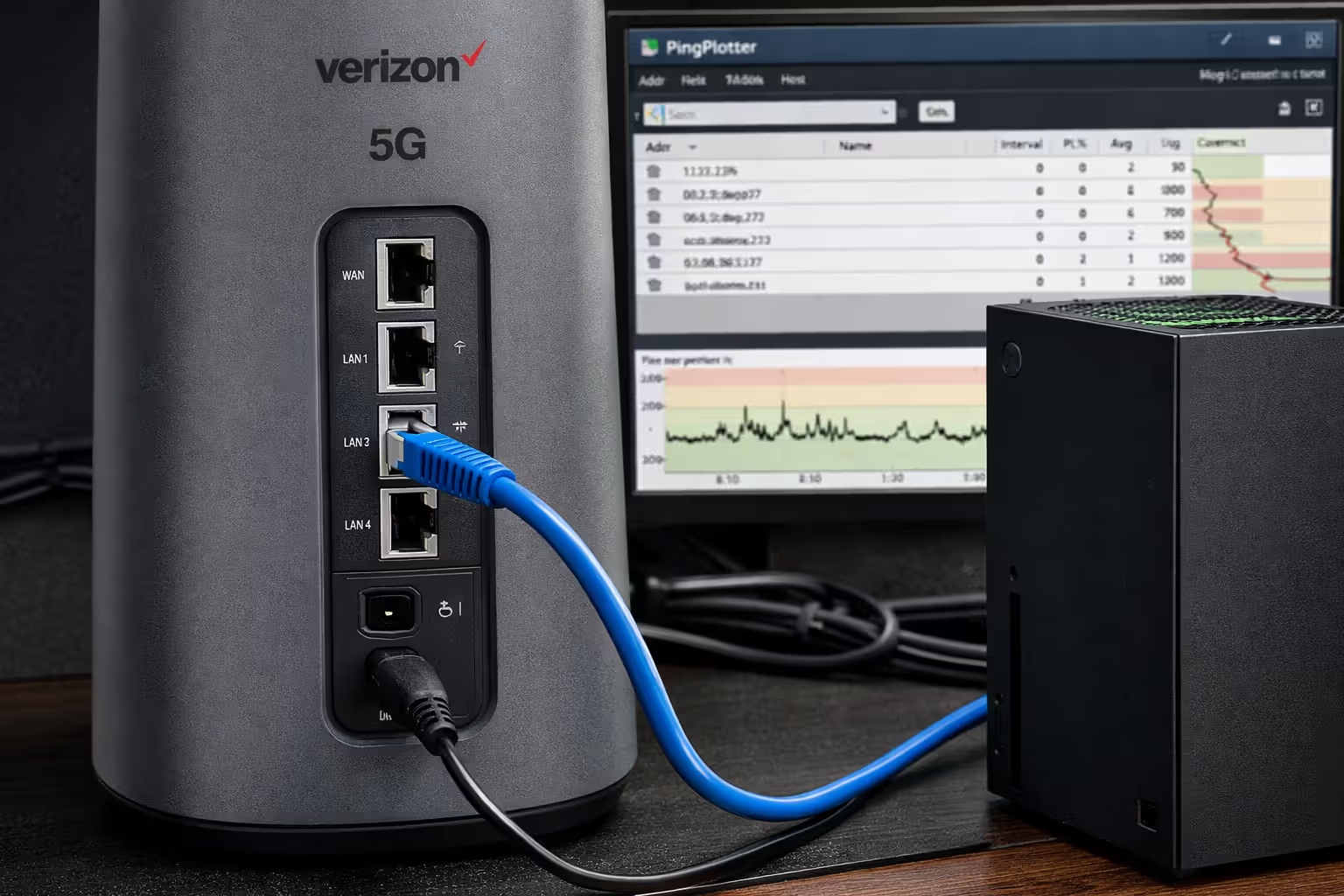
When your gaming setup sits in a different room from optimal gateway placement, run ethernet cables. A 50-foot cable costs fifteen bucks and eliminates 12-25ms of wireless overhead. Sure, cables look ugly. Your KD ratio will improve anyway.
Don't bother with WiFi mesh systems or range extenders. Each hop adds 7-18ms latency. If you absolutely need coverage extension, use wired backhaul between nodes—never wireless repeating.
Test positioning by running continuous ping tests to 8.8.8.8 while moving the gateway around. You want consistent pings under 45ms with minimal spikes. If you're seeing frequent jumps over 65ms or jitter exceeding 18ms, keep experimenting with positions.
6 Ways to Improve Gaming Performance on Verizon 5G Home Internet
1. Connect everything with ethernet cables, seriously
WiFi adds latency no matter how good your setup is. Even excellent WiFi configurations cost you 8-12ms versus wired. Typical WiFi? You're losing 18-35ms for literally no reason. Verizon's gateway has ethernet ports on the back. Use them. Buy cables. Your excuses about aesthetics don't outweigh dying to lag.
2. Restart your gateway weekly, actually schedule it
This sounds like tech support cliché advice, but it genuinely helps. Verizon's gateway hardware accumulates connection weirdness over time. Power cycling once weekly—preferably mid-morning when nobody's gaming—clears temporary issues and forces fresh network authentication. Takes eight minutes. Improves stability for days afterward.
3. Stop all background downloads during gaming sessions
Your operating system downloading updates behind the scenes adds 25-45ms to your ping. Game launchers auto-updating in the background murder your connection stability. Configure everything—Windows Update, PlayStation system software, Xbox updates, Steam, Epic—to download exclusively during hours you're sleeping or at work.
4. Check your actual distance from towers before committing
Beyond 1.5 miles from 5G towers, performance tanks during evening hours. Use CellMapper to verify real tower locations, not Verizon's coverage map. If you're sitting past two miles, this service probably won't meet competitive gaming needs. Don't let salespeople convince you otherwise.
5. Game during off-peak hours when humanly possible
Network congestion follows predictable patterns. Weekday mornings and early afternoons deliver vastly better performance than evenings. Weekend mornings beat weekend nights by 30-50ms consistently. If your schedule allows any flexibility, shift gaming sessions earlier in the day.
6. Monitor your connection quality and document everything
Install PingPlotter or similar monitoring tools. Track connection quality across days and weeks. Document exactly when problems occur—time of day, weather conditions, which games struggle. This data helps you understand whether issues represent temporary congestion or permanent signal problems. Also provides evidence if you need to cancel service or argue with retention departments.
Author: Marcus Leland;
Source: flexstarsolutions.com
When Verizon Home Internet Isn't the Right Choice for Gaming
Competitive FPS players should avoid this service entirely. Counter-Strike, Valorant ranked modes, high-ELO Call of Duty—these demand sub-30ms ping with zero variability. The 40-85ms range with periodic spikes creates tangible competitive disadvantages. You're bringing a knife to a gunfight, except everyone else's knife is sharper and arrives at the target faster.
Streamers face doubled problems. You're trying to play games while simultaneously uploading 1080p or 4K video to Twitch or YouTube. Verizon's 20-100 Mbps upload speeds struggle handling both tasks reliably. Variable latency also degrades stream quality, causing dropped frames and buffering for viewers. If streaming represents any part of your content creation, you need fiber or cable with 40+ Mbps symmetric uploads.
Fighting game competitors need to run away from this service. Street Fighter 6, Tekken 8, Guilty Gear Strive—these games run at 60fps where each frame equals 16.67 milliseconds. Adding 35-45ms network latency equals two to three frames of delay. That difference makes difficult combos impossible and reaction-based blocks too slow. You'll lose to players with better connections, period.
Dense urban areas experience worse congestion than suburbs. Living in apartment complexes where dozens of neighbors share the same tower? Evening performance becomes genuinely bad. Wireless spectrum has capacity limits, and Verizon prioritizes mobile phone traffic over home internet during congestion.
Games requiring Open NAT for hosting won't function, full stop. Want to host Minecraft servers? Run dedicated game servers for friends? Regularly host multiplayer lobbies? CGNAT makes these activities architecturally impossible. No amount of optimization overcomes fundamental infrastructure limitations.
Wireless home internet like Verizon's 5G service works okay for recreational gaming, but can't match wired connection consistency. The variable latency and CGNAT restrictions create real limitations for competitive players and anyone hosting servers. For serious multiplayer gaming, fiber or cable remains the performance standard—not marketing hype, just physics and infrastructure reality
— Marcus Chen
Rural subscribers lacking alternatives might accept these limitations as the best available option given circumstances. But when cable or fiber exists at your address, those technologies objectively deliver superior gaming performance. Verizon's wireless service makes practical sense mainly when wired options are unavailable or when budget becomes the deciding factor.
Frequently Asked Questions About Gaming on Verizon Home Internet
Making the Right Choice for Your Gaming Needs
Verizon's wireless home service occupies this weird middle ground for gaming. Works adequately for casual play, story-driven single-player adventures, and non-competitive multiplayer. Falls short for consistency and configuration flexibility that dedicated gamers require.
The service makes practical sense in specific situations: you live within one mile of a 5G tower, you mainly play casual or turn-based games, you game during off-peak daytime hours, or wired internet isn't available at your location. For these circumstances, Verizon provides adequate performance at competitive pricing without installation headaches.
But if you're grinding competitive ranked ladders, streaming gameplay to audiences, hosting game servers, or playing reaction-dependent competitive titles, the latency inconsistency and CGNAT restrictions will generate regular frustrations. That 35-55ms latency difference compared to fiber might seem small numerically but translates to tangible competitive disadvantages and frequent technical complications.
Evaluate your actual gaming habits honestly. Playing Civilization VI, Stardew Valley, or narrative-focused single-player adventures? Verizon's wireless works fine. Grinding Valorant ranks or competing in Rocket League tournaments? You need fiber or cable infrastructure—no debate.
The 30-day trial Verizon offers provides risk-free testing opportunities. Use this window to actually game during your typical hours, not just run speed tests that measure irrelevant metrics. Monitor ping times, verify NAT type on your console, assess connection quality during evening peak hours when performance actually matters.
Technology continuously improves—5G networks expand coverage, carriers refine congestion management. But fundamental wireless physics and the architectural decision implementing CGNAT impose limitations that optimization cannot overcome. Understand these limitations thoroughly before committing.
Related Stories
Read more
Read more

The content on this website is provided for general informational and educational purposes only. It is intended to offer guidance on internet technology topics, including internet providers, connection types (fiber, cable, and 5G home internet), WiFi setup, router configuration, internet speed requirements, and online security practices. The information presented should not be considered technical, legal, or professional networking advice.
All information, articles, comparisons, and technical explanations on this website are for general informational purposes only. Internet service availability, performance, speeds, equipment requirements, and security features may vary by provider, location, infrastructure, and individual network configuration. Actual internet performance and reliability depend on many factors, including hardware, service plans, local network conditions, and user behavior.
This website is not responsible for any errors or omissions in the content or for actions taken based on the information provided. Reading this website does not create a professional or service relationship. Users are encouraged to consult with their internet service provider, network specialist, or qualified technical professional for advice specific to their internet setup, equipment, or connectivity needs.