
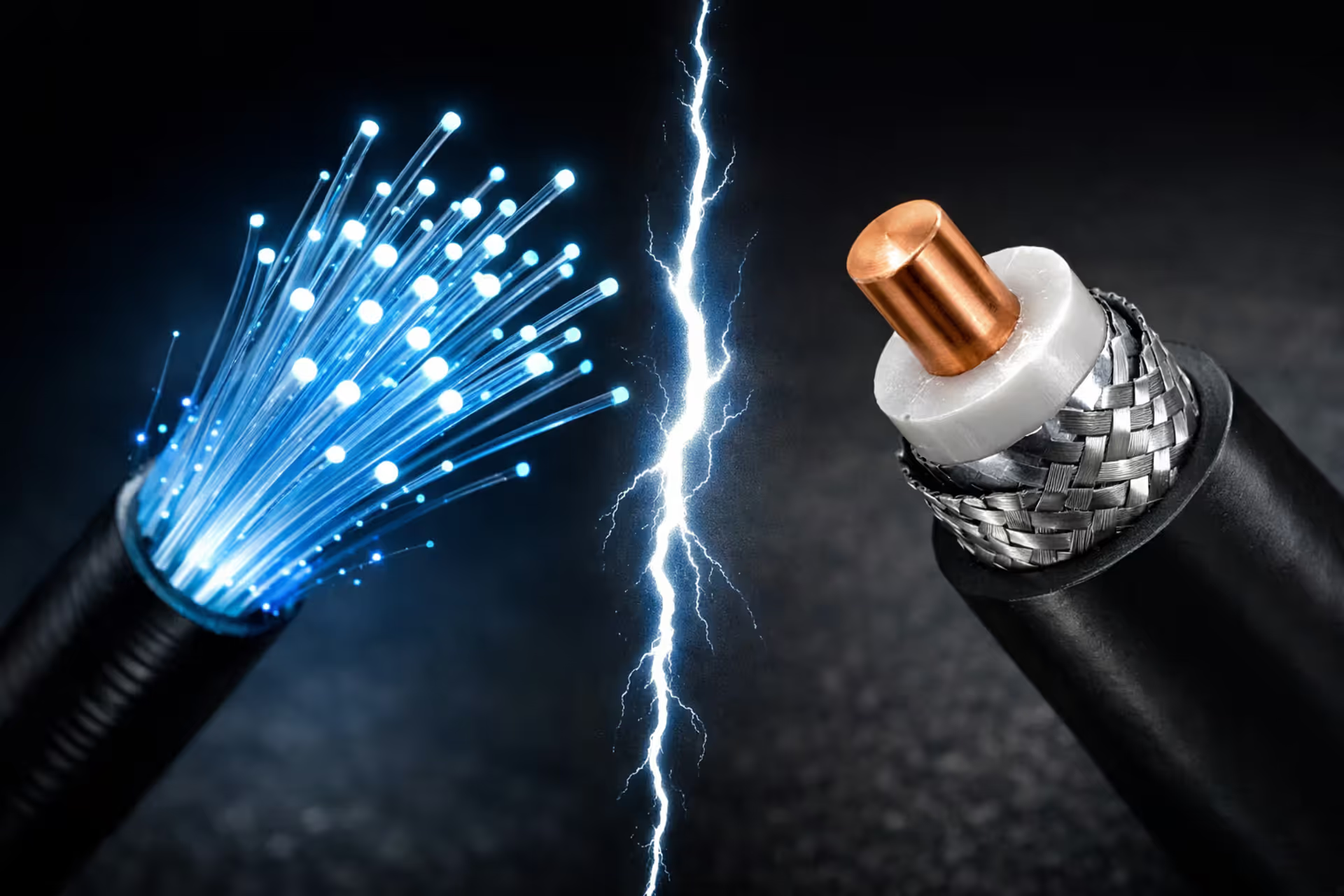
Fiber optic cable with blue light pulses compared side by side with a coaxial cable cross-section showing copper core and metal shielding on a dark background
Fiber vs Coax Internet – Which One Should You Choose in 2025?

You're probably here because your current internet drives you crazy during video calls or your neighbor's Netflix habit tanks your gaming session every evening. The real difference between fiber and coax isn't in the marketing brochures—it's in whether your connection holds up when everyone's home streaming, gaming, and working simultaneously.
How Fiber and Coax Internet Technologies Actually Work
Think about fiber optic cables as incredibly thin glass threads—seriously, thinner than a single strand of your hair. Data shoots through these threads as light pulses. The glass core has a reflective outer layer that keeps light bouncing down the cable at about 124,000 miles per second. Distance barely matters. Signal degradation? Almost nonexistent. Electrical storms? The cable couldn't care less.
Now consider coaxial cable. You've seen these before—the same thick cables that connected cable boxes to TVs for decades. Inside, there's a copper wire wrapped in layers of insulation and metal mesh. Instead of light, coax pushes electrical signals through that copper core. The technology has improved dramatically since the '80s (DOCSIS 3.1 and the newer 4.0 standards deliver genuinely impressive speeds), but physics eventually wins. Electrical signals weaken as they travel. Interference creeps in from power lines, appliances, even thunderstorms.
Here's what actually matters: light traveling through glass doesn't get tired. Your connection quality stays consistent whether you're 500 feet or 5 miles from the network hub. Electrical signals through copper wire? They fade with distance, requiring amplifiers along the route. Each amplifier adds another component that might fail. Weather affects the electrical properties of copper and connections. Corrosion happens. None of this touches fiber.
The fundamental advantage of fiber is physics. When you're transmitting light through glass versus electricity through copper, you're working with a medium that doesn't care about distance, interference, or shared bandwidth in the same way. That translates directly to consistency—the thing most users actually notice more than raw speed
— Marcus Chen
Speed and Bandwidth: Comparing Download and Upload Capabilities
Download numbers look impressive on both technologies. Coax providers happily sell you 100 Mbps, 500 Mbps, even 1,200 Mbps plans. Sounds competitive with fiber, right? Then you look at uploads and everything changes.
That 500 Mbps coax plan? You're getting maybe 10-20 Mbps upload. Sometimes less. The ratio hits 25:1 or even 50:1. With fiber, 500 down equals 500 up. Always. This isn't arbitrary marketing—coax networks were literally built for cable TV broadcasting, a one-way transmission model. Most bandwidth flows downstream because that's how cable companies designed the infrastructure decades ago.
Speed tests reveal another gap. Run tests on fiber throughout the day and you'll consistently see 95-100% of what you're paying for. Try the same with coax between 7-11 PM when your neighbors are home. Suddenly that 500 Mbps plan delivers 350, maybe 400 Mbps. The connection you bought isn't really yours—you're sharing capacity with dozens of nearby households.
Typical Speed Tiers: What You Actually Get with Fiber vs Coax
| Plan Level | Fiber Down | Fiber Up | Coax Down | Coax Up | Fiber Latency | Coax Latency | Monthly Price Range |
| Basic | 300 Mbps | 300 Mbps | 300 Mbps | 10 Mbps | 8-12 ms | 15-30 ms | Fiber: $50-65 / Coax: $40-55 |
| Standard | 500 Mbps | 500 Mbps | 500 Mbps | 20 Mbps | 7-10 ms | 18-35 ms | Fiber: $65-80 / Coax: $60-75 |
| Fast | 1,000 Mbps | 1,000 Mbps | 1,000 Mbps | 35 Mbps | 5-8 ms | 20-40 ms | Fiber: $80-100 / Coax: $80-120 |
| Ultra | 2-5 Gbps | 2-5 Gbps | 1,200 Mbps | 35 Mbps | 3-6 ms | 25-45 ms | Fiber: $100-150 / Coax: $100-150 |
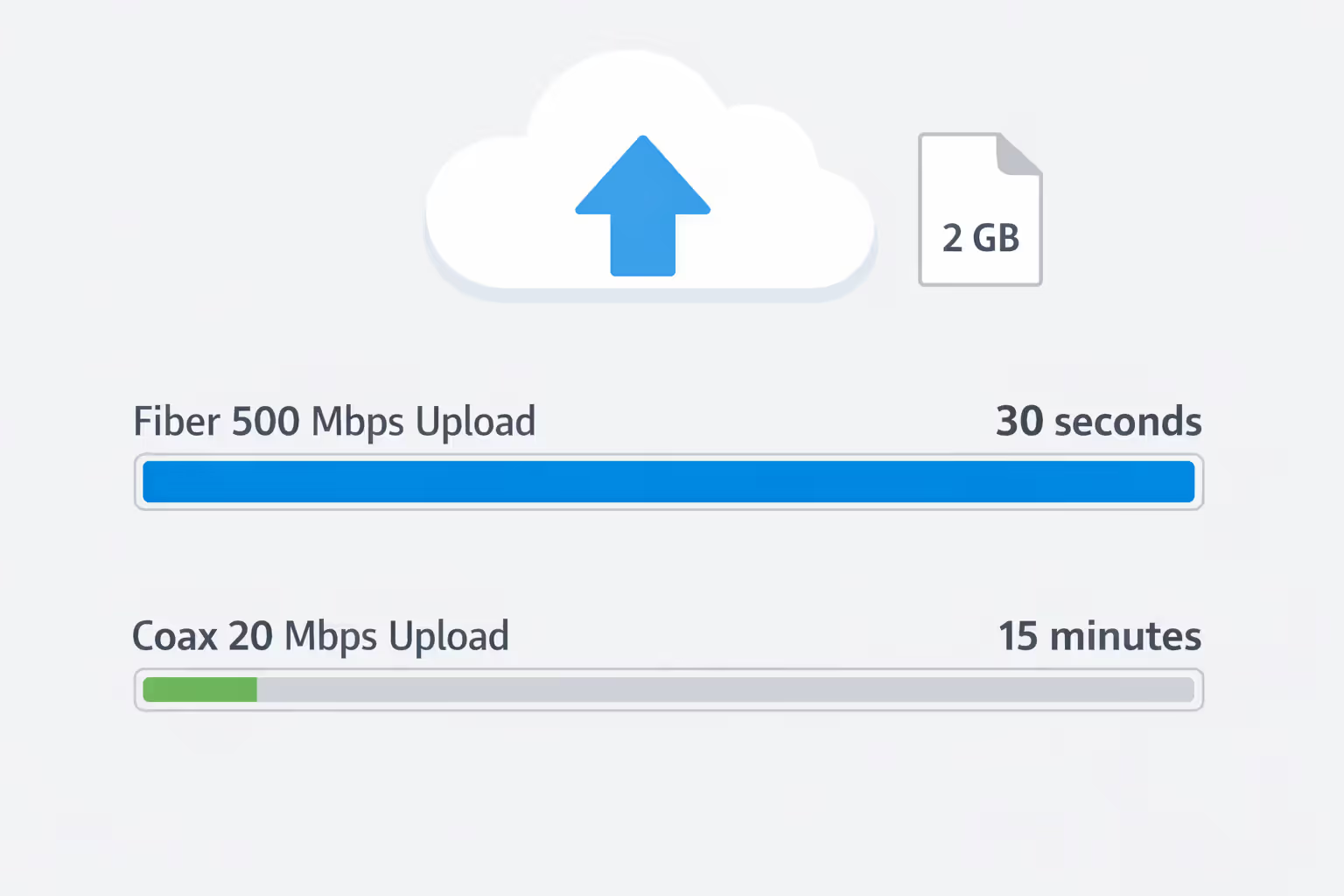
Upload limitations hit hard in real scenarios. Try uploading a 2 GB video file. On a 20 Mbps coax upload, you're waiting about 15 minutes. Same file on 500 Mbps fiber? Thirty seconds. Done before you finish making coffee. Content creators, photographers sending client galleries, anyone backing up files to the cloud—these people immediately feel coax's upload bottleneck.
Author: Lindsey Hartwell;
Source: flexstarsolutions.com
Latency, Stability, and Connection Quality Differences
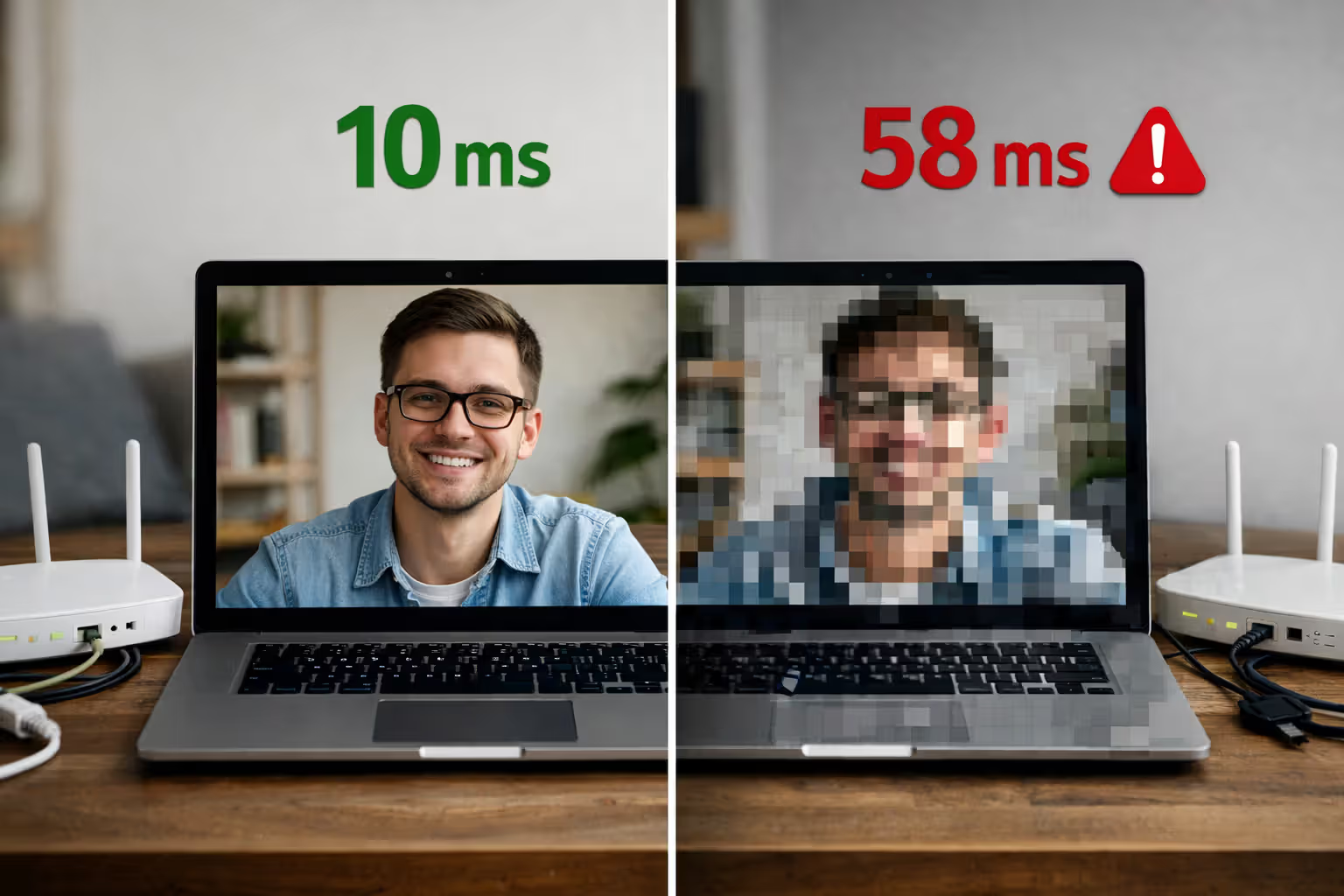
Latency is how long your data takes to make the round trip from your computer to a server and back. Measured in milliseconds. Fiber typically runs 5-15 ms to regional servers. Coax sits at 15-40 ms, often spiking higher when traffic increases.
The underlying issue is network architecture. Fiber-to-the-home gives you a dedicated strand running to the network node. You're not sharing. Coax loops through neighborhoods—you and potentially hundreds of neighbors splitting the same pipe. When someone three houses down starts downloading a massive game update at 8 PM, everyone's performance drops. Your latency jumps. Your video call pixelates. Your game lags.
Distance from the network node matters enormously for coax, barely at all for fiber. Live more than a few thousand feet from the coax node? Expect quality problems. Technicians add amplifiers to boost the signal, but each amplifier introduces noise. More things that can break. Fiber runs for miles maintaining perfect signal integrity without amplification.
Weather creates different problems for each technology. Heavy rain affects coax by changing how electrical signals travel through cables and especially through connection points. Extreme temperature swings do the same. Moisture gets into connections over time, causing corrosion that drops packets. Fiber doesn't notice weather (assuming proper installation with moisture-sealed enclosures)—light transmission operates identically at -20°F and 110°F.
Micro-outages plague coax more frequently than fiber. A 2-second dropout while browsing? You won't notice. That same dropout boots you from a ranked game or freezes your face mid-sentence on a Zoom call. Fiber connections maintain stability for hours without these interruptions. The difference becomes obvious once you experience both technologies back-to-back.
Author: Lindsey Hartwell;
Source: flexstarsolutions.com
Performance for Gaming, Streaming, and Work-From-Home
Competitive gaming cares about latency more than raw download speed. A 100 Mbps fiber connection beats a 500 Mbps coax connection for gaming because consistent 8 ms ping demolishes variable 30 ms ping. First-person shooters, fighting games, MOBAs—anything requiring frame-perfect timing—all favor fiber's low latency advantage.
The stability matters even more than the average latency number. Coax might average 25 ms but randomly spike to 60 ms when neighborhood usage increases. Fiber holds rock-steady at 10 ms regardless of what time it is or what your neighbors are doing. Those unpredictable spikes create the "lag" that gets you killed right when it matters most. You'll blame your reflexes when really it's physics and shared infrastructure.
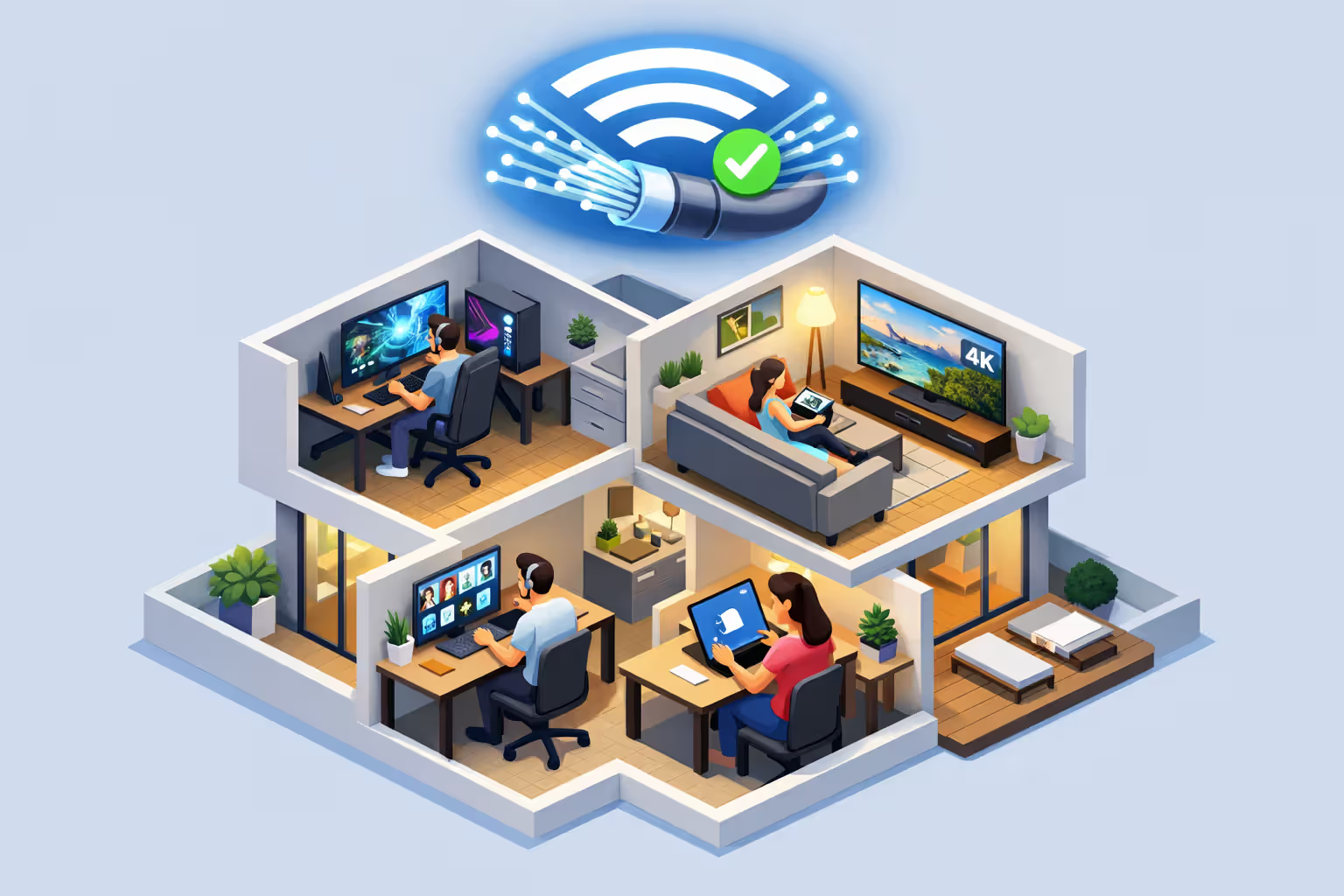
4K streaming needs roughly 25 Mbps per stream. Both technologies handle this fine for one or two streams. Problems start with multiple simultaneous users. Imagine this household: three people streaming 4K shows, one person gaming, another on a video conference call. You need about 150 Mbps total—but that's assuming the bandwidth stays consistent and uploads don't choke the video call.
8K content and high-bitrate 4K change the equation. A single 8K stream demands 50-80 Mbps depending on encoding. Two 8K streams plus a 4K stream plus all your background devices (phones, tablets, smart home gear) pushes you past 200 Mbps sustained usage. Coax often fails to maintain advertised speeds under continuous heavy load. Fiber delivers full bandwidth indefinitely.
Work-from-home scenarios depend heavily on upload capacity. HD video conferencing uses 3-5 Mbps upload. Share your screen during that call and you've doubled the requirement. Now try uploading project files to SharePoint while staying on the Teams call—you need 10-15 Mbps upload minimum to avoid your video quality degrading.
Two remote workers on simultaneous video calls need 20-30 Mbps upload capacity. Most coax plans cap out at 10-20 Mbps total upload. You're literally choosing between who gets acceptable call quality. Fiber's symmetric speeds eliminate this ridiculous trade-off completely.
Household size scaling works differently on each technology. Two people on coax? Usually fine. Four people create noticeable slowdowns during peak hours. Six people practically guarantee constant bandwidth conflicts. Fiber handles large households without noticeable performance degradation until you actually exceed your plan's total capacity—a much higher threshold.
Author: Lindsey Hartwell;
Source: flexstarsolutions.com
Pricing, Installation, and Availability Across the US
Price comparisons surprise people. In markets with both options, entry-level fiber (300 Mbps) runs $50-65 monthly. Comparable coax costs $40-55. You're paying maybe $10-15 more for objectively better technology. Promotional pricing for new customers often erases even this difference.
Mid-tier plans around 500 Mbps cost nearly identical amounts—$60-80 monthly for either technology. Gigabit plans range from $80-120 depending on your provider and local market conditions. Fiber occasionally costs more at the high end, but remember you're getting symmetric speeds versus coax's heavily asymmetric offering.
Installation fees create larger differences. Fiber installation ranges from free (promotional waiver) to $500+ if your home needs new infrastructure run from the street. Coax installation typically costs $50-100 or gets waived when you commit to a contract. But here's the thing: fiber installation is usually one-time. Coax often requires periodic technician visits for maintenance, troubleshooting signal issues, replacing aging components. Those $75 service calls add up.
Equipment rental costs slightly favor fiber. Most fiber providers include the ONT (optical network terminal) and router for free or $5-10 monthly. Coax providers charge $10-15 monthly for modem and router rental. You can buy your own DOCSIS 3.1 modem for $150-200, though that upfront cost takes a while to recoup versus rental fees.
Availability determines what you can actually choose. Fiber reaches about 43% of US households as of 2024. Coverage concentrates in urban areas and newer suburban developments. Coax covers roughly 88% of households, making it the default option across most of America.
Urban residents increasingly have multiple fiber providers competing with established coax networks. Suburban areas typically offer one fiber option (if you're lucky) and one or two coax providers. Rural areas rarely see fiber at all. Coax reaches some rural locations while fixed wireless and satellite fill the remaining gaps.
Market competition affects pricing more dramatically than technology type. Cities with multiple competing fiber providers see aggressive deals—sometimes $40 for gigabit service. Markets with a single coax monopoly charge $120+ for equivalent speeds. Whether you have real choices matters more than fiber versus coax.
Common Problems and Limitations of Each Technology
Fiber's biggest limitation is availability. If fiber doesn't reach your street, you're stuck waiting for network expansion or moving. Providers prioritize dense neighborhoods where installation costs per customer stay low. Running fiber to rural areas costs $10,000-30,000 per mile. The business case rarely works outside population centers.
Installation complexity creates another barrier. Running fiber to your specific home requires specialized equipment and technicians trained in fiber splicing and termination. You can't just screw in a coax cable like the old days. If your home sits far from the street or has complicated architectural features, installation might get delayed weeks or cost extra.
Fiber infrastructure is more fragile during installation and construction activity, though extremely reliable once properly installed. Construction crews accidentally cut fiber lines, causing outages affecting entire neighborhoods. Repairs require splicing equipment and expertise beyond what coax repairs need. Most cuts get fixed within hours, but the vulnerability exists.
Coax's shared bandwidth model generates the most common complaints. How many neighbors are streaming, gaming, and downloading determines your actual connection speed. Evening slowdowns between 7-11 PM are predictable and incredibly frustrating. Providers can upgrade neighborhood nodes to add capacity, but this requires infrastructure investment they frequently postpone.
Asymmetric speeds limit coax for modern internet usage patterns. The technology absolutely can support faster uploads—DOCSIS 4.0 theoretically enables more balanced ratios—but most providers haven't upgraded networks or reallocated channel frequencies. They maintain asymmetric plans because most customers don't understand the upload limitation until they hit it hard.
Network congestion manifests as buffering during streams, sudden lag spikes in games, and failed video call connections during peak evening hours. You might be paying for a 500 Mbps plan but experiencing 200 Mbps performance exactly when you need it most. Coax providers oversell network capacity, betting that not everyone uses their connection simultaneously. This usually works out for them. Not always for you.
Future-proofing heavily favors fiber. The infrastructure supports multi-gigabit and eventually terabit speeds with equipment upgrades only at connection endpoints—the actual cables never need replacement. Coax approaches physical limitations. DOCSIS 4.0 pushes theoretical maximums around 10 Gbps, but real-world deployments struggle past 2 Gbps, and even those speeds come with the same asymmetric upload problem.
Internet demands in 2030 will almost certainly exceed coax capabilities. 8K streaming, VR applications, real-time cloud computing, advanced AI services—these require both high speeds and genuinely low latency. Fiber infrastructure handles evolving needs. Coax increasingly feels like trying to run modern software on old hardware.

Author: Lindsey Hartwell;
Source: flexstarsolutions.com
FAQ: Fiber vs Coax Internet Questions
Making Your Decision Between Fiber and Coax
Your actual choice depends first on availability, then your specific usage patterns and budget constraints. Fiber objectively delivers superior performance—lower latency, symmetric speeds, better reliability, and genuine future-proofing. If fiber reaches your address at comparable pricing to coax, choosing fiber makes sense for the vast majority of households.
Coax remains perfectly practical when fiber isn't available or costs significantly more. It handles typical internet activities adequately: browsing, streaming, casual gaming, and moderate work-from-home requirements. Households with 1-3 users and mainstream internet needs won't feel severely limited by coax, particularly on higher-tier plans above 300 Mbps.
Upload speed differences matter most for remote workers, content creators, streamers, and anyone regularly sending large files. If you frequently join video conferences, stream to Twitch or YouTube, or backup files to cloud storage, fiber's symmetric speeds eliminate frustrating bottlenecks that coax creates daily.
Gamers benefit noticeably from fiber's latency advantages, though the improvement is incremental rather than transformative. You'll win a few more exchanges because of lower ping, but skill remains the primary determining factor. The consistency matters more than raw latency numbers—fiber's stable connection prevents the unpredictable lag spikes that coax suffers during congestion periods.
Before committing to either technology, verify actual availability at your specific address, not just your general area. Providers' coverage maps show general service areas but don't guarantee service to every individual home within highlighted zones. Check installation costs carefully and read contract terms. Some fiber providers require long-term contracts with substantial early termination fees, while others offer flexible month-to-month service.
Consider your household's growth trajectory over the next few years. Adding remote workers, upgrading to 4K or 8K displays, expanding smart home device collections—all increase bandwidth demands. Fiber provides substantial headroom for increasing demands. Coax might feel adequate today but become frustrating in two years when your needs expand. The technology you choose now affects your daily internet experience for however long you remain at your current address.
Related Stories
Read more
Read more


The content on this website is provided for general informational and educational purposes only. It is intended to offer guidance on internet technology topics, including internet providers, connection types (fiber, cable, and 5G home internet), WiFi setup, router configuration, internet speed requirements, and online security practices. The information presented should not be considered technical, legal, or professional networking advice.
All information, articles, comparisons, and technical explanations on this website are for general informational purposes only. Internet service availability, performance, speeds, equipment requirements, and security features may vary by provider, location, infrastructure, and individual network configuration. Actual internet performance and reliability depend on many factors, including hardware, service plans, local network conditions, and user behavior.
This website is not responsible for any errors or omissions in the content or for actions taken based on the information provided. Reading this website does not create a professional or service relationship. Users are encouraged to consult with their internet service provider, network specialist, or qualified technical professional for advice specific to their internet setup, equipment, or connectivity needs.